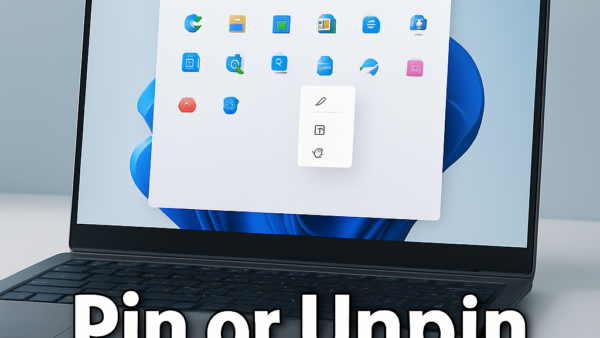
You can add or remove the Pinned section on your Windows 11 Start menu to customize your experience. The Start menu in Windows 11 has distinct areas: Pinned apps, All…
You can hide or show your account name and profile picture on the Windows 11 Start menu by adjusting a simple setting. The Start menu is your central hub for…
You can change your Windows 11 Start Menu size to a compact or expanded view. The Start Menu in Windows 11 typically displays your pinned apps, a list of all…
You enable location sharing permission for Phone Link on Android to allow your PC to access your phone’s location for features like “Find my phone”. Phone Link, formerly Your Phone,…
You change the “All File Access” setting for your linked mobile device in Windows Phone Link by adjusting permissions within the Phone Link app settings on your PC. Phone Link…
You can lock your Windows 11 device remotely using the built-in “Find my device” feature. This tool allows you to secure your PC or tablet from anywhere, protecting your personal…
Microsoft Edge’s built-in Password Generator creates strong, unique passwords for your online accounts. This feature helps you avoid using weak or reused passwords, significantly boosting your online security. It’s an…
You can find your lost Windows 11 device using the built-in ‘Find my device’ feature. This tool helps you locate your PC remotely by displaying its last known location on…
You can turn Microsoft Edge’s Enhanced Security Mode on or off to control its level of protection against potentially dangerous websites. Enhanced Security Mode is a feature within the Microsoft…
You can easily use Microsoft Edge in another language by adjusting its translation settings. Microsoft Edge is a web browser that allows you to translate entire webpages or just the…
Windows 11 Task view is a feature that lets you see all your open applications and virtual desktops at a glance. It acts as a central hub, helping you quickly…
The Windows 11 Taskbar Search feature lets you quickly find apps, files, settings, and even web results directly from your taskbar. This built-in tool is your primary gateway to locating…
The Windows 11 Taskbar Start feature is a core component that launches your applications, settings, and files. This central hub, easily recognizable by its prominent Windows logo icon on the…
Windows 11’s Widgets feature is a dynamic panel that offers personalized information like news, weather, and calendar updates directly on your taskbar. This built-in tool acts as a quick glance…
You can open and configure camera settings in Windows 11 through the main Settings app. Windows 11 centralizes camera controls, allowing you to adjust resolution, frame rate, and even privacy…