Windows 11 offers a feature called "Restore previous folder windows at logon," which reopens File Explorer windows as you left them after restarting. Users can enable it easily through File Explorer Options or modify it using the Registry Editor for advanced control. Restarting your PC is required for changes to take effect.
Windows
The Emoji panel on Windows 11 allows users to easily add emojis, symbols, and GIFs. To display the emoji icon on the taskbar, users can enable it using ViVeTool and adjust settings in the Taskbar menu. An alternative method involves the Registry Editor, with a reminder to back up before making changes.
Windows 11's File Explorer can be set to run each window in a separate process, enhancing stability. This prevents all windows from crashing if one fails, allowing users to close only the problematic window. The feature can be enabled through Folder Options or the Registry, and a system restart may be required for changes to take effect.
In Windows 11, when deleting online-only files from cloud services like OneDrive or Dropbox, a warning message appears to prevent accidental deletions. Users can toggle this warning on or off through a checkbox in the prompt or by modifying the Registry Editor settings. Always back up your system before making registry changes.
Windows 11 allows users to keep printed documents in the printer queue by enabling the "Keep printed documents" option. This feature is useful for resending or backing up prints. Users can easily toggle this setting via the Settings app or Print Management by accessing printer properties and the Advanced tab.
The Windows 11 Magnifier helps enhance on-screen visibility, allowing users to customize keyboard shortcuts for better accessibility. Users can change the default modifier key from Ctrl + Alt to options like Caps Lock or Insert through the Settings app or by editing the Registry, ensuring system backups before making changes.
Windows 11 features a tool called Magnifier, which allows users to zoom in on their screens. A notable option, Invert Colors, swaps colors to enhance text readability and lessen eye strain. Users can toggle this feature using keyboard shortcuts, the Settings app, or the Registry Editor, providing multiple methods for accessibility.
Windows 11 simplifies improving webcam video and photo quality by allowing users to adjust camera resolution easily. It offers advanced options for customizing settings, enabling background effects, and managing app permissions. Users can enhance their video calls by selecting higher resolutions while maintaining privacy control, making video conferencing more effective.
Windows 11 introduces Administrator Protection, enhancing security by replacing older User Account Control prompts with clearer, color-coded warnings when admin permissions are needed. Users can easily enable or disable this feature through the Windows Security app. It provides better protection, clear warnings, and simplifies managing permissions for software installations and system changes.
This guide details how to enable or disable App diagnostics access on Windows 11, a feature that allows apps to share operational data for improvement. Users can adjust settings through the Settings menu, Group Policy Editor, or Registry Editor. Disabling it enhances privacy and control over shared information.
Windows 11 allows users to rename their microphones for easier identification, especially when multiple devices are connected. Users can rename microphones via the Settings app or Control Panel by navigating through simple steps. This personalization enhances organization and quick selection when using audio devices, simplifying the user experience.
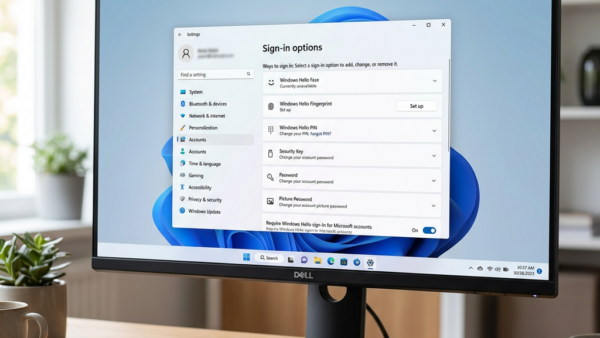
Windows 11 allows users to manage the expiration of their sign-in PINs, which default to never expiring. Users can set PIN expiration periods between 1 and 730 days or choose to disable expiration entirely. This can be adjusted through the Group Policy Editor or the Registry Editor, with precautions advised before making changes. Regular reviews of PIN settings enhance security.
This guide explains how to enhance security on a Windows 11 computer by changing the minimum PIN length required for sign-in. Users can increase the PIN length from the default 4 digits to a maximum of 127 for better protection. Instructions are provided for both the Group Policy Editor and Registry Editor.
Windows 11 users can easily display battery percentage on the taskbar following an update. This feature allows instant visibility of battery life and status through color indicators: green for charging, yellow for battery saver, and red for critically low power. Users can toggle this setting in the System settings or via the Registry Editor.
This guide explains how to enable or disable Bluetooth LE Audio on Windows 11 PCs. LE Audio offers improved sound and battery efficiency, but not all PCs support it. Users can toggle the setting in the Settings app or edit the Registry for advanced adjustments, ensuring Bluetooth is enabled first.