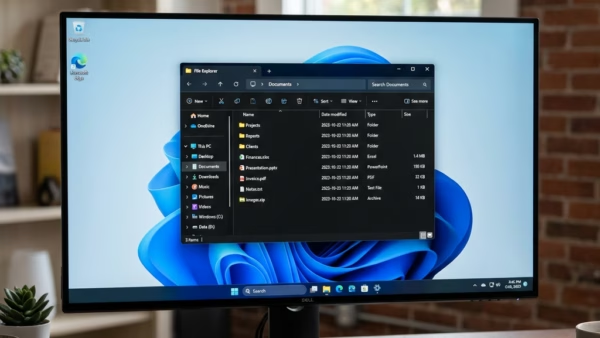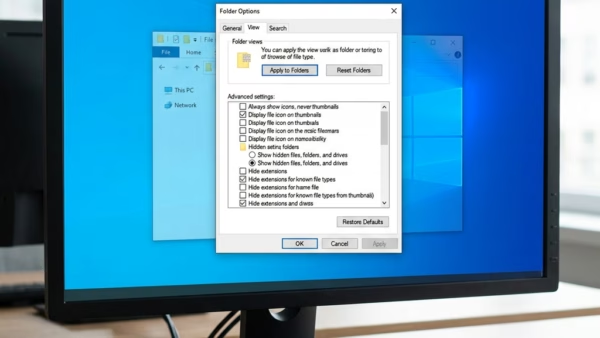
Hiding a file or folder in Windows 11 keeps it out of normal view in File Explorer. It’s handy for tidying a cluttered folder or keeping personal documents out of…
Public folder sharing lets other people on your home network, and other users of the same PC, open files you put in the Public folders. It is off by default…
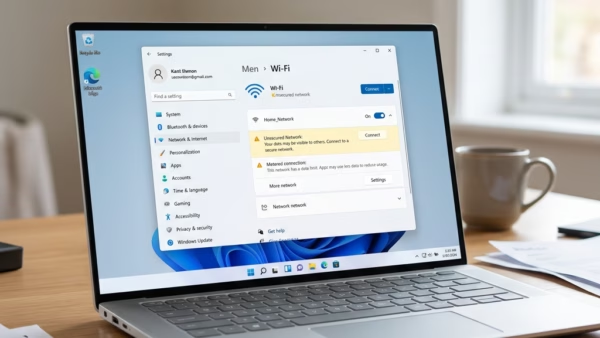
File and printer sharing in Windows 11 lets other computers on your home network see and use your shared folders and printers. You can send a document from a laptop…
Changing your account type in Windows 11 lets you switch a user profile between a Standard User and an Administrator. A Standard User can run installed apps and change their…
Regional formats in Windows 11 control how dates, times, currencies, and numbers appear across your system. Changing this setting switches date styles from 12/31/2024 to 31/12/2024 or alters currency symbols…
Random hardware addresses (MAC addresses) protect your privacy on Windows 11 by hiding your network adapter’s permanent physical ID behind a temporary identifier. A MAC address (Media Access Control address)…
Facial recognition sign-in lets you log in to Windows 11 with your face through Windows Hello, the built-in system that checks your biometric data. Turning it off deletes your saved…
Microsoft Defender Firewall in Windows 11 blocks unwanted network traffic and protects your PC from online threats using built-in security rules. Windows 11 turns it on by default. You can…
The Alt+Tab shortcut switches between open apps in Windows 11. It can show either a full-screen display or a compact windowed preview. It lets you jump between open windows quickly…
Share Across Devices in Windows 11 lets your PC and your phone pass app activity back and forth, so you can pick up where you left off in supported apps.…
The taskbar clock in the bottom-right corner of the screen can show time in a 12-hour layout with AM/PM or in a 24-hour layout that counts from 00:00 to 23:59.…
A language pack changes the display language for the whole of Windows 11, including menus, buttons and settings. You can download official language packs from the Settings app in Windows…
Removing a language in Windows 11 deletes the language pack and the keyboards and input methods that came with it. It also frees up some storage space. A language pack…
Windows 11 lets you switch system menus to a different language, use voice dictation and read-aloud tools, and load regional keyboard layouts. You add all of this from one screen…
Touchpad gestures in Windows 11 let you control your screen with finger movements on your laptop trackpad instead of a mouse. You use two, three, or four fingers for everyday…