This tutorial shows you how to turn Microsoft Defender’s protection against potentially unwanted applications (PUA) on or off in Windows 11. It covers five methods, from the simple Edge and…
Text cursor thickness in Windows 11 controls how wide the blinking typing line is. A thicker cursor is easier to spot on high-resolution screens. Windows accepts any size from 1…
Bluetooth Swift Pair in Windows 11 shows a notification on your screen when a supported accessory, such as a mouse, keyboard or headphones, is close to your PC and in…
Microsoft Defender SmartScreen checks apps and files you download from the web and warns you before you run something risky. This tutorial covers the Check apps and files setting in…
The Pen menu icon in Windows 11 opens a quick-launch menu for up to four stylus apps, right from your taskbar. The button appears automatically when you connect a digital…
Managing the Bluetooth notification icon on your Windows 11 taskbar is a common task. This guide covers three ways to add or remove it, from the quickest to the one…
By default, MySQL accepts connections only from the machine it runs on. It listens on the loopback address 127.0.0.1, so other computers on your network or the internet cannot reach…
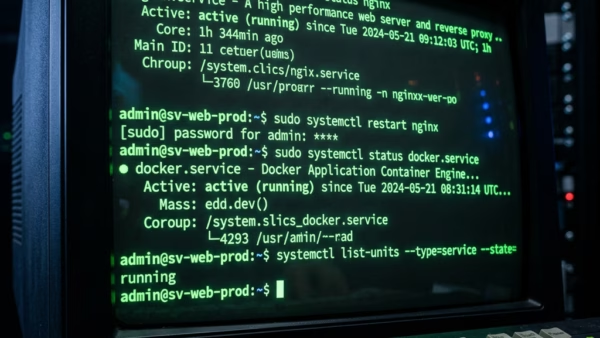
Task Command Add user to sudo group sudo usermod -aG sudo username Check user groups groups username See user’s sudo permissions sudo -l -U username Edit sudoers file safely sudo…
The virtual touchpad puts a software trackpad on your screen. You drag your finger on it to move the mouse pointer, much like a laptop touchpad. It is useful on…
Sleep puts your PC into a low-power state and keeps your open apps and documents in memory, so you can pick up where you left off. Changing the sleep timeout…
Mouse hover time controls how long your pointer has to rest on an item before Windows acts on it. Windows 11 uses it, and the same setting also exists in…
Windows 11 keeps a list of words you use often with a digital pen or a physical keyboard. This list is called the Custom Inking and Typing Dictionary. It applies…
A BitLocker recovery key is a 48-digit number that unlocks your encrypted drive if Windows detects unexpected hardware changes. If you lose it, you lose access to your files for…
Recent search history in Windows 11 saves the apps, files, and web searches you type into the taskbar search box so you can find them again quickly. Microsoft turns this…
Windows 11 hides some files, folders, and drives by default, such as parts of C:\Windows\System32. This keeps important system data from being deleted or changed by accident. You can show…