Skip to content
Follow
#

Windows 11

2,080 tutorials · page 72

Windows 3 min read
How to Turn On or Off PIN Expiration in Windows 11

Windows 11 allows users to manage the expiration of their sign-in PINs, which default to never expiring. Users can set PIN expiration periods between 1 and 730 days or choose to disable expiration entirely. This can be adjusted through the Group Policy Editor or the Registry Editor, with precautions advised before making changes. Regular reviews of PIN settings enhance security.

Updated Aug 2026 Read more →
Windows 4 min read
How to Change Minimum PIN Length in Windows 11

This guide explains how to enhance security on a Windows 11 computer by changing the minimum PIN length required for sign-in. Users can increase the PIN length from the default 4 digits to a maximum of 127 for better protection. Instructions are provided for both the Group Policy Editor and Registry Editor.

Updated Aug 2026 Read more →
Windows 3 min read
How to Show Battery Percentage in Windows 11

Windows 11 users can easily display battery percentage on the taskbar following an update. This feature allows instant visibility of battery life and status through color indicators: green for charging, yellow for battery saver, and red for critically low power. Users can toggle this setting in the System settings or via the Registry Editor.

Updated Aug 2026 Read more →
Windows 3 min read
How to Turn On Bluetooth LE Audio in Windows 11

This guide explains how to enable or disable Bluetooth LE Audio on Windows 11 PCs. LE Audio offers improved sound and battery efficiency, but not all PCs support it. Users can toggle the setting in the Settings app or edit the Registry for advanced adjustments, ensuring Bluetooth is enabled first.

Updated Jul 2026 Read more →
Windows 2 min read
How to Turn On or Off Widgets on the Windows 11 Lock Screen

Windows 11 allows users to add Widgets to the Lock screen, providing quick access to information like weather and sports scores without logging in. Currently available in select European countries, users can enable or disable this feature using the ViVeTool or the Registry Editor, with a backup advised for the latter method.

Updated Aug 2026 Read more →
Windows 2 min read
How to Add or Remove Lock Screen Widgets on Windows 11

Windows 11 allows users to customize their Lock screen by adding or removing widgets for quick access to information like weather and calendar events. To manage these widgets, users can navigate to the Lock screen settings in the Windows Settings app, where they can easily add or remove desired widgets.

Updated Aug 2026 Read more →
Windows 3 min read
How to Run Windows Terminal in the Background

This guide explains how to enable the background running feature in Windows Terminal, allowing users to keep command-line tasks active even when the app window is closed. It outlines steps to access settings, toggle the feature, and emphasizes benefits such as uninterrupted script execution and customization options for improved workflow.

Updated Aug 2026 Read more →
Windows 2 min read
How to Change Tab Colors in Windows Terminal

This guide explains how to change tab colors in Windows Terminal, enhancing organization and personalization. Users can select from preset or custom colors for better distinction between tabs. The feature, introduced in version 1.23, simplifies managing command-line tasks, enabling quicker navigation and improved productivity.

Updated Aug 2026 Read more →
Windows 2 min read
How to Manage Your Microsoft Account Subscriptions

This guide explains how to manage Microsoft subscriptions like Office 365 and Xbox Game Pass. Users should sign in to their Microsoft account to view, change payment methods, or cancel subscriptions through the Subscriptions page. The process is straightforward, allowing for easy management of recurring payments and plans.

Updated Aug 2026 Read more →
Windows 4 min read
How to Install XAMPP on Windows 11

This guide outlines the installation process for XAMPP on Windows 11, a free tool for running a web server locally. It includes downloading, installing, and setting up Apache and MariaDB for testing websites offline. The XAMPP Control Panel simplifies server management and offers web tools for PHP and database management.

Updated Jul 2026 Read more →
Windows 5 min read
How to Set Up WordPress on Your Windows 11 PC Using XAMPP

This guide explains how to install WordPress on a Windows 11 computer using XAMPP, a local web server software. It covers installing XAMPP, creating a database, downloading and setting up WordPress, and running the installation through a web interface. Users can experiment with WordPress offline, without an internet connection.

Updated Jul 2026 Read more →
Windows 5 min read
How to Install Drupal Locally with XAMPP on Windows 11

This guide explains how to set up Drupal on a Windows 11 PC using XAMPP without an internet connection. It covers the installation of XAMPP, creating a database, downloading Drupal, configuring Apache, and completing the installation. Following these steps allows users to build and test their websites locally.

Updated Jul 2026 Read more →
Windows 5 min read
How to Install Joomla on Your Windows 11 Computer Using XAMPP

This guide outlines the process of installing Joomla on a Windows 11 PC using XAMPP. It covers XAMPP installation, database creation using command line or phpMyAdmin, downloading Joomla, setting it as the homepage, and completing the installation via a browser. Users can build and test websites locally with ease.

Updated Aug 2026 Read more →
Windows 3 min read
How to Remove Mobile Devices from Your Microsoft Account on Windows 11

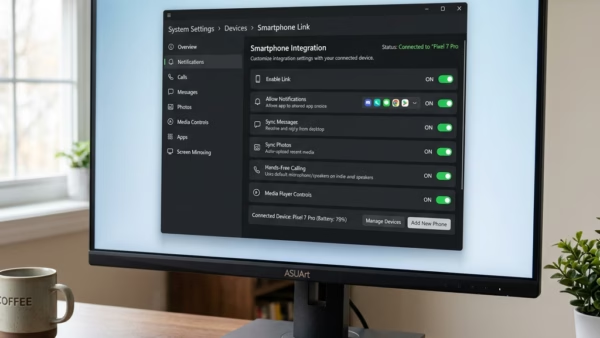
This guide explains how to remove old or unused mobile devices from your Microsoft account on Windows 11. By utilizing the Settings app, navigate to Bluetooth & devices, then Mobile devices to manage your linked devices. This simple process enhances organization and account security. Ensure your Windows 11 is updated for optimal features.

Updated Aug 2026 Read more →