This guide explains how to manage app communication with unpaired devices on Windows 11, enhancing privacy control. Users can toggle this feature through the Settings app or use the Local Group Policy Editor for advanced options. Disabling it prevents apps from sharing data with unconnected devices.
Windows 11
2,374 tutorials · page 68
Enhanced Phishing Protection in Windows 11 alerts users about password reuse across different websites and apps, mitigating risks from potential hacks. Integrated with Microsoft Defender SmartScreen, it provides comprehensive security. Users can easily enable or disable this feature through Windows Security or the Local Group Policy Editor, ensuring safer online activity.
The text cursor blink rate in Windows determines how fast the cursor flashes. By default, it blinks every 530 milliseconds but can be adjusted between 200 and 1300 milliseconds through Settings, Control Panel, or Registry Editor. Users can set it to -1 to stop blinking. Restarting is necessary for registry changes.
This guide explains how to change the country or region setting on a Windows 11 computer, referred to as your geographic location (GeoID). Users can easily adjust this through the Settings app or command line tools to ensure access to relevant local content and services. Make sure to use the correct GeoID number for accuracy.
Windows 11 can remember a different keyboard layout for every app window. This keeps your preferred typing language active in each program automatically. Why Change Keyboard Layouts? Keyboard layouts dictate…
The Language Bar in Windows 11 lets you switch between different keyboard layouts and input languages with a single click. Windows hides this tool by default, but you can turn…
This guide explains how to connect your Windows 11 PC to a secure WPA3 Wi-Fi network. It emphasizes updating Windows 11, checking if your Wi-Fi adapter supports WPA3, and connecting to the network. WPA3 enhances security, offers stronger password protection, and is optimized for Wi-Fi 6 devices for improved performance.
BitLocker, a Windows 11 security feature, protects files by locking hard drives. The BitLocker recovery key, a 48-digit backup code, is needed if Windows cannot verify access. It can be stored online, on paper, or on a USB drive. Keeping this key safe is crucial, as losing it may necessitate a factory reset.
Audio enhancements in Windows 11 aim to improve sound quality but can sometimes create issues, such as poor sound or microphone malfunction. Users can easily toggle these settings in the Sound section of Windows 11's Settings. Adjusting these enhancements can resolve sound-related problems.
RAM (Random Access Memory) is essential for computer performance. Users can check their RAM specifications on a Windows 11 PC through the Settings app, Task Manager, System Information, or PowerShell commands. Understanding RAM details helps determine if an upgrade is needed or if the PC meets Windows 11 requirements.
The motherboard connects key computer components and knowing its details is essential for upgrades or repairs. In Windows 11, users can easily find this information without opening the PC by using the System Information app or commands in Command Prompt or PowerShell to display the manufacturer, model, version, and serial number.
Windows Update maintains computer safety by installing security updates. Users can schedule a restart after updates to avoid interruptions. To do this on Windows 11, access the Settings, navigate to Windows Update, and choose a preferred restart time. This allows users to complete updates without disrupting their activities.
To enhance visibility of the mouse pointer, especially on large or multiple monitors, Windows 11 users can enable a shadow under the pointer. This simple adjustment makes it easier to spot the pointer. Users can also change its size and color using guides, and enabling the shadow can be done via Settings or the Run command.
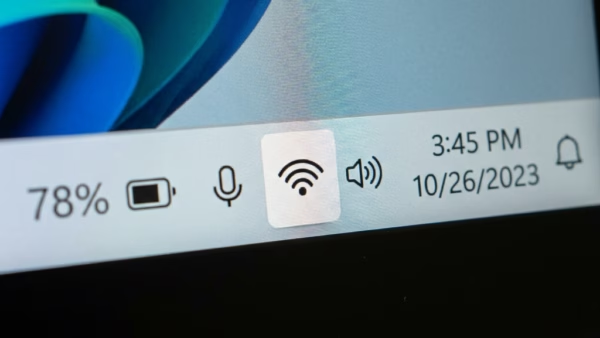
This guide explains how to turn Wi-Fi on or off on a Windows 11 computer, emphasizing battery conservation and network security. Administrators can restrict Wi-Fi settings via the Windows Registry. Users can manage Wi-Fi from the taskbar, while advanced users can prevent others from changing these settings.
Windows 11 automatically locks to protect your files when inactive. You can adjust this setting through the Local Security Policy on Pro editions or by editing the Registry on Home editions. Set the desired inactivity time in seconds or enter 0 to disable automatic locking, allowing customized control over your PC’s security.