How to Unlock Your OneDrive Personal Vault

Unlocking your OneDrive Personal Vault (a protected folder inside your OneDrive that needs a second identity check before it opens) adds an extra layer of protection for sensitive documents like tax forms and copies of your passport.
The vault asks for a second check, such as a fingerprint, face scan, PIN, or a code sent to your phone or email. That means nobody can open your private files just because they got onto your unlocked computer or your signed-in OneDrive account.
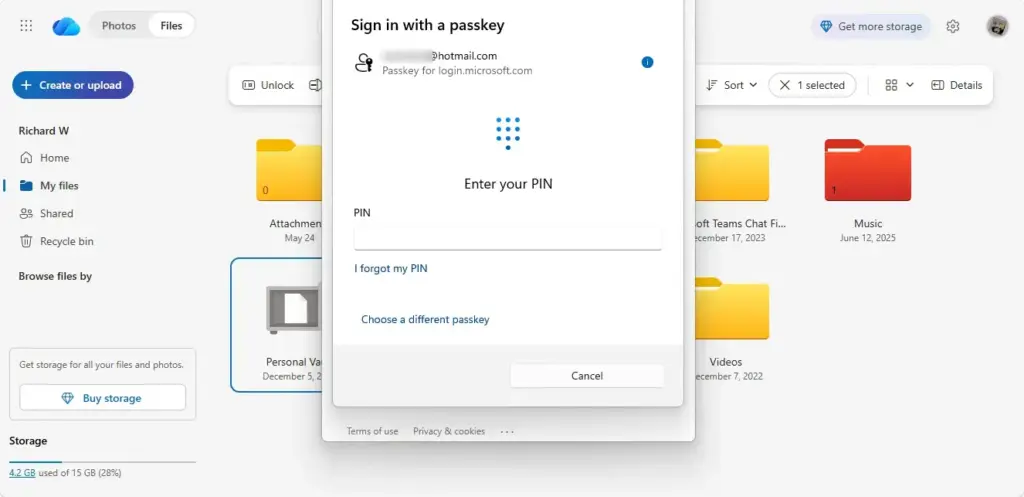
Open your OneDrive folder in File Explorer or sign in to OneDrive on the web, find and click the Personal Vault folder, then verify your identity using a security code, Microsoft Authenticator app, or biometric method like Windows Hello. The vault unlocks for 20 minutes of inactivity before locking again.
Opening Your Personal Vault
Once you pass the check, the files in the vault are available for 20 minutes of inactivity. After that, the vault locks itself again, so your private data is not left open if you walk away.
The method you see depends on what you chose when you set up the vault. You do not pick a new method each time. OneDrive asks for the one already on your account.
Go to Your Personal Vault
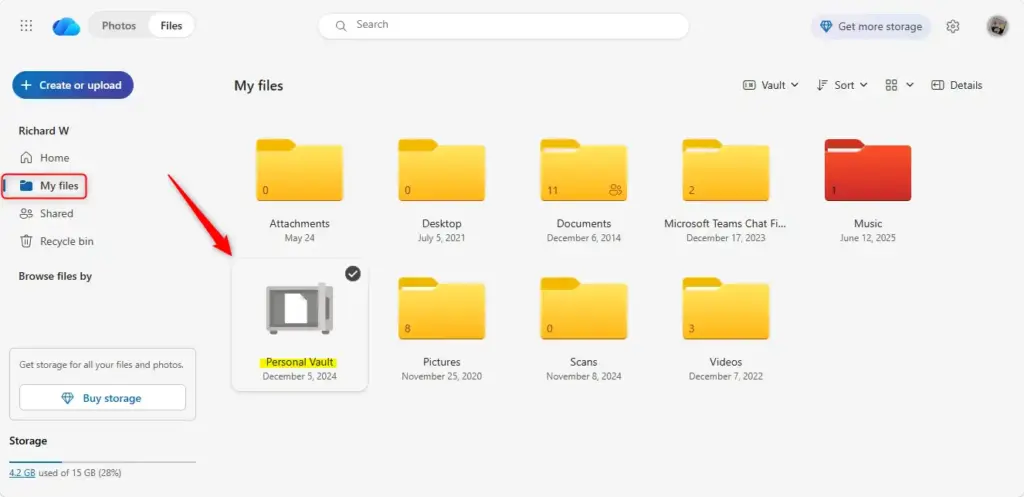
The Personal Vault folder is a secure place inside OneDrive for your most sensitive files. Here is how to reach it:
- Open your OneDrive folder in File Explorer , or sign in to OneDrive on the web.
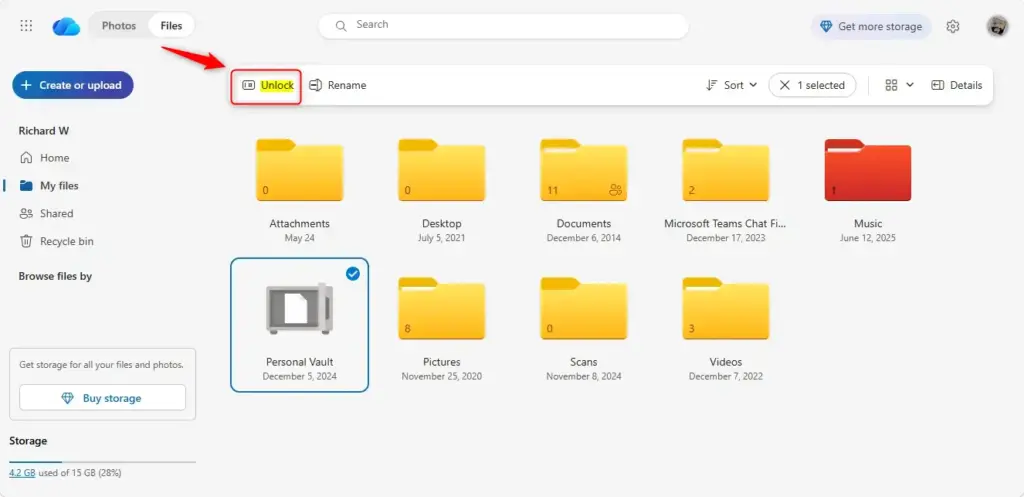
- Find the folder named Personal Vault and click it.
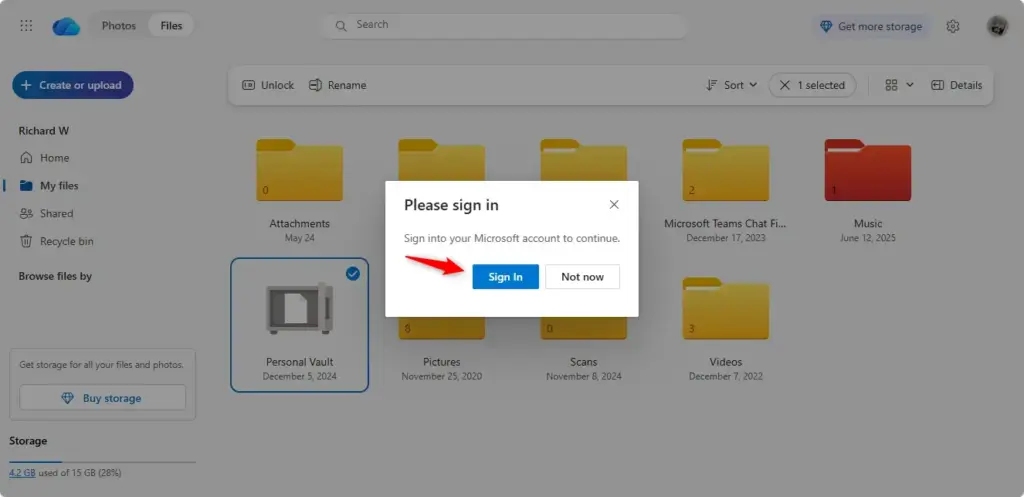
You should see a prompt asking you to verify your identity. If the vault is already unlocked, it opens straight away and you can skip to the end of these steps.
Setting up Personal Vault for the first time on a company-managed computer may need administrator permissions. If the folder is missing or setup is blocked on a work PC, ask your IT administrator.
Prove It’s You (Again!)
Personal Vault asks you to verify each time it has locked, just as it did during the first setup. OneDrive offers the verification options you chose then. You can get a code by text message, get a code by email, or use the Microsoft Authenticator app.
- Choose the verification method on the screen, if more than one is offered.
- If you chose text or email, wait for the code to arrive on your phone or in your inbox. Check your spam folder if the email does not show up after a minute or two.
- If you use the Authenticator app, open it and be ready to tap to approve the request or read the code it shows.
If you set up Windows Hello, you may only need to use your fingerprint, face, or PIN instead.
Enter the Code or Approve the Request
- Type the code you received into the box provided, or approve the sign-in request in your Authenticator app.
- Confirm the entry if OneDrive asks you to.
Once you are verified, the Personal Vault unlocks. You can now see and open every file stored inside it.
⚠️WarningCodes expire after a short time.If yours stops working, request a new one rather than retrying the old one. If you cannot reach any of your verification methods, you will need to recover your account through Microsoft’s sign-in help before you can open the vault.
Reference:
https://support.microsoft.com/en-US/onedrive/protect-your-onedrive-files-in-personal-vault
Summary
OneDrive's Personal Vault is a special, secure folder for your most important files. It needs an extra verification step to open, and it locks itself again after a period of inactivity.
Have a question about this guide?
Answered by AI from this guide. Good questions may be added to this page — please don't include personal details.
Did this guide fix your problem?

About the Author
Richard
Tech Writer, IT Professional
Richard is a writer at Geek Rewind who turns complex IT tasks into clear, step-by-step guides. He draws on years of hands-on experience in system administration and enterprise IT operations, focusing on Windows, Linux and WordPress: the problems people actually run into, and the fixes that work. His server and WordPress guides come from systems he runs himself. Richard builds and maintains the platform behind Geek Rewind, from its Ubuntu servers and Nginx configuration to its custom WordPress plugins. Many new tutorials start with readers' questions, and he's always glad to answer them in the comments.
No comments yet — be the first to share your thoughts!