How to Import Photos and Files from Google Drive and Photos to OneDrive

Importing photos and files from Google Drive and Google Photos to OneDrive copies your files into Microsoft’s cloud storage. It does not delete or change anything in your Google account, so your originals stay where they are.
Before you start, check two things:
- You need an active Microsoft account. A free one works.
- You need enough free space in OneDrive for everything you plan to copy. Free accounts include 5 GB, and a Microsoft 365 subscription gives you more. If your Google library is bigger than your free OneDrive space, the import will not finish.
Sign in to onedrive.live.com, click the gear icon and select Settings, then choose Import cloud photos and files. Sign in to your Google account, approve the permission request, select your files and folders, and start the import. Your Google originals remain unchanged.
Step 1Sign In and Find the Import Option
Start by signing in to OneDrive on the web.
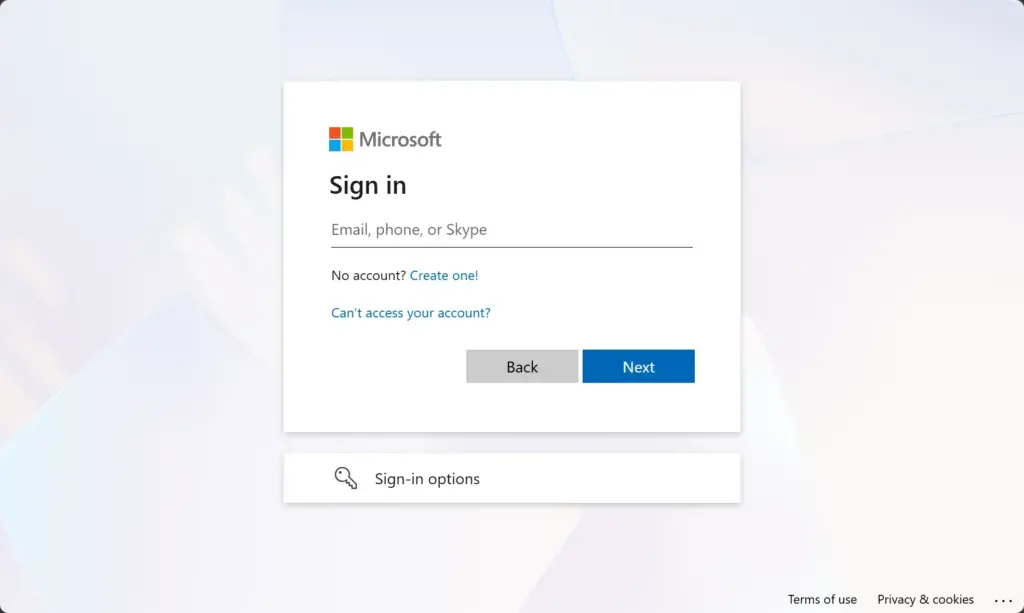
- Open a browser and go to onedrive.live.com.
- Sign in with your Microsoft account.
- Wait for the page to load. You should see your OneDrive files and folders.
If you have more than one Microsoft account, make sure you sign in with the one that should receive the files. Otherwise you will import into the wrong storage.
Step 2Accessing the Import Feature
Next, open the import tool from the OneDrive settings.
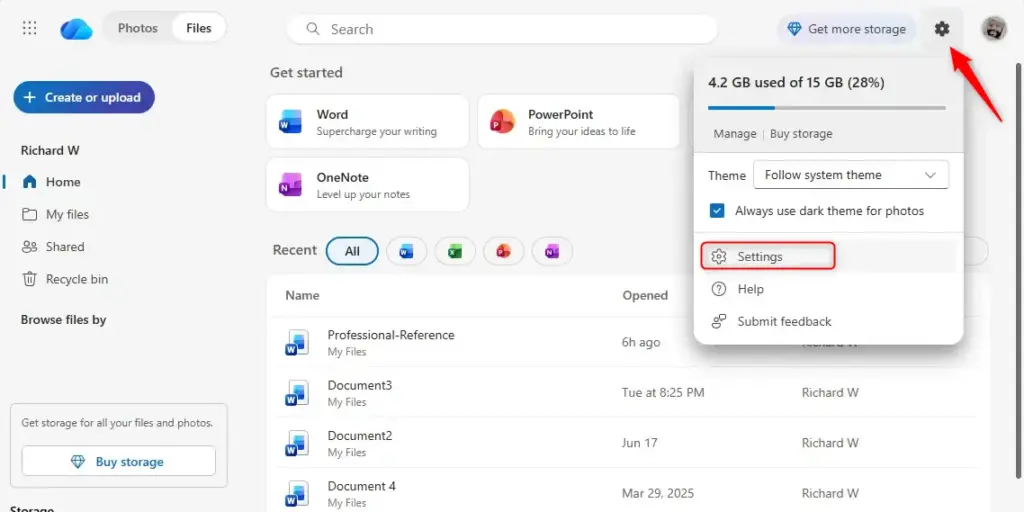
- Click the gear icon in the top right corner of the page.
- Select Settings.
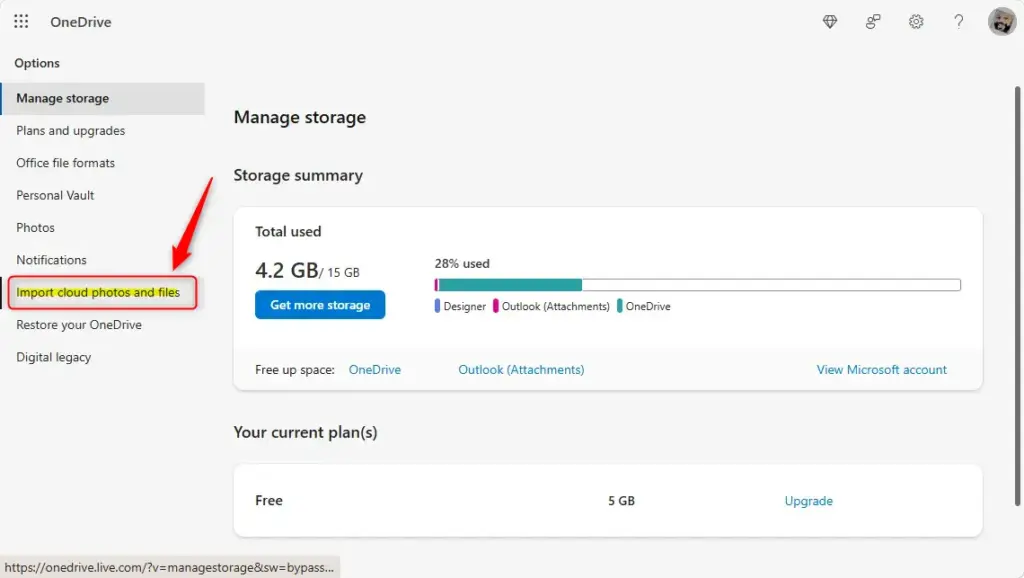
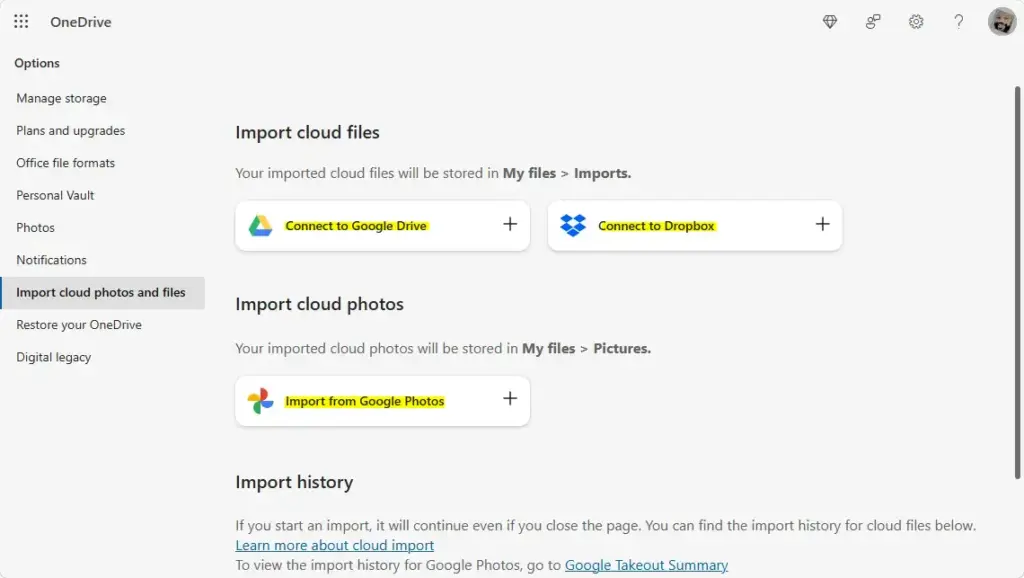
- Choose Import cloud photos and files.
After this, OneDrive should start the import setup. If you cannot find Import cloud photos and files, the option may not be available for your account or region yet, or the menu may be laid out a little differently. Check that you are signed in to the web version of OneDrive and not looking at the desktop app.
Step 3Connecting Your Cloud Service
After you choose to import, OneDrive guides you through connecting your other cloud services, such as Google Drive. It asks for permission to access your account.
- Pick the service you want to import from.
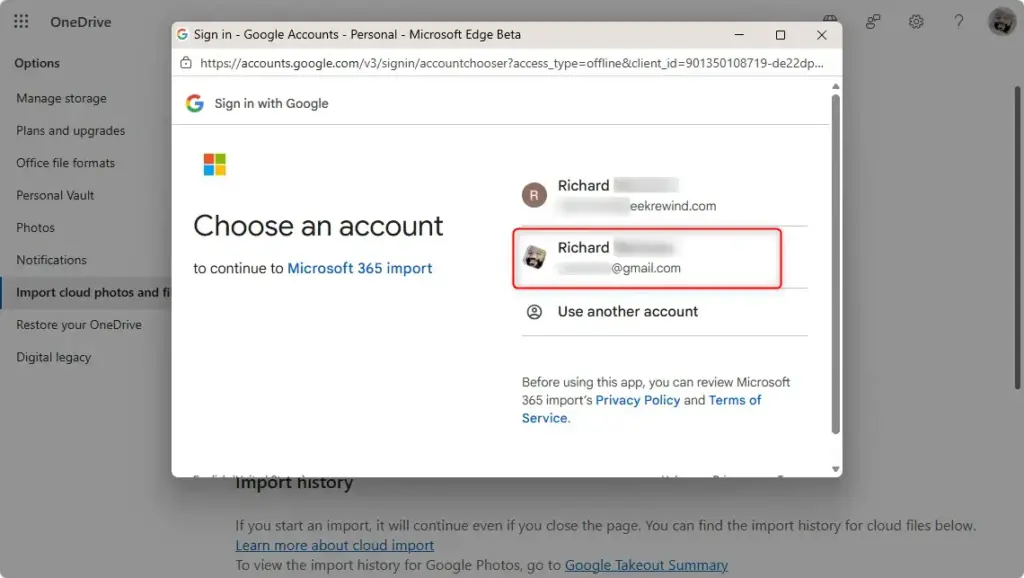
- Sign in to your Google account when prompted.
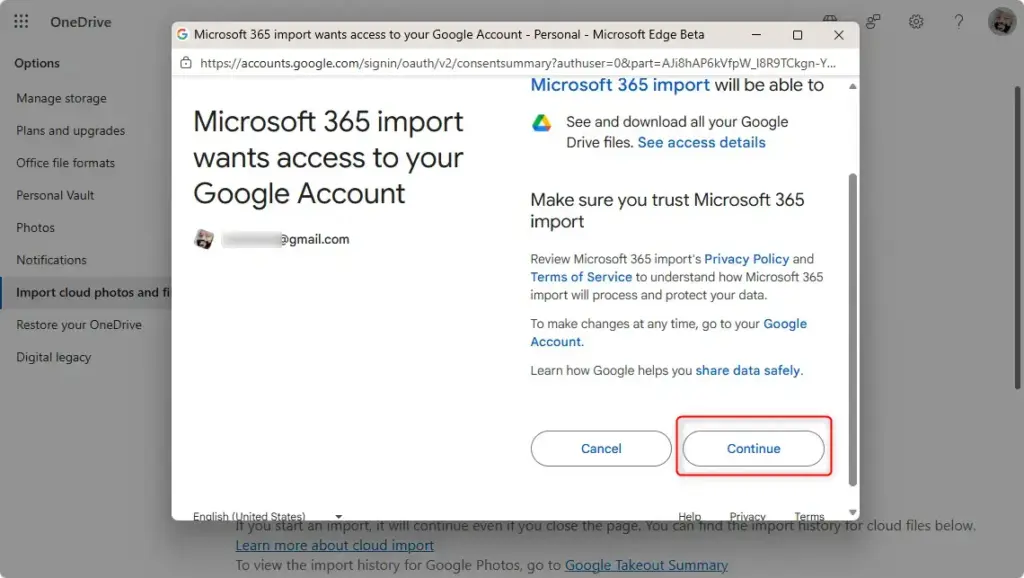
- Read the permission request, then approve it so OneDrive can see your files and photos.
The permission lets OneDrive read your files so it can copy them. If you want to remove the connection later, you can revoke it in your Google account’s settings, where it lists apps and services with access to your account.
Step 4Initiating the Import
Once your cloud accounts are connected, you can start the import and copy your chosen files and photos into OneDrive.
- Choose the files, folders or photos you want to bring over.
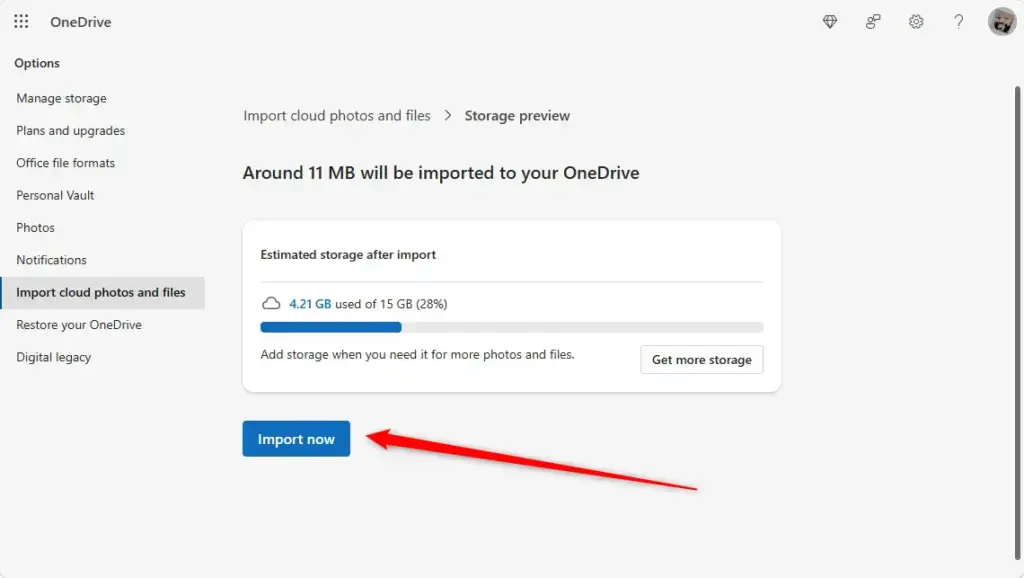
- Start the import.
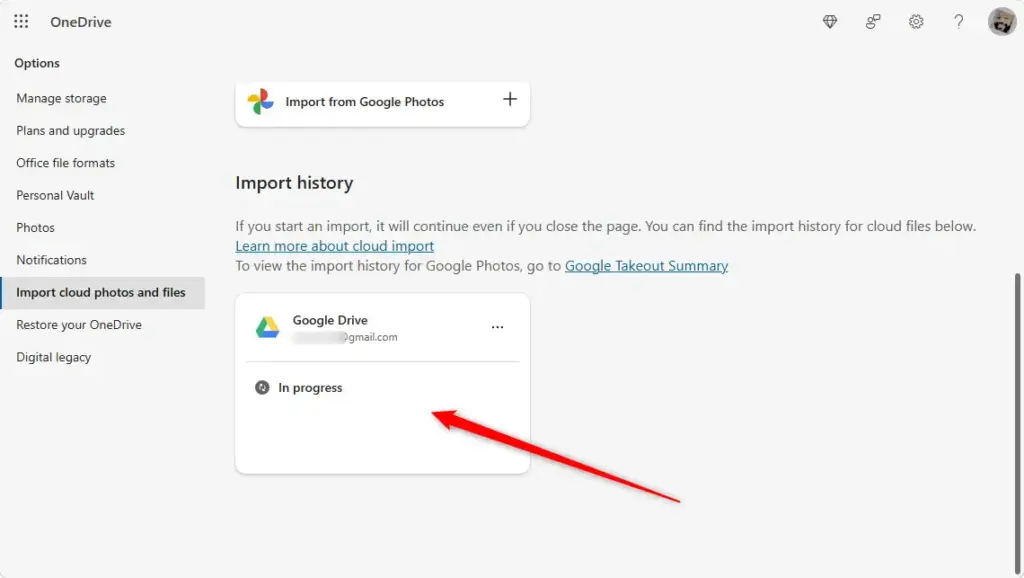
- Wait for the copy to finish. Large libraries can take a while, depending on how much you are importing and how fast your connection is.
Open a few of them to make sure they look right. Your Google copies are untouched, so you can delete them yourself later if you want, but only after you have checked the OneDrive copies.
Reference:
https://support.microsoft.com/en-US/onedrive/import-other-cloud-files-using-onedrive
Summary
To bring photos and files from services like Google Drive into OneDrive, sign in to OneDrive, open Settings, and select the import option to link your accounts. Then choose what to copy and check the results in OneDrive.
Have a question about this guide?
Answered by AI from this guide. Good questions may be added to this page — please don't include personal details.
Did this guide fix your problem?

About the Author
Richard
Tech Writer, IT Professional
Richard is a writer at Geek Rewind who turns complex IT tasks into clear, step-by-step guides. He draws on years of hands-on experience in system administration and enterprise IT operations, focusing on Windows, Linux and WordPress: the problems people actually run into, and the fixes that work. His server and WordPress guides come from systems he runs himself. Richard builds and maintains the platform behind Geek Rewind, from its Ubuntu servers and Nginx configuration to its custom WordPress plugins. Many new tutorials start with readers' questions, and he's always glad to answer them in the comments.
No comments yet — be the first to share your thoughts!