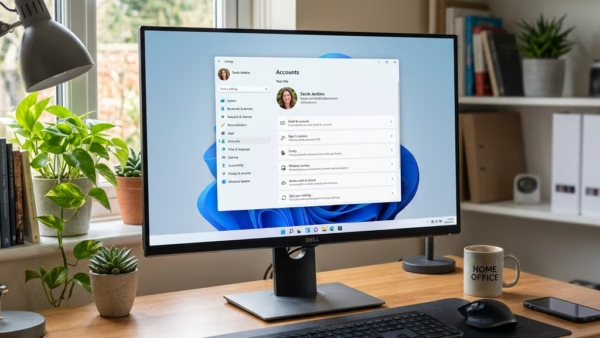
This guide explains how to enable Remote Desktop in Windows 11, a feature that allows you to access your computer from another device. By default, it is off for security reasons. Users can be added to allow remote access, ensuring safety with strong passwords and trusted connections.
Windows
This article outlines how to enable or disable the "Reducing Protections for Agent Connectors" feature in Windows 11, introduced with build 26220.7344. This setting allows AI agents greater access and privileges, facilitating integration with external tools. Users should consider security implications before making adjustments and consult Microsoft documentation for guidance.
This article explains how to enable or disable AI Actions in Windows 11's context menu. With the latest build, users can streamline tasks like editing images or summarizing documents. Accessibility varies among users, but managing these settings through the Windows Settings app offers flexibility for individual preferences. Keeping Windows updated is recommended.
This article explains how to manage the "Copilot Actions" feature in the Windows 11 Copilot app. Users can enable or disable it, control startup behavior, and interact with desktop applications through task descriptions. The feature is available to Windows Insiders since version 1.25112.74, excluding the EEA region.
This article outlines how to manage Passkey Managers on Windows 11, highlighting the security and convenience of signing in with biometrics or PIN. It explains that users can enable or disable saving passkeys through the Settings app, and discusses integration with third-party managers like 1Password or Bitwarden for enhanced user experience.
The article details how to enable or disable the "Ask to save edited screenshots" feature in the Snipping Tool on Windows 11. It provides instructions for accessing settings in the app, enhancing customization of screen captures. Understanding these functions can improve user productivity and streamline the screenshot process.
The article outlines the new file search feature in the Windows 11 Copilot app, version 1.25034.133.0. Users can effortlessly find local files using natural language while supporting various formats. After enabling the necessary permissions, this AI-powered tool enhances productivity by providing accurate results and simplifying document management.
This article explains how to enable or disable the Virtual Machine Platform in Windows 11. Users can utilize the Settings app, Control Panel, Command Prompt, or PowerShell to manage this feature. Activating it allows for the creation of virtual machines and running multiple operating systems, enhancing virtualization capabilities. Restarting is necessary to apply changes.
This article outlines how to enable Win32 Long Paths in Windows 11, allowing applications to handle file paths up to 32,767 characters. Users can activate this feature via the Settings app, Group Policy Editor, or Registry Editor. Only modified applications will utilize long paths, necessitating developer awareness. Rebooting may be required for changes.
The article outlines methods to backup and restore Microsoft Defender Firewall settings in Windows 11 using the Windows Security app and Command Prompt. It emphasizes the importance of safeguarding device security by managing firewall settings effectively. Regular backups allow for quick restoration in case of configuration issues, ensuring network protection is maintained.
This article outlines how to restore Microsoft Defender Firewall settings to default in Windows 11. Users can utilize the Windows Security app, Advanced Security, Command Prompt, or PowerShell. These methods provide quick and effective solutions for reverting unwanted changes, ensuring enhanced device security against unauthorized access.
The article details how to enable or disable Copilot in the new Outlook app for Windows 11, which features a modern design and enhanced functions for email and calendar management. Copilot assists with tasks like email drafting. Users can access settings easily to modify this feature, contributing to improved productivity.
This article outlines enabling Teletypewriter (TTY) mode in Microsoft Teams, a collaboration platform by Microsoft. It details the process to access settings, toggle TTY mode for text communication via phone, and highlights other features like syncing contacts and managing auto-replies to improve communication and workflow efficiency.
The article details a feature in the new Outlook for Windows 11 that allows notifications and actions to remain on screen until dismissed, enhancing user experience. It outlines how to enable or disable this feature through Accessibility settings, emphasizing its benefit for users needing more time to respond to messages.
This article provides a guide on scheduling out-of-office auto replies in Microsoft Teams. It outlines the steps to enable automatic replies, customize messages, and specify the reply period. This feature keeps colleagues and clients informed about your availability, enhancing communication and workflow efficiency when you're away.