This guide explains how to manage personalized ads in the Microsoft Copilot app on Windows 11. Users can toggle ad personalization settings anytime through their Microsoft account, ensuring ads align with their interests. Users under 18 will not receive personalized ads. Additional details are available on the Microsoft privacy controls page.
This guide explains how to easily encrypt and decrypt files and folders in Windows 11, ensuring privacy protection. It details methods using the Properties menu and command line. Note that encryption is unavailable on Windows 11 Home Edition. Securing files is crucial, especially if devices are lost or stolen.
Windows 11 allows users to easily identify encrypted and compressed files by displaying them in different colors within File Explorer. This feature enhances file security through the Encrypted File System (EFS). Users can enable or disable this option in the Folder Options under the View tab, simplifying file management.
Startup app notifications in Windows 11 are pop-up alerts that tell you when a new program sets itself up to run automatically the moment you turn on your PC. Windows…
This guide explains how to manage Startup App Notifications in Windows 11. Users can enable notifications that alert them when new apps start automatically, setting their priority to Top, High, or Normal. The process is simple and involves adjusting settings within the System section of Windows.
This guide explains how to install CAB files on Windows 11, which are compressed packages containing updates or drivers. It outlines simple methods using Command Prompt, PowerShell, or File Explorer for extraction. Users can easily follow the steps provided to accomplish installations, making it accessible for non-tech experts.
Windows Subsystem for Linux (WSL) allows users to access Linux files from Windows 11 without complex setups. By using PowerShell commands, users can mount Linux drives, making them accessible in Windows File Explorer under \wsl$. It’s essential to safely unmount drives after use to ensure data integrity.
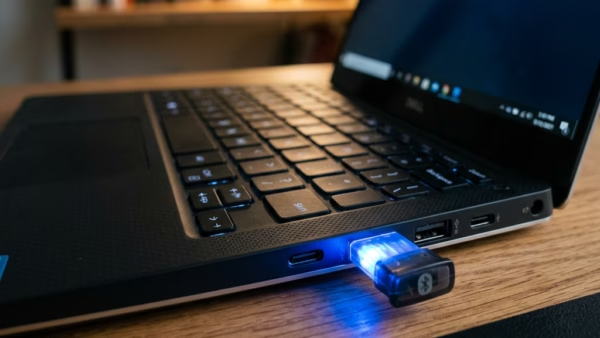
This guide explains how to check the battery level of Bluetooth devices on a Windows 11 computer using the Settings app. By navigating to Settings > Bluetooth & devices, users can view the remaining battery percentage for connected devices. If a device doesn’t show battery info, it may not support this feature.
Storage Spaces in Windows 11 lets you combine two or more hard drives into a single storage pool to protect your files if one drive breaks. This built-in tool turns…
Windows 11's Windows Security app offers firewall and network protection notifications to keep users informed about their computer's security. Users can manage these notifications by accessing settings and toggling them on or off. Despite turning off notifications, urgent security alerts will still be sent.
Hard disk idle timeout in Windows 11 is a power-saving feature that turns off your mechanical hard drive after a set number of minutes of inactivity. This setting helps cut…
This guide explains how to enable or disable paging file encryption in Windows 11, which protects temporary data on hard drives. Users can utilize Command Prompt, Local Group Policy Editor, or Registry Editor for this process. Restarting is necessary for changes to take effect. Encrypting may slightly affect computer performance.
To repair your Windows 11 computer without losing files, apps, or settings, perform an In-place upgrade using a compatible ISO file. Ensure sufficient free space and disable antivirus software. Follow the setup process to maintain personal data while resolving system issues. This method is effective for persistent Windows problems.
Modern Standby in Windows 11 allows devices to stay connected to the internet during sleep for notifications while conserving battery life. Users can enable, disable, or let Windows manage network connectivity settings through the Control Panel or Local Group Policy Editor, balancing convenience and power savings effectively.
Windows 11 provides built-in security through software like Microsoft Defender, which protects against viruses, malware, and unauthorized access. Users can check their security providers via the Windows Security app by navigating to Settings and managing providers. This ensures that they understand the safeguards protecting their PC from threats.