The article details how to enable or disable the Copilot feature in Notepad on Windows 11. Copilot offers AI capabilities like rewriting and summarizing text. Users can toggle this feature in the settings menu, enhancing productivity and editing clarity, while also enjoying various Notepad customization options for an improved experience.
Windows
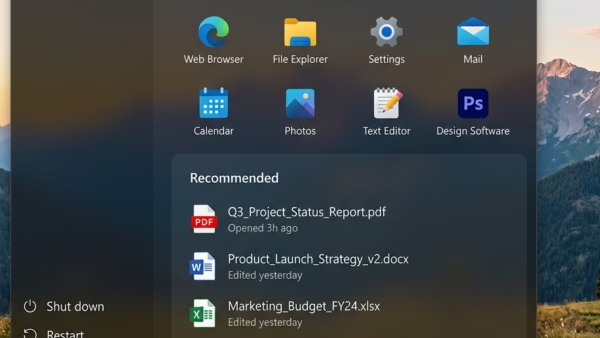
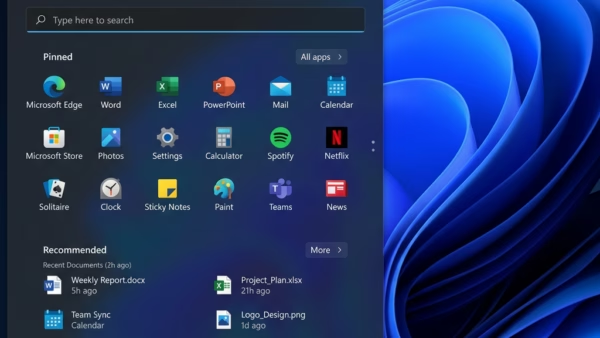
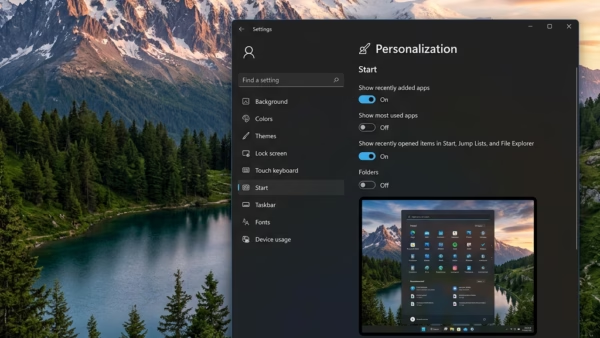
This article outlines how to enable the expanded Start menu in Windows 11, showcasing all pinned items by default. By using the ViVeTool and executing a specific command, users can toggle this larger layout. The feature enhances user experience and can be customized in the Settings app, allowing for flexibility.
This article outlines how to prevent the installation or movement of apps on non-system drives in Windows 11. Users can utilize the Group Policy or Registry Editor for this purpose. The settings control whether applications can be installed outside the default C: drive, ensuring system management and security. Backup is advised before changes.
The article outlines how to manage the "Suggested people" feature in the new Outlook app for Windows 11. Users can enable or disable contact suggestions based on their interactions. The process involves accessing settings through the app's menu. Overall, it emphasizes user control and enhances email and calendar management.
This article outlines the process of removing mobile devices from a Microsoft account on Windows 11. Users can easily manage and unlink devices through the Settings app under Bluetooth & devices. A recent update allows straightforward removal, enhancing user control and experience. Following these steps ensures efficient mobile device management on Windows 11.
The article describes the installation process of the Perplexity AI app on Windows 11. This search tool provides real-time, comprehensive answers using AI from various sources, making it a valuable alternative to traditional search engines. The installation is user-friendly, and the app can easily be uninstalled via Windows settings.
This article details how to enable or disable the Alt + Spacebar shortcut for the Copilot "Press to Talk" feature on Windows 11. It provides instructions on accessing settings within the Copilot app to manage this feature, alongside additional capabilities such as pinning the side panel and managing chat history.
This article discusses the new feature in Windows 11 allowing users to show or hide mobile device notification badges in the Start menu through the Phone Link app. By accessing the app's settings, users can easily toggle the visibility of notification badges, enhancing the integration of mobile data with PC functionality.
This article details how to show or hide recent mobile device content in the Start menu on Windows 11 using the Phone Link app. The latest update allows users to personalize their Start menu by managing the visibility of recent phone activities such as messages and calls, enhancing the integration of mobile devices with PCs.
The article outlines how to connect an Android phone to the Copilot app in Windows 11. It details using the Copilot key to access settings, enabling or disabling phone connection, and customizing the app. This integration allows personalized access to phone data, enhancing productivity by consolidating mobile information within the desktop environment.
This article describes the features of the Copilot app on Windows 11, focusing on how to show or hide its sidebar. Users can quickly access Copilot using the dedicated key, and the app includes options for customization, such as enabling/disabling Copilot, managing conversation history, and toggling the sidebar for an improved user experience.
This article outlines how to add JPEG XL image support to Windows 11, enhancing image quality and compression over traditional JPEG. Since Windows 11 lacks native support, users must install an extension via the Microsoft Store or a winget command. Once installed, JPEG XL images can be viewed in File Explorer.
This article details the steps for installing Joomla locally using XAMPP on Windows 11. It covers the installation of XAMPP, creation of a Joomla database, downloading Joomla files, and configuring the server. The process includes navigating to directories, editing index files, and completing the Joomla installation through a browser interface.
This article details the installation of WordPress using XAMPP on Windows 11. It covers downloading XAMPP, creating a WordPress database, and configuring the necessary files. Following precise steps, including restarting the Apache server, allows users to set up a local WordPress site for offline development and experimentation before launching online.
This article details how to modify the 'All' apps view in the Windows 11 Start menu. The new build introduces grid and category views for better app organization. Users can enable this feature using ViVeTool, enhancing usability by allowing customization of app listings. Staying updated with Windows builds ensures access to new features.