Follow
🪟

Windows

Windows 2 min read
How to Enable or Disable Windows Hypervisor Platform in Windows 11

The guide explains how to enable or disable the Windows Hypervisor Platform on Windows 11, a feature that allows users to run virtual machines. It details four methods: through Settings, Control Panel, Command Prompt, and PowerShell. After activation, users can manage virtual machines using Hyper-V Manager for safe software testing.

January 30, 2026 Read more →
Windows 3 min read
How to Add Repository Folders in Windows 11

This guide explains how to add or remove repository folders in Windows 11's File Explorer, allowing users to view version control details like Git branch names directly within the tool. The process involves navigating through the Settings app and facilitates easier project management and collaboration without needing separate applications.

Windows 2 min read
How to Search Local Files with Windows 11 Copilot

The Copilot app in Windows 11 enables quick file searches by allowing users to type or ask questions in simple language. The latest update enhances its capability to search various file types, including images and documents. Users must activate file search and read permissions for optimal functionality.

Windows 2 min read
How to Restart a Network Adapter in Windows 11

Restarting your network adapter can resolve internet connection issues by clearing minor errors. On Windows 11, you can do this by turning Wi-Fi off and on, disabling and enabling the adapter through settings, or using PowerShell commands for a quicker method. Online guides provide detailed instructions for these processes.

Windows 2 min read
Make Your Video Calls Better with Windows Studio Effects

Windows 11's Windows Studio Effects enhances video calls with features like background blurring, noise reduction, and voice improvement. These AI-driven tools work best on Copilot+ PCs and now support various cameras, including USB webcams. It's easy to enable or disable these effects via camera settings for more professional-looking calls.

Windows 2 min read
How to Enable Remote PC Controls on Windows 11

This guide explains how to enable or disable Remote PC controls on Windows 11, allowing users to control their PC from their phone. By signing in with a Microsoft account, users can manage their mobile devices, transfer files, send messages, and enhance security by locking their PC remotely.

Windows 2 min read
How to Enable Passkey Managers on Windows 11

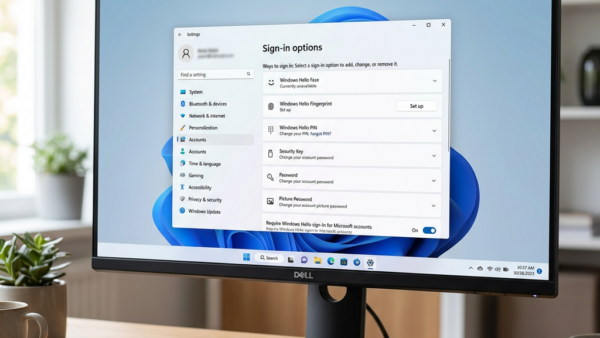
This guide explains how to manage Passkey Managers on Windows 11, a feature that allows for password-free sign-ins using biometrics or a PIN. It discusses the benefits of using passkeys, such as enhanced security and ease of access, and provides step-by-step instructions to enable or disable saving passkeys on the device.

Windows 2 min read
How to Enable Passkey Access for Apps on Windows 11

This guide explains how to enable or disable Passkey access for apps on Windows 11, offering a secure alternative to passwords through Windows Hello features like facial recognition, fingerprints, and a PIN. Users maintain control over which apps can use these passkeys, enhancing both security and convenience.

Windows 2 min read
How to Enable or Disable Passkey Autofill in Windows 11

This guide explains how to manage passkey autofill on Windows 11 for improved security and convenience. Passkeys allow users to sign in with biometric options like facial recognition or fingerprints rather than passwords. The article provides step-by-step instructions to enable or disable this feature through the Privacy & Security settings.

Windows 3 min read
How to Enable Point-in-Time Restore in Windows 11

This guide explains how to enable or disable the Point-in-Time Restore feature in Windows 11, allowing users to revert their PC to a working state from the past 72 hours. It details automatic restore point creation, space management, and provides instructions for both Settings and Registry Editor methods. Always back up before editing the Registry.

Windows 2 min read
How to Enable or Disable Copilot Actions in Windows 11

This guide explains how to enable or disable the Copilot Actions feature in the Windows 11 Copilot app. Users can easily toggle this feature through the settings after signing in with their Microsoft account. Copilot Actions simplifies tasks by automatically working with desktop and web applications to enhance productivity.