#Windows 11

Windows 3 min read
How to Enable or Disable Sound Notifications in Microsoft Teams on Windows 11

This article instructs on managing sound notifications for incoming calls and meetings in Microsoft Teams on Windows 11. Teams, a comprehensive collaboration platform, offers various settings, including notification management. Users can easily enable or disable sound alerts by accessing the 'Notifications and activity' tab under Settings, ensuring control over distractions and focus.

March 14, 2024 Read more →
Windows 3 min read
How to Show or Hide Image Backgrounds in Paint App on Windows 11

This article guides users on using the updated Layers feature in the Paint app on Windows 11 to show or hide image backgrounds. Useful for removing distractions or sensitive content, the feature can be accessed in the app by clicking the Layers button and using a shortcut key or clicking the eye icon. The process enhances user privacy and image focus.

March 13, 2024 Read more →
Windows 3 min read
How to Enable or Disable Notification Sounds in Microsoft Teams

This article guides users on how to enable or disable the "Play sounds with notifications" feature in the Microsoft Teams app, providing an audible alert for new notifications. Instructions to access this setting via the app's settings menu are detailed, facilitating users in customizing their notification experience on the platform.

Windows 3 min read
How to Secure Your Windows 11 Device Portal

This article provides a guide on securing the Windows 11 Device Portal by restricting it to loopback connections only, preventing unauthorized remote access. It outlines steps to access the settings via the Windows Settings app, activate Developer Mode, enable Device Portal, and then restrict it to local access to enhance security.

March 12, 2024 Read more →
Windows 3 min read
How to Show or Hide Empty Drives in Windows 11

This article details how to toggle the visibility of empty drives in Windows 11 File Explorer. By default, empty drives, which are drives without files, are hidden to simplify interface navigation. For easier file management or identification of empty drives, users can adjust this setting in the Settings app or File Explorer Options.

March 10, 2024 Read more →
Windows 3 min read
How to Add Recycle Bin to Windows 11 File Explorer

This article provides a guide on adding the Recycle Bin to Windows 11's File Explorer navigation pane for easier access to deleted files. It explains navigating the Windows Registry to create a new key and modify its value, thus allowing the Recycle Bin to appear in the navigation pane. This adjustment helps users restore files swiftly and keeps the desktop less cluttered.

March 8, 2024 Read more →
Windows 4 min read
How to Disable Windows 11 Copilot

This article provides a guide for disabling and removing Windows 11's Copilot, an AI chatbot for system management and app navigation available only to Windows Insiders in select locations. It details steps involving the Windows Registry to turn off Copilot by creating and modifying specific REG_DWORD values, such as TurnOffWindowsCopilot, DisableSearchBoxSuggestions, and HubsSidebarEnabled. Restoring default settings and re-enabling Copilot requires the deletion of these entries and a system restart.

March 7, 2024 Read more →
Windows 3 min read
How to Enable or Disable Sync in Windows 11

This article guides users on enabling or disabling the sync of apps and preferences across devices using a Microsoft account in Windows 11. It details the steps to modify the Windows Registry to adjust the "Remember my apps" and "Remember my preferences" settings. The process involves changing a value within the Registry and includes a warning about the risks of editing Registry entries without proper caution.

March 3, 2024 Read more →
Windows 3 min read
How to Enable or Disable Snipping Tool in Windows 11

This article details the process for enabling or disabling screen capture and video recording functions of the Windows 11 Snipping Tool. Useful in controlled environments, the method involves editing a specific value within the Windows Registry path. A caution is provided regarding the potential risks of Registry editing, emphasizing the importance of backing up the system before proceeding.

Windows 3 min read
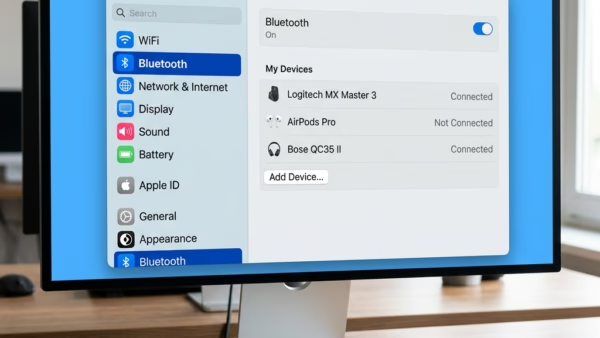
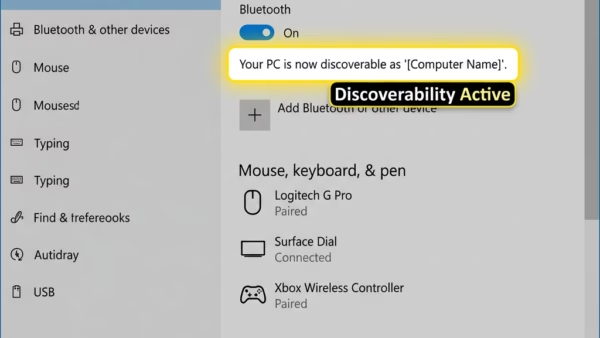
How to Rename Bluetooth Devices in Windows 11

This article provides a guide on renaming Bluetooth devices in Windows 11 to enhance identification and reduce confusion. It includes step-by-step instructions on accessing device properties and changing the device's name, noting that some devices may not retain the new name after disconnection.

Windows 2 min read
How to Delete Diagnostic Data in Windows 11

The article provides a guide on how to delete diagnostic data from a Windows 11 device to maintain privacy, free up storage, or remove sensitive info. Users can manage settings for data collection and use the Settings app to erase collected information by accessing Privacy & security, then Diagnostics & feedback, and finally selecting "Delete diagnostic data."

March 1, 2024 Read more →
Windows 4 min read
How to Use Your Android Camera as a Webcam on Windows 11

Windows 11 is rolling out a feature for Insiders, allowing Android phones and tablets to function as webcams for PCs. Users can access and edit photos on their PCs, switch between their device's cameras, and utilize various mobile camera effects. The feature is enabled through the "Mobile devices" settings under "Bluetooth & devices" in Windows Settings, with easy toggling and set up. This integration isn't widely available yet but offers flexibility in camera usage on PCs.

Windows 3 min read
How to Enable or Disable Windows 11 Notifications

This article provides a guide on managing notifications via the Settings app on Windows 11, detailing how to toggle the "Show me notifications in the Settings app" setting. Users can customize their notification preferences for fewer distractions or to stay informed, accommodating their personal needs. The process involves navigating through the 'Privacy & security' and 'General' settings.

February 29, 2024 Read more →
Windows 3 min read
How to Enable or Disable Windows 11 Update Restart Notifications

This article provides instructions for managing Windows Update restart notifications in Windows 11. Users can enable or disable this alert, which prompts a restart to apply updates, via the Windows Settings app under Windows Update > Advanced options, or through the Windows Registry Editor by modifying the "RestartNotificationsAllowed2" value. The author highlights the importance of backing up the system before editing the registry to prevent potential damage.

February 28, 2024 Read more →
Windows 5 min read
How to Enable or Disable Clipboard History in Windows 11

This article outlines steps to manage Clipboard history in Windows 11, allowing users to enable or disable the feature that stores copied items for easy access across devices. Users can modify settings via the Windows Settings app, Local Group Policy Editor, or Windows Registry. The feature aids in productivity but can be disabled for privacy concerns. The synchronization relies on using the same Microsoft account across different devices.

February 27, 2024 Read more →