


What to Do When SmartScreen Blocks an App You Trust in Windows 11
What to do when SmartScreen blocks an app you trust in Windows 11 comes down to three moves: select More info, check the Publisher…
Step-by-step guides for Windows, Linux, networking and everything tech — written by experts, verified for accuracy.
Most recently published
What to do when SmartScreen blocks an app you trust in Windows 11 comes down to three moves: select More info, check the Publisher…
Windows Security in Windows 11 reports the state of your antivirus on its Virus & threat protection page. To check your virus protection, open…

To remove a download warning in Windows 11, open the file's Properties window and tick Unblock. Right-click the file, select Properties, tick Unblock on…

A Windows Hello passkey is a sign-in credential that lives on your PC and is approved with your face, fingerprint, or PIN instead of…
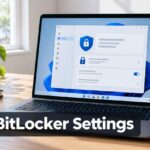
BitLocker settings in Windows 11 sit in the BitLocker Drive Encryption window in Control Panel. BitLocker is the built-in feature that encrypts a drive…

The double-click speed in Windows 11 sets how quickly you must press the mouse button twice for Windows to treat it as one double-click.…

Two keyboard shortcuts open the right-click menu in Windows 11 without a mouse: Shift + F10 and the Menu key. Select an item, then…

Energy saver for Copilot web browsing reduces the Copilot app's resource use while you browse, which extends battery life. Use the steps below to…
One email when we publish a guide worth your time — new Windows features, the fixes that actually work, and a heads-up when Microsoft breaks something. Unsubscribe in one click.