


Open BitLocker Settings in Windows 11
BitLocker settings in Windows 11 sit in the BitLocker Drive Encryption window in Control Panel. BitLocker is the built-in feature that encrypts a drive…
Step-by-step guides for Windows, Linux, networking and everything tech — written by experts, verified for accuracy.
Most recently published
BitLocker settings in Windows 11 sit in the BitLocker Drive Encryption window in Control Panel. BitLocker is the built-in feature that encrypts a drive…

The double-click speed in Windows 11 sets how quickly you must press the mouse button twice for Windows to treat it as one double-click.…

Two keyboard shortcuts open the right-click menu in Windows 11 without a mouse: Shift + F10 and the Menu key. Select an item, then…

Energy saver for Copilot web browsing reduces the Copilot app's resource use while you browse, which extends battery life. Use the steps below to…

Windows logo key + Plus (+) starts Magnifier. Magnifier enlarges part or all of your screen, so text and images are easier to read.…
Administrative language settings in Windows 11 control the language used on the sign-in screen and in system accounts. They also affect older programs that…
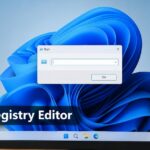
Registry Editor (regedit) opens fastest when you press Windows + R, type regedit, and press Enter. Windows 11 then asks for administrator approval through…
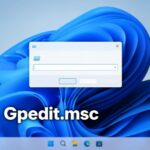
The gpedit.msc command opens the Local Group Policy Editor in Windows 11, the console where you change system and user policies. To open it,…
One email when we publish a guide worth your time — new Windows features, the fixes that actually work, and a heads-up when Microsoft breaks something. Unsubscribe in one click.