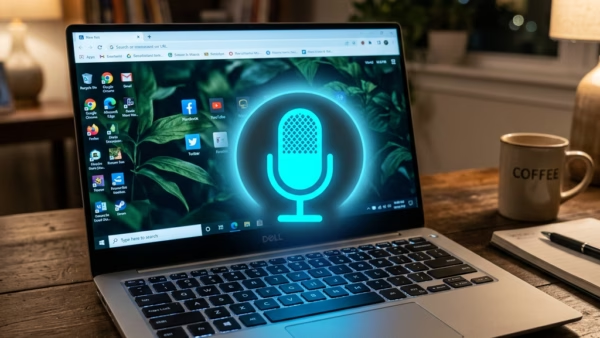
Windows 11 lets you swap system menus into a different language, unlock voice dictation tools, and load regional keyboard layouts. Why Add a Language? Windows 11 lets you swap system…
Every guide we’ve published, newest first. Filter by topic, or use search if you already know what broke.
3,256 tutorials · page 94 of 272
Windows 11 lets you swap system menus into a different language, unlock voice dictation tools, and load regional keyboard layouts. Why Add a Language? Windows 11 lets you swap system…
Touchpad gestures in Windows 11 let you control your screen using finger movements on your laptop trackpad instead of a mouse. You use two, three, or four fingers to handle…
Touch gestures let you navigate Windows 11 entirely with your fingers, speeding up daily tasks when a mouse and keyboard slow you down. Why use touch gestures? Gestures let you…
Open Windows Settings to remove your fingerprint sign-in from your account. What is Windows Hello? Windows Hello (Windows 11’s built-in facial and fingerprint recognition system) lets you sign in without…
Fingerprint sign-in in Windows 11 lets you unlock your PC with a touch of your finger instead of typing a password. This security feature relies on Windows Hello, a built-in…
Cloud protection in Windows 11 Microsoft Defender Antivirus uses online Microsoft servers to spot and block brand-new security threats in seconds. This feature acts as a real-time shield against fast-moving…
Turn on the Windows Hello auto-unlock feature to let your PC unlock automatically when it recognizes your face. What is Windows Hello? Windows Hello allows you to sign into your…
Facial recognition sign-in in Windows 11 lets you unlock your PC just by looking at the screen using a specialized infrared camera. Dim room lighting, glasses, or a new haircut…
Windows Hello facial recognition lets you log into Windows 11 using your face instead of typing a password. This security feature matches your face against a stored template to unlock…
Shared Experiences in Windows 11 links your computer to nearby devices via Bluetooth and Wi-Fi so you can pick up tasks right where you left off on another screen. This…
Taskbar settings in Windows 11 let you control which screens display your open app icons when you use multiple monitors. You can choose to show taskbars on all your displays,…
Mobile hotspot power saving in Windows 11 turns off your wireless sharing connection after 5 minutes of zero device activity to save battery life. You can turn off this feature…
One email when we publish a guide worth your time — new Windows features, the fixes that actually work, and a heads-up when Microsoft breaks something. Unsubscribe in one click.