UAC (User Account Control, a security feature that asks for your permission before apps make changes to your PC) lets you manage security prompts for the Windows 11 built-in administrator…
Every guide we’ve published, newest first. Filter by topic, or use search if you already know what broke.
3,262 tutorials · page 106 of 272
UAC (User Account Control, a security feature that asks for your permission before apps make changes to your PC) lets you manage security prompts for the Windows 11 built-in administrator…
The close tab warning in Windows Terminal is a safety prompt that asks “Do you want to close all tabs?” whenever you try to exit the app with more than…
Windows Terminal (an app that brings together Command Prompt, PowerShell, and other command tools in one window) always runs with standard user rights by default. Running it as an administrator…
Windows 11 allows touchscreen device users to type using an on-screen keyboard and a handwriting panel. To enable it, activate the touch keyboard in the taskbar settings and select handwriting mode. This lets users write text with a finger or pen, which Windows converts into typed text.
Windows 11 allows users to enable or disable fingertip writing in the handwriting panel via the Settings app or the Registry Editor. This feature facilitates text entry without a physical keyboard, making it ideal for quick notes. Users can effortlessly switch the setting based on their preferences.
This guide explains Windows 11's driver signature enforcement, which ensures only Microsoft-approved drivers are installed for security. It details how to disable this feature temporarily to install unsigned drivers using Advanced Startup or Command Prompt. Users are cautioned to trust their sources, as disabling enforcement can reduce security.
The lock screen appears when starting or locking a Windows 11 PC and can be disabled to access the sign-in screen directly. Changes require administrator privileges and differ for editions like Pro, Enterprise, and Education. Modifications can be made via the Local Group Policy Editor or Registry Editor, affecting all users.
This guide provides simple methods to mute or unmute your microphone in Windows 11 without altering the volume or turning off the device. Users can utilize keyboard shortcuts, the Xbox Game Bar, Windows Settings, Advanced Sound Settings, or the Control Panel to manage their microphone conveniently. Choose the best method for quick access.
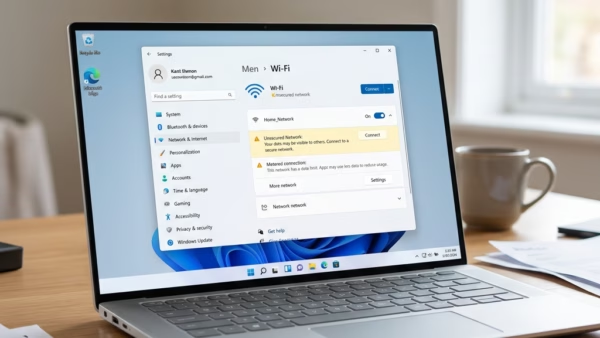
This guide explains how to toggle Wi-Fi on and off in Windows 11 using various methods, including keyboard shortcuts, quick settings, and the Game Bar. Turning off Wi-Fi conserves battery life and enhances security. Windows 11 includes advanced Wi-Fi technology for improved connectivity and safety.
This guide explains how to update Wi-Fi settings on a Windows 11 PC without deleting the network profile. Users can change passwords, security types, and connection preferences through the Settings menu. The process helps ensure a secure and efficient Wi-Fi connection by maintaining saved network details.
To delete a user account in Windows 11, sign in as an administrator and ensure the account is not currently signed in. You can remove accounts using Settings, Control Panel, Command Prompt, or PowerShell. Always backup important data before deletion to keep your PC organized and clutter-free.
Windows 11 updates enhance security and functionality but can sometimes cause issues. Users can uninstall problematic updates via the Settings app, Control Panel, or Advanced Startup menu. It's advisable to uninstall updates only when necessary and to backup important files to prevent data loss. Seek professional help if uncertain.
One email when we publish a guide worth your time — new Windows features, the fixes that actually work, and a heads-up when Microsoft breaks something. Unsubscribe in one click.