Follow

#Microsoft Edge

Browsers 2 min read
How to Turn “Show tab actions menu” On or Off in Microsoft Edge

The article provides a guide on how to enable or disable the "Tab actions menu" in the Microsoft Edge browser, which is the default browser in Windows 11. This feature offers quick access to various tab-related actions such as viewing recently closed tabs, grouping similar tabs, and more. Enabling or disabling it depends on user preference and can help create a more streamlined browsing experience.

November 7, 2023 Read more →

Browsers 1 min read
How to Turn “Show new tab menu” On or Off in Microsoft Edge

The Microsoft Edge browser in Windows 11 features a new function, the "New tab menu", enabling faster creation of new tab groups and easier access to browsing history and recent tabs. This feature, aiding in workflow efficiency and organization, can be toggled on or off in the toolbar customization under the appearance settings.

November 5, 2023 Read more →
Browsers 1 min read
How to Enable Faster Microsoft Edge Updates on Windows 11

This article provides a guide to enable or disable the "Get the latest Microsoft Edge updates faster" feature in Windows 11. The feature allows Edge to automatically update when idle, with all tabs restored after updating. It aids in staying updated with the latest security and bug fixes. However, users can turn it off if they aim to control updates or have limited internet bandwidth. The piece also includes step-by-step instructions on how to toggle this feature on or off.

November 3, 2023 Read more →
Browsers 2 min read
Change Preferred Languages in Microsoft Edge

The article instructs on changing or reordering preferred languages in Microsoft Edge, Windows 11's default browser. Users can manipulate their language preferences to ensure visited websites are displayed in their preferred language. By selecting 'Languages' in the settings menu, users can move their favored language to the top of the 'Preferred languages' list.

October 2, 2023 Read more →
Browsers 1 min read
How to Manage Bing Chat Toolbar in Microsoft Edge

The article describes how to add or remove the Bing Chat toolbar in Microsoft Edge, the default browser in Windows 11. The Bing Chat feature, accessible through the browser bar, enables quick access to Bing's chatbot services. The process involves navigating to Edge's settings to toggle the visibility of the Bing Chat option.

October 1, 2023 Read more →
Browsers 2 min read
How to Change Display Language in Microsoft Edge

This article guides users on changing the default display language in Microsoft Edge, the default browser in Windows 11. By navigating to the settings, and then the languages section, users can select their preferred language. This feature aids users in navigating websites in their preferred language or view pages in languages different from their system's default.

September 28, 2023 Read more →
Browsers 3 min read
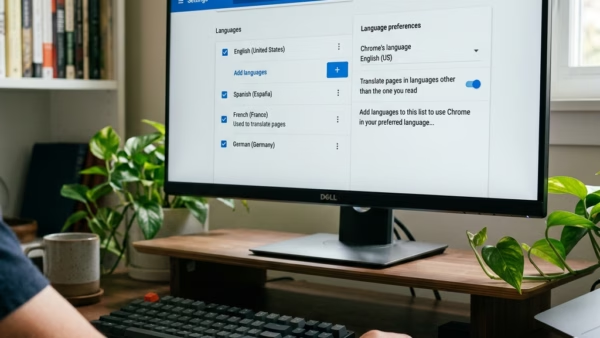
How to Add or Remove Languages in Microsoft Edge Browser

The article provides instructions on how to add or remove a supported language in the Microsoft Edge browser. This is useful for users who frequent websites in languages other than their device's default. The guide simplifies the process, from accessing the settings menu, navigating to 'Languages', and either adding or removing the desired language.

September 27, 2023 Read more →
Browsers 2 min read
How to Manage Startup Page in Microsoft Edge

The article provides a guide on managing the startup page in Microsoft Edge. Users can configure Edge to automatically open specific tabs, continue a previous session, or load a chosen homepage. Setting up a startup page enhances efficiency and organisation, by auto-launching frequently visited pages or multiple pages simultaneously. The procedure involves navigating through settings options in Edge where users can specify preferences.

September 5, 2023 Read more →
Browsers 3 min read
How to Enable/Disable Screenshots in Microsoft Edge

The article outlines methods for enabling or disabling the 'Save screenshots for site for History' feature in the Microsoft Edge browser. The latest version of Edge allows screenshots of visited sites to be saved as thumbnails. Users can adjust this setting in the browser's settings or via the Windows Registry editor. The article provides step-by-step instructions for both methods.

August 9, 2023 Read more →
Browsers 2 min read
How to Manage Your Addresses in Microsoft Edge Wallet

The article provides step-by-step instructions on how to add or remove addresses from the Microsoft Edge Wallet. The Wallet feature in Microsoft Edge allows for secure management of credit cards and associated addresses, along with autofill capabilities. Users can also control the autofill address feature through the Windows Registry editor settings.

Browsers 2 min read
How to Enable or Disable Personalize Web Experience in Microsoft Edge

The article informs how to turn "Personalization & advertising" On or Off in the Microsoft Edge browser. This option allows Microsoft to collect and use your browsing data to offer personalized ads. Users can disable it through browser settings or Windows Registry editor, and manage additional advertising settings via the Microsoft account privacy dashboard.

August 7, 2023 Read more →
Browsers 2 min read
How to Manage Browsing Data in Microsoft Edge

The Microsoft Edge browser, now the default in Windows 11, has added a "Share browsing data with other Windows features" functionality. This feature, when enabled, syncs the user's browsing data with other Windows features, improving the accessibility of information like browsing history and recent tabs. Users can easily turn this feature on or off via the browser's settings.

August 6, 2023 Read more →
Browsers 2 min read
How to Reset and Sync Microsoft Edge Data

This summary guides users on how to reset sync browser data from Microsoft's Cloud servers in Microsoft Edge, the default browser in Windows 11. Given instances where synchronization is unsuccessful or to have your data removed from the cloud, the Edge browser offers an option to reset cloud data. Additionally, it's possible to re-sync Edge data on devices prior to deleting sync data from cloud servers. This process involves several steps, including accessing settings, navigating to profiles, selecting the "Reset sync server data" option, and confirming the action.

August 4, 2023 Read more →
Browsers 2 min read
How to Re-Sync Microsoft Edge Browser Data

This article provides a detailed guide on re-syncing browsing data on the Microsoft Edge browser, which may resolve issues with syncing a particular device. It describes a step-by-step process to access the 'Sync' settings on Microsoft Edge and initiate the re-syncing process, merging local browsing data with the sync data stored on Microsoft servers.