Follow
🐧

Ubuntu Linux

Ubuntu Linux 3 min read
How to Enable Sticky Keys in Ubuntu Linux

The post provides a guide on enabling or disabling sticky keys in Ubuntu Linux. Sticky keys aid users who struggle to press multiple keys simultaneously by allowing them to press each key individually. Instructions on how to toggle this feature are given, through the system settings then onto the accessibility panel where users can turn sticky keys on or off.

September 9, 2022 Read more →

Ubuntu Linux 3 min read
Change Mouse Double-Click Speed in Ubuntu

This post provides a detailed guide on how to adjust the double-click speed setting on a mouse in Ubuntu Linux. The default settings may not suit every user, with the speed of double-click potentially causing issues. It details the steps to locate the System Settings panel, navigate to the 'Accessibility' section and adjust the 'Double-Click Delay' slider to a preferred value, thereby customizing the user experience.

September 8, 2022 Read more →
Ubuntu Linux 3 min read
Switch Primary Mouse Button in Ubuntu

This is a guide on how to switch the primary mouse button in Ubuntu Linux for left-handed users. Existing default settings assign regular operations such as selecting, clicking, and dragging to the left mouse button. However, users can reverse this in Ubuntu's System Settings panel, opting for the right button to perform usual operations and the left for invoking contextual menus. This change affects mouse, touchpad, and other pointing devices.

Ubuntu Linux 4 min read
How to Change Time Zone in Ubuntu Linux

The post provides instructions on changing the time zone manually in Ubuntu Linux. Despite the system automatically setting the time zone and daylight saving time according to the user's region, users have the option to manually configure their system's time zone. However, any region changes require reconfiguration. The process involves the System Settings panel where the Automatic Time Zone must be turned off to allow manual setting.

Ubuntu Linux 2 min read
Add Multiple Clocks to Ubuntu Linux Top Bar

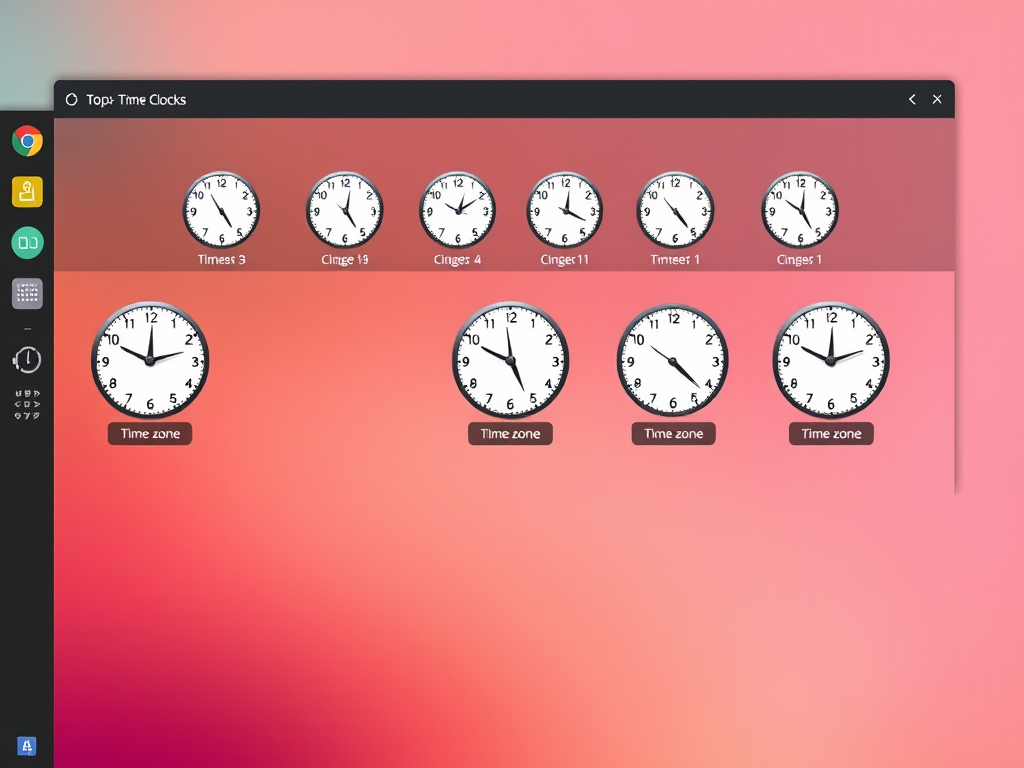
The post explains how to display multiple clocks on Ubuntu Linux's top bar, useful for tracking different time zones. This requires installing the Gnome Clocks application if not already present, accessible via Ubuntu Software. Users can then add additional clocks by typing city names into a search function and clicking "Add".

Ubuntu Linux 4 min read
How to Change Date and Time in Ubuntu Linux

The post provides a step-by-step guide on manually changing the date and time settings in Ubuntu Linux. Although Ubuntu Linux automatically sets these based on the user's location and internet connection, there is an option for manual adjustment. The change is made within the System Settings panel by turning off the Automatic Date & Time switch and manually entering the desired settings.

Ubuntu Linux 4 min read
Automatically Set Time Zone in Ubuntu: A Step-by-Step Guide

This text guides users on how to set the time zone automatically in Ubuntu Linux. The time zone setting is crucial as it influences schedules and alarms. Ubuntu Linux can manage the system's date, time, and daylight saving time. The process can be controlled via the System Settings panel, specifically the Date & Time section. It's essential to enable location services for automatic updates. Users can choose to manually set their time zone if preferred.

September 7, 2022 Read more →
Ubuntu Linux 2 min read
How to Install Additional Software on Ubuntu

The post provides a guide on installing additional software packages in Ubuntu Linux. After Ubuntu's normal installation, one may need other software not included in the default packages. These can be installed easily using the Ubuntu Software app. The software (Snap and Debian packages) can be found and installed from the 'Explore' tab, grouped in different categories.

Ubuntu Linux 3 min read
Set Default Speaker in Ubuntu Linux: A Step-by-Step Guide

The text provides a guide on how to select the default speaker or headphone within Ubuntu Linux, especially when multiple output devices are connected. It discusses system settings and how individual apps may override the selected default. Additionally, it illustrates the process of selecting a device, testing speakers, and managing audio levels.

Ubuntu Linux 4 min read
How to Set Default Microphone in Ubuntu Linux

This article provides instructions on how to choose and set the default microphone or input device in Ubuntu Linux. It explains how to navigate to Ubuntu Linux's System Settings to select the preferred input device. The post also discusses how some applications allow users to override the system's default microphone and includes troubleshooting tips.

Ubuntu Linux 3 min read
How to Manage Alert Sounds in Ubuntu Linux

This text outlines how to modify the alert Sound in Ubuntu Linux. The alert Sound, separate from music and other audio files, plays for system notifications and events. Users can alter the alert sound, adjust its volume, or mute it entirely via the System Settings panel. Altering alert Sound does not affect the audio of other files.

Ubuntu Linux 4 min read
How to Mute or Unmute Sound on Ubuntu Linux

The post outlines how to mute or unmute sound on Ubuntu Linux via the system menu or the settings app. For the system menu, users can click on the top bar's right side and adjust the volume slider. For the settings app, users should navigate to the System Settings -> Sound panel and adjust the volume slider. Certain keyboards allow volume adjustments via keys located near the function (F) keys.

Ubuntu Linux 4 min read
Adjusting Sound Volume in Ubuntu Linux: A Simple Guide

This article provides steps to adjust the sound volume in Ubuntu Linux, summarizing the fastest way through the system menu on the top bar. It guides you to increase, decrease, or mute the volume by moving the slider once the system menu is opened. It also outlines the process of adjusting volume through the Ubuntu Linux settings app, and utilizing certain keyboard keys to control the volume.

Ubuntu Linux 4 min read
Set Up Dual Monitors in Ubuntu Linux: A Step-by-Step Guide

The post details how to add a second or external monitor in Ubuntu Linux, which automatically detects additional displays. If adjustment is needed, users can change the settings through Ubuntu's system settings app, permitting different display modes including joint displays, mirrored content, or single display. Configuration entails selecting orientations, resolution or scale, and refresh rate if necessary. After changes are applied, the settings will revert within 20 seconds if not saved.

September 6, 2022 Read more →
Ubuntu Linux 4 min read
Change Desktop Background in Ubuntu Linux

The post outlines how to change the desktop background in Ubuntu Linux. Users have the option to use pre-included images or set their own. This can be done by right-clicking the image file in File Manager and choosing 'Set as Wallpaper', or navigating through the System Settings. It also notes that some wallpapers are dynamic and change throughout the day.