Change Mouse Double-Click Speed In Ubuntu


Double-click speed in Ubuntu is the time limit allowed between your two mouse clicks to register as a single double-click instead of two separate single clicks. The standard GNOME desktop sets this delay to 400 milliseconds by default, which often feels too fast or too slow depending on your physical comfort and hand coordination.
Adjusting this timing setting helps you open files and folders reliably without missing your target speed.
Adjust the Double-Click Delay slider in the Accessibility settings under Pointing & Clicking. Navigate to System Settings, then Accessibility, and move the slider to your preferred speed. This change applies to your mouse, touchpad, and other pointing devices.
How to change a mouse double-click setting in Ubuntu Linux
You can change your mouse double-click speed Ubuntu settings by opening the Settings app, going to the Mouse & Touchpad section, and dragging the slider under Double-Click Delay until it feels right for you. This helps if your computer opens files on a single click by accident or makes you click too fast to open things.
Here’s how to change the double-click speed.
Open the System Settings panel to manage your configurations.
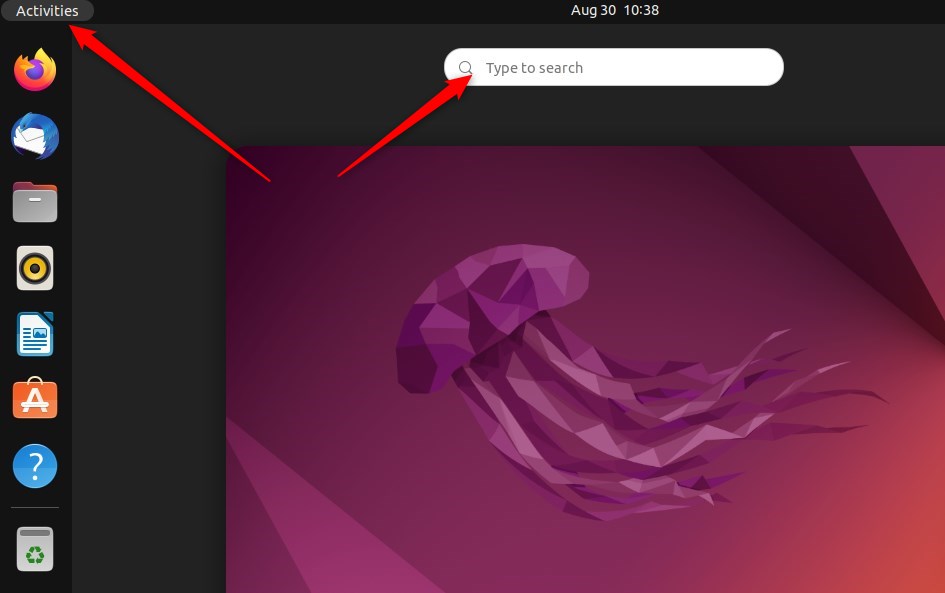
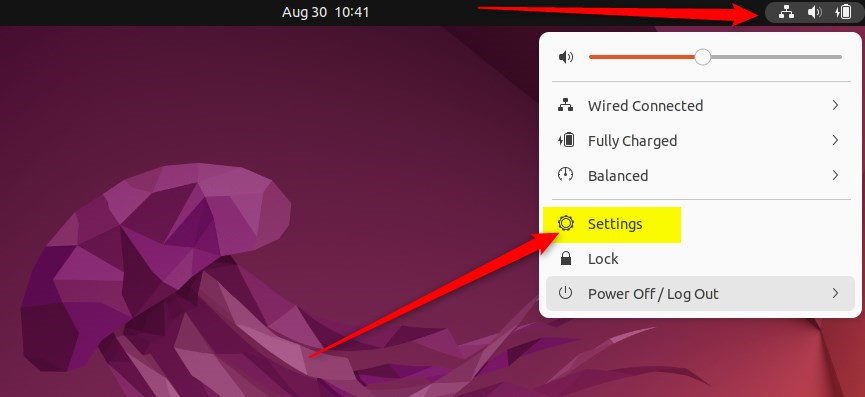
Alternatively, click on the System menu at the top-right corner of your desktop’s top bar.
From the System menu, select Settings, as shown below.
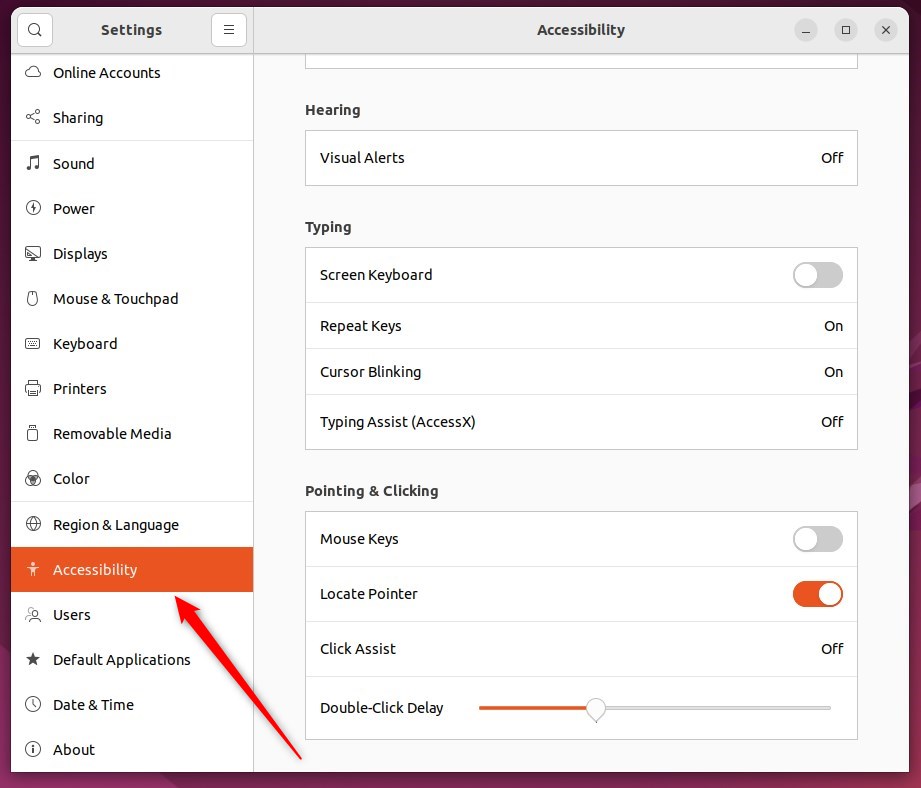
In the Settings app, click on the Accessibility tile to open its panel.
Adjust the Double-Click Delay slider to a value you find comfortable.
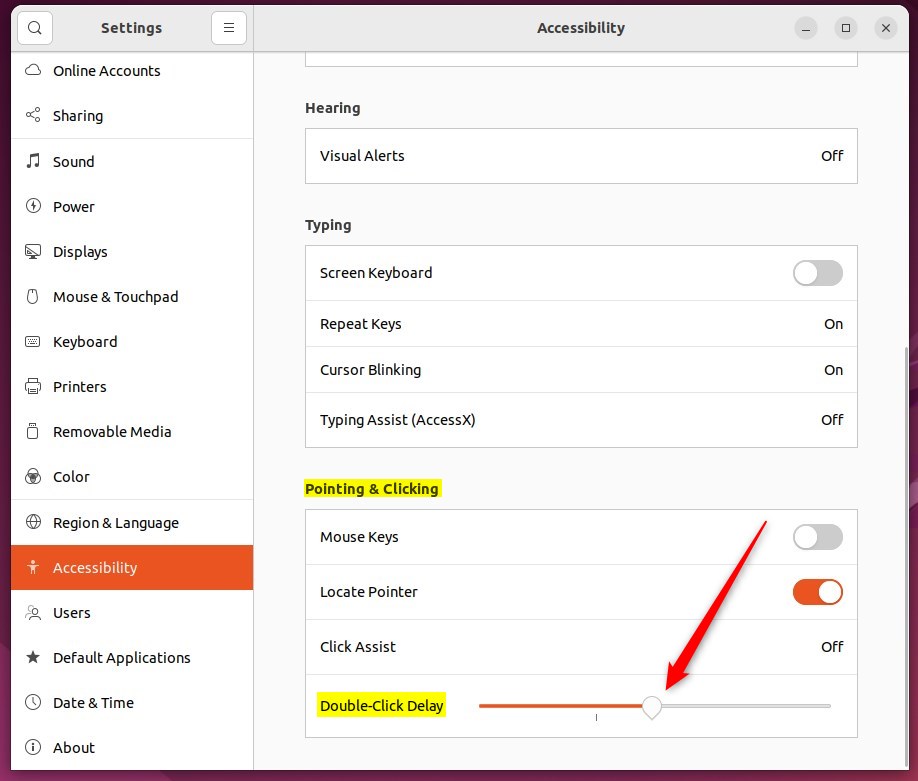
This setting affects your mouse, touchpad, and other pointing devices.
That completes the process, so close the Settings app.
Conclusion:
- Changing the mouse double-click setting in Ubuntu Linux is a simple process through the System Settings panel.
- The Double-Click Delay slider under Pointing & Clicking in the Accessibility panel allows users to adjust the double-click speed according to their preference.
- This setting applies to the mouse and affects the touchpad and other pointing devices connected to the system.
- Following these steps, users can customize their mouse settings to improve their overall user experience with Ubuntu Linux.
Was this guide helpful?

About the Author
Richard
Tech Writer, IT Professional
Richard is a writer at Geek Rewind who turns complex IT tasks into clear, step-by-step guides. He draws on years of hands-on experience in system administration and enterprise IT operations, focusing on Windows, Linux and WordPress: the problems people actually run into, and the fixes that work. His server and WordPress guides come from systems he runs himself. Richard builds and maintains the platform behind Geek Rewind, from its Ubuntu servers and Nginx configuration to its custom WordPress plugins. Many new tutorials start with readers' questions, and he's always glad to answer them in the comments.


[…] everyone can double-click or do it properly. You can instead choose to have files and folders open when you click on them […]