Powered by
WordPress
  • How to Enable or Disable Show Recommended Section in File Explorer Home in Windows 11

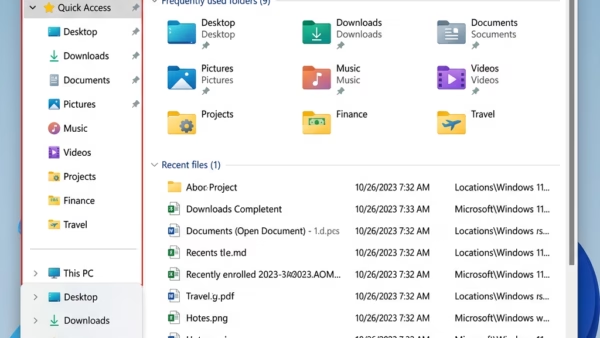
    This tutorial shows you how to turn the Recommended section on or off in File Explorer Home on Windows 11. The Recommended section replaces the Quick access section when you enable it. What is File Explorer Home? File Explorer Home lets you see your files and folders in one place. Here’s what you’ll find: Why…

  • How to Enable or Disable Delete to Recycle Bin Confirmation Dialog in Windows 11

    This tutorial will show you how to turn on or off the delete confirmation dialog when you send files to the Recycle Bin. You can do this for just your account or for all users on your Windows 10 or Windows 11 computer. Why This Matters The Recycle Bin is like a safety net for…

  • How to Enable or Disable Fullscreen Optimizations for Games in Windows 11

    This tutorial will show you how to turn fullscreen optimizations on or off for games and apps in Windows 11. You can change this setting for just your account or for all users on your computer. Why Fullscreen Optimizations Matter Microsoft created fullscreen optimizations to give gamers the best of both worlds. Here’s what that…

  • How to Change Copilot Voice Language in Windows 11

    Why would you want to change Copilot’s voice language? Microsoft Copilot is an AI assistant that helps you with tasks and answers questions. It can talk to you using voice. By default, it tries to figure out what language you speak. But you can pick a specific language if you want. What happens when you…

  • How to Add or Remove Phone Number for Copilot Tasks by SMS

    This tutorial will show you how to add or remove a phone number so you can text tasks to Copilot using SMS. What Are Copilot Tasks? Copilot Tasks let you ask Copilot to do work for you using simple language. Instead of following steps one by one in a chat, you describe what you want…

  • How to Reset Screenshot Index Counter in Windows 11

    This tutorial shows you how to reset the screenshot counter back to 1 in and Windows 11. Why Reset Your Screenshot Counter? When you take a screenshot using the Windows + Print Screen keyboard shortcut, it saves to your C:\Users\(user-name)\Pictures\Screenshots folder. Each file is named Screenshot (#).png. The # number increases by one each time…

  • How to Enable or Disable Text and Image Generation for Apps in Windows 11

    This tutorial shows you how to turn text and image generation on or off for apps in Windows 11. This feature uses artificial intelligence built into your computer to help apps work faster. Why does this matter? Text and image generation lets apps use AI technology that’s already on your device. You can control which…

  • How to Change the Display Language of Copilot

    This tutorial shows you how to change the display language for Copilot on the web and the Copilot app in Windows 11. What Is Microsoft Copilot? Microsoft Copilot is an AI-powered digital assistant. It helps you with many different tasks and activities. When you sign in to Copilot with your Microsoft account, Copilot uses your…

  • How to Change User Account Name in Windows 11

    This tutorial will show you how to change the name of a local account or Microsoft account in Windows 10 and Windows 11. Why Change Your Account Name? Having different accounts on a shared PC lets multiple people use the same device. Each person gets their own sign-in info, files, browser favorites, and desktop settings.…

  • How to Enable or Disable Block Files Downloaded from Internet in Windows 11

    This guide shows you how to turn on or turn off the blocking of files you download from the Internet. You can do this for all users or just specific users in Windows 10 and Windows 11. Why Does This Matter? Windows includes a safety feature called the Attachment Manager to protect your computer. It…