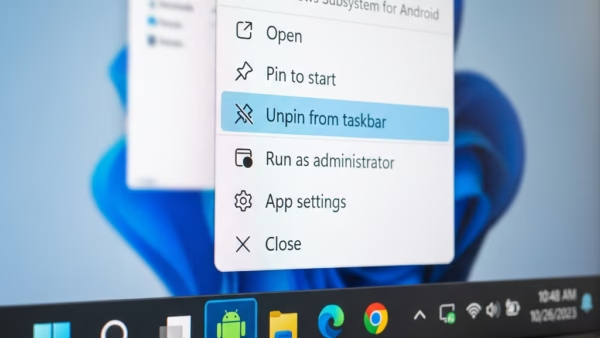
The Pen menu icon in Windows 11 lets you open a quick-launch menu for up to four stylus apps right from your taskbar. This small taskbar button appears automatically when…
Every guide we’ve published, newest first. Filter by topic, or use search if you already know what broke.
3,256 tutorials · page 92 of 272
The Pen menu icon in Windows 11 lets you open a quick-launch menu for up to four stylus apps right from your taskbar. This small taskbar button appears automatically when…
Managing the Bluetooth notification icon on your Windows 11 taskbar is a common task. What is Bluetooth? Wireless accessories like mice, keyboards, and headphones rely on Bluetooth (a short-range radio…
Remote connections to a MySQL database server let other computers on your network or the internet access your database instead of just the host machine. By default, MySQL blocks outside…
Task Command Add user to sudo group sudo usermod -aG sudo username Check user groups groups username See user’s sudo permissions sudo -l -U username Edit sudoers file safely sudo…
The virtual touchpad puts a software trackpad right on your screen so you can move the mouse pointer with your finger on Windows 11 tablets and touch-screen laptops. This taskbar…
Sleep mode on Windows 11 pauses your PC in a low-power state so you can pick up right where you left off. Adjusting your sleep timeout stops the screen from…
Windows 11’s mouse hover time lets you control how long your pointer rests on an item before an action happens. This feature also works in Windows 7 and Windows 8.…
Windows 11 saves words you frequently use with a digital pen or physical keyboard through the Custom Inking and Typing Dictionary. What is the Custom Inking and Typing Dictionary? Think…
A BitLocker recovery key is a 48-digit number that unlocks your encrypted drive if Windows detects unexpected hardware changes, and losing it means you lose access to your files forever.…
Recent search history in Windows 11 saves the apps, files, and web searches you type into the taskbar so you can find them again quickly. Microsoft turns this feature on…
Showing hidden files, folders, and drives in Windows 11 takes just a few clicks inside File Explorer. Windows hides these items by default, such as contents in 📁C:\Windows\System32copy, to keep…
Hiding files and folders in Windows 11 lets you protect personal documents or clean up a messy desktop using the built-in File Explorer app. You can make any item invisible…
One email when we publish a guide worth your time — new Windows features, the fixes that actually work, and a heads-up when Microsoft breaks something. Unsubscribe in one click.