How to Fix Grayed out Remove PIN Button in Windows 11

- 8 steps
- Needs administrator rights
The Remove button next to your PIN is usually grayed out because a security setting on the PC only allows Windows Hello sign-in for your Microsoft account. Policies set by an organization can also lock it. Either way, you can’t delete the PIN from the Settings app until the setting is changed.
The fix below uses a single toggle in Settings and takes less than 5 minutes. It needs no registry editing or Group Policy changes. Those are only worth looking at if your PC is managed by a work or school and the toggle itself is locked. The steps apply to current Windows 11 Home and Pro.
Open Settings Accounts Sign-in options, scroll to Additional settings, and turn off the toggle for “For improved security, only allow Windows Hello sign-in for Microsoft accounts on this device.” The Remove button next to your PIN becomes clickable immediately.
Step 1Open Settings on Your 🪟 Windows 11 PC
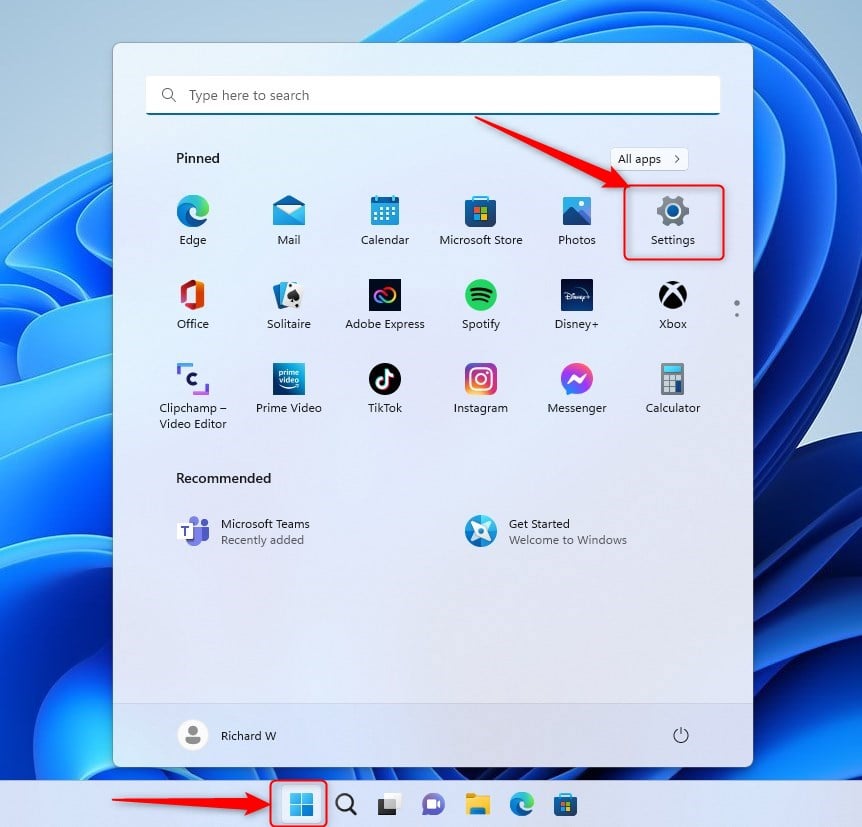
- Open the Settings app on your Windows 11 computer. You can use the Start menu to find it.
Windows Key + I on your keyboard to open Settings straight away.You should see the Settings window with a list of categories on the left.
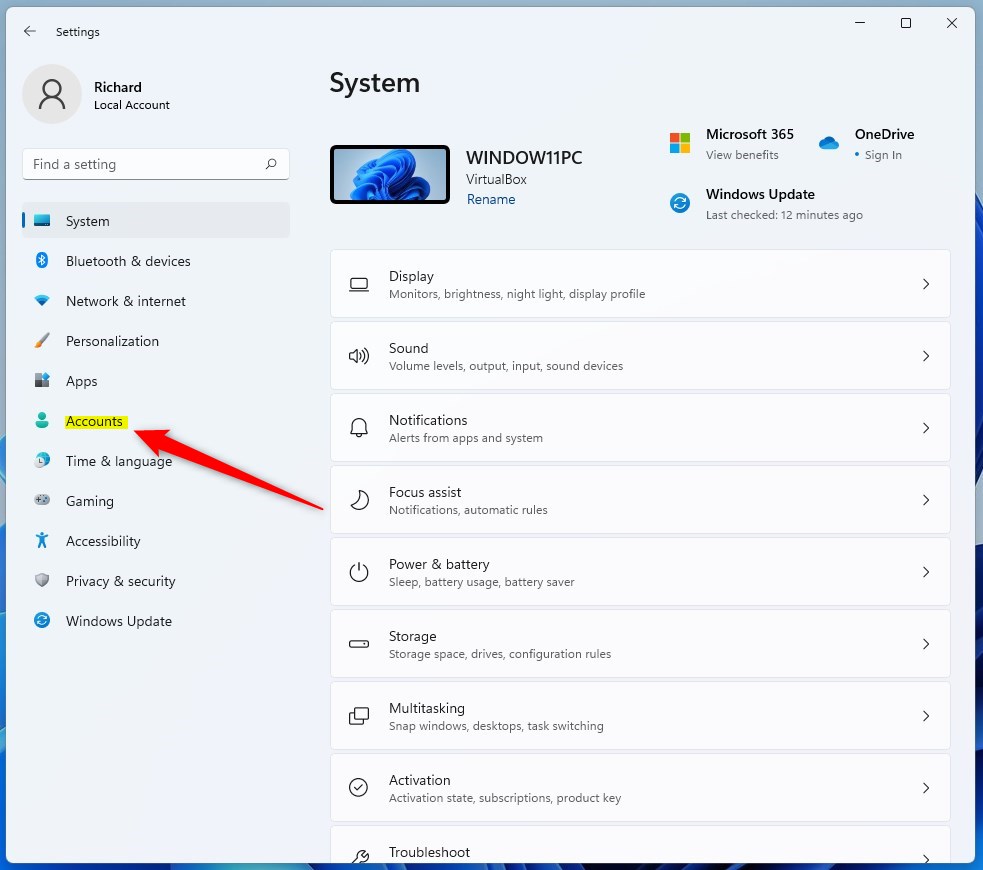
- Click Accounts in the menu on the left side of the window. The right side now shows your account options.
Step 2Click Accounts
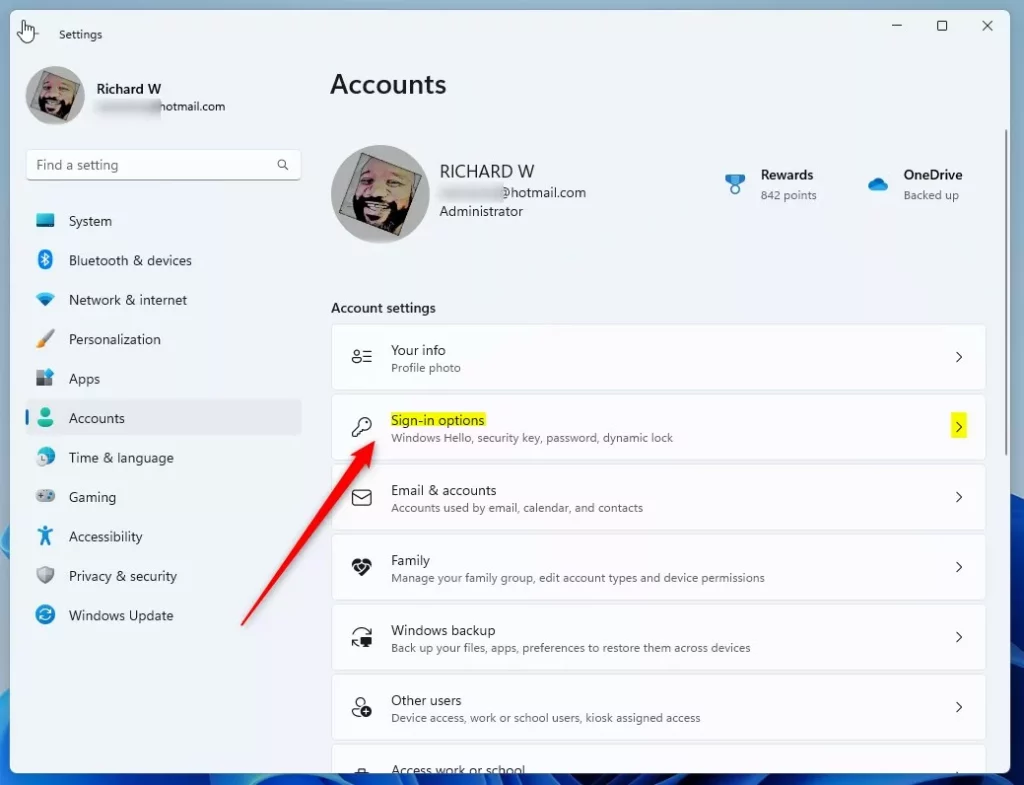
- Select Sign-in options on the right panel. A list of ways to sign in appears, such as facial recognition, fingerprint, PIN and password, depending on your hardware.
- Find the PIN (Windows Hello) section and click it to expand it. You should see the Remove button, and for now it is grayed out and can’t be clicked.
Step 3Select Sign-in Options
- Scroll down to Additional settings.
- Turn off the toggle that reads “For improved security, only allow Windows Hello sign-in for Microsoft accounts on this device.” The toggle should now show Off.
⚠️ Note: Making this change requires an administrator account. If you are signed in with a standard account, the toggle may not work. Sign in with an administrator account and try again.
If the toggle itself is grayed out, or you don’t see it, the PC is probably managed by an organization, for example a work or school device. In that case the policy is set by your IT department and you will need to ask them to change it.
- Go back up to the PIN (Windows Hello) section. The Remove button should now be clickable.
If it still looks gray, close the Settings app, open it again and go back to Accounts and then Sign-in options. Settings sometimes doesn’t refresh the page until you reopen it.
Step 4Find the PIN Section
- Click Remove to delete the PIN. Windows may ask you to confirm and to enter your account password.
Make sure you know your Microsoft account password before you do this, so you don’t get locked out at the next sign-in.
To undo the change, set up a PIN again from the same section. You can also turn the “For improved security, only allow Windows Hello sign-in for Microsoft accounts on this device” toggle back on in Additional settings.
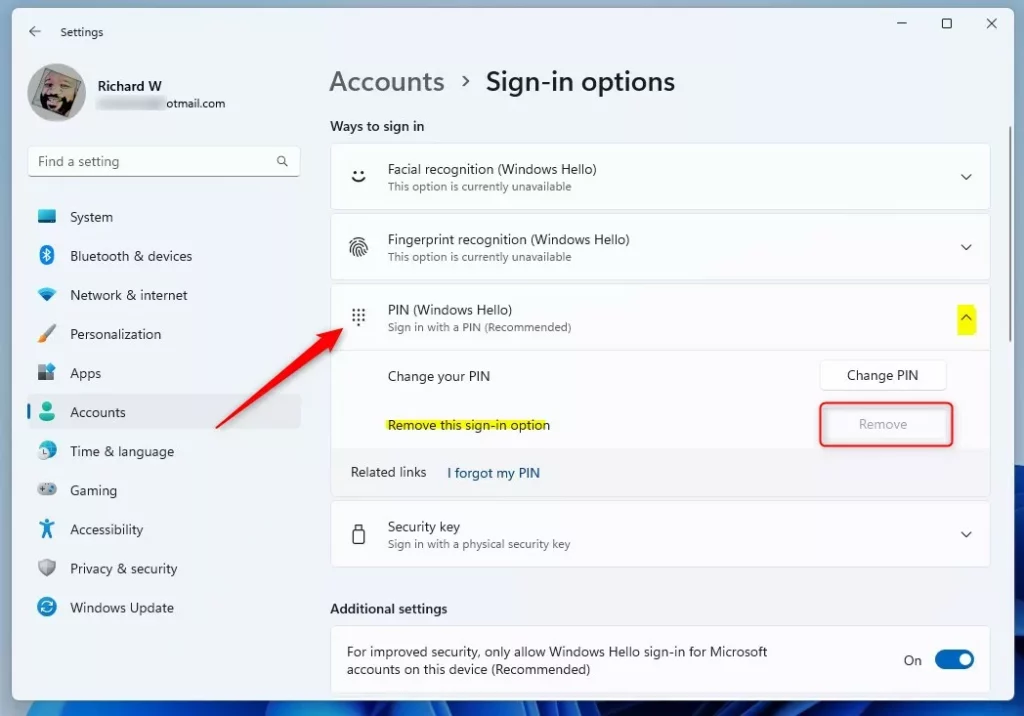
Step 5Turn Off the Security Setting
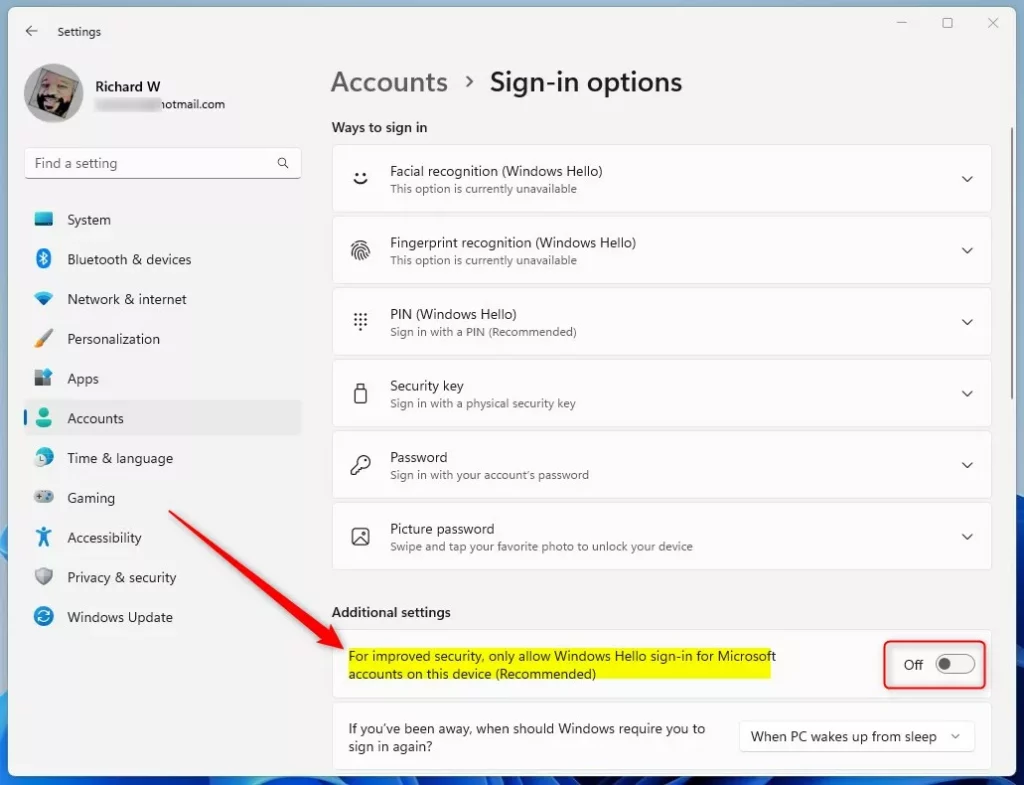
Step 6Remove Your PIN
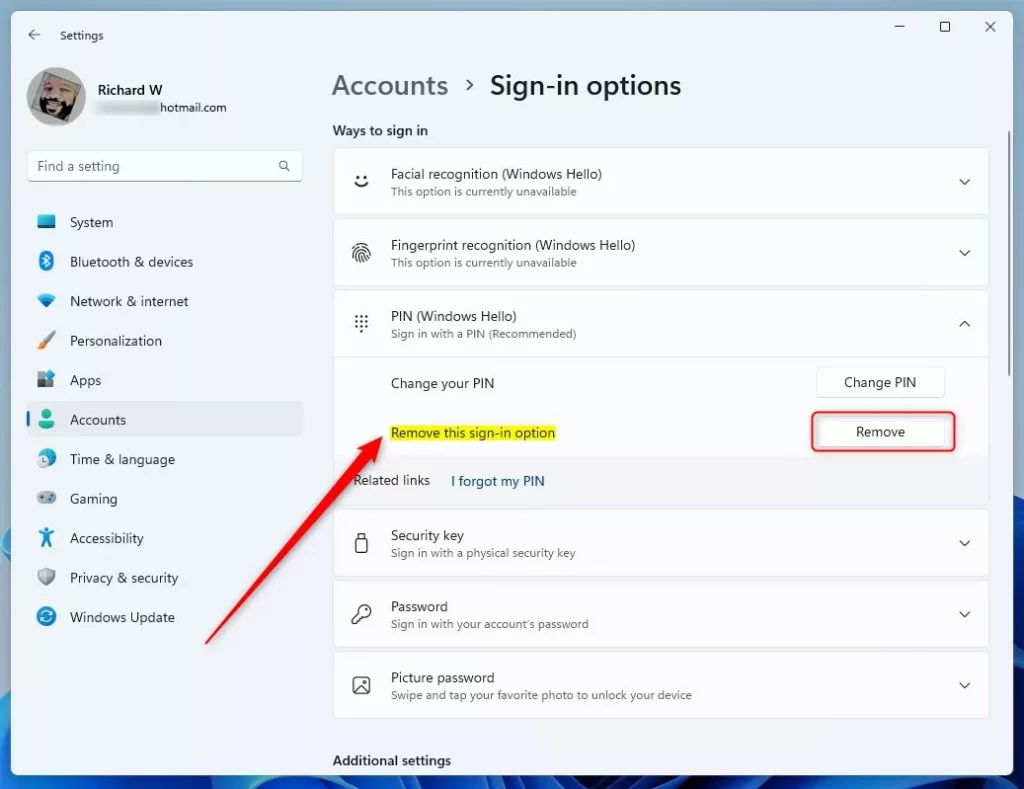
Summary
- The “Remove PIN” button can be grayed out because of a security setting.
- Turning off the setting that says “only allow Windows Hello sign-in” lets you remove your PIN.
- Now you can switch back to signing in with your password if you prefer.
The remove PIN button grayed out issue happens in Windows 11 because a security setting forces you to use Windows Hello. You can fix this problem by opening Settings, going to Accounts, selecting Sign-in options, and turning off the setting that requires Windows Hello sign-in for Microsoft accounts. Once you turn that off, the Remove PIN button becomes clickable again. If the toggle is locked, your device is likely managed by an organization and only your administrator can change it.
How to Login with a PIN in Windows 11
Have a question about this guide?
Answered by AI from this guide. Good questions may be added to this page — please don't include personal details.
Did this guide fix your problem?

About the Author
Richard
Tech Writer, IT Professional
Richard is a writer at Geek Rewind who turns complex IT tasks into clear, step-by-step guides. He draws on years of hands-on experience in system administration and enterprise IT operations, focusing on Windows, Linux and WordPress: the problems people actually run into, and the fixes that work. His server and WordPress guides come from systems he runs himself. Richard builds and maintains the platform behind Geek Rewind, from its Ubuntu servers and Nginx configuration to its custom WordPress plugins. Many new tutorials start with readers' questions, and he's always glad to answer them in the comments.
No comments yet — be the first to share your thoughts!