





How to Auto-Collapse the App Bar: Keep It Visible or Let It Hide in Teams
Microsoft Teams’ App Bar can automatically hide to save screen space, or you can keep it permanently visible. This bar, holding your key Teams…
Step-by-step guides for Windows, Linux, networking and everything tech — written by experts, verified for accuracy.
Most recently published
Microsoft Teams’ App Bar can automatically hide to save screen space, or you can keep it permanently visible. This bar, holding your key Teams…
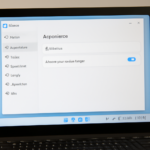
Microsoft Teams allows you to hide or show app names, also called labels, directly within its interface. This feature lets you declutter your app…
Microsoft Teams language and regional settings control how dates, times, and the app's text appear. Teams usually follows your Windows 11 language, but you…
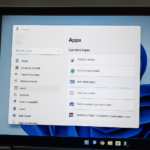
Uninstalling Microsoft Teams from Windows 11 removes the application and its associated data. Microsoft Teams is a communication and collaboration platform that includes chat,…
Automatic updates for Microsoft Store apps on Windows 11 ensure your programs always have the newest features and security fixes. This setting keeps your…
Keeping files on both your computer and in OneDrive at the same time uses up storage space on your PC. OneDrive syncs your files,…
OneDrive file deletion in Windows 11 lets you remove files from cloud storage without deleting them from your PC. OneDrive creates a special folder…
Restoring deleted OneDrive files from your computer is possible because Windows stores them in the Recycle Bin first, just like other deleted files. The…