Hide or Unhide Personal Folder in Ubuntu Linux


Hiding the Personal folder on Ubuntu removes the Home icon from your desktop. That folder is where your documents, photos and downloads live, and the icon is just a shortcut to it. Ubuntu controls the icon through the Settings app, so you don’t need extra tools for this.
To hide the Personal folder on Ubuntu, open Settings , click Appearance, scroll to the Desktop icons section, and turn off the Show Personal folder switch. The Home icon disappears from the desktop immediately, and no restart is needed. Your files are not touched. On Ubuntu 22.04, use Settings Ubuntu Desktop instead.
How to hide or unhide personal folder on desktop in Ubuntu Linux
The switch works instantly and does not need a restart. Your files are not touched. Only the desktop shortcut appears or disappears, and you can still open your Home folder from the Files app at any time.
On Ubuntu 24.04 and later it is under Settings Appearance On Ubuntu 22.04 the same switches are under Settings Ubuntu Desktop The steps below use the Appearance panel. Here’s how to show or hide the folder.
First, open the Settings app. This is the central place to manage system configuration, user accounts and updates.
- Open Settings from the Activities overview or the app grid. You should see the Settings window with a list of categories on the left.
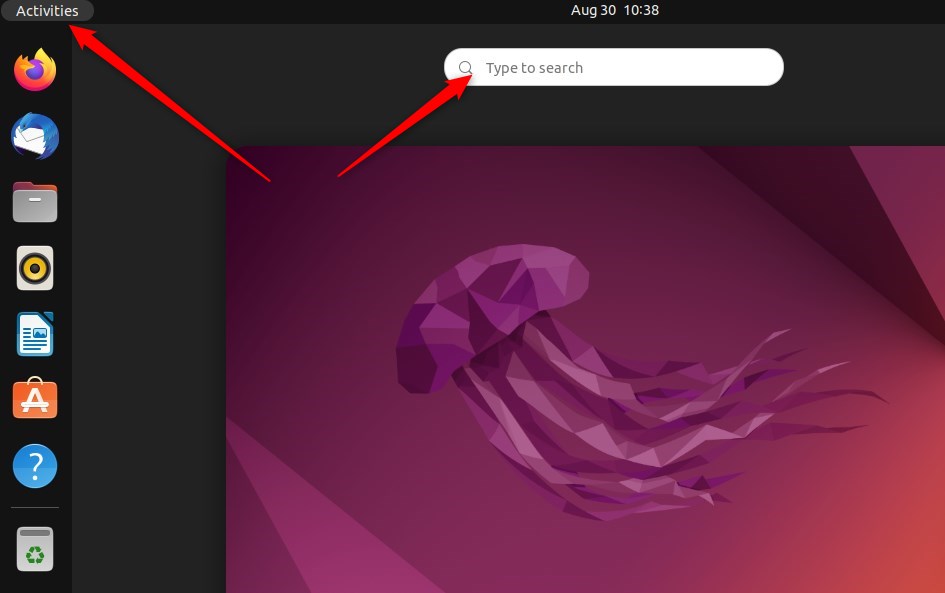
You can also open it from the system menu, which is the quickest way if the app is not pinned to your dock.
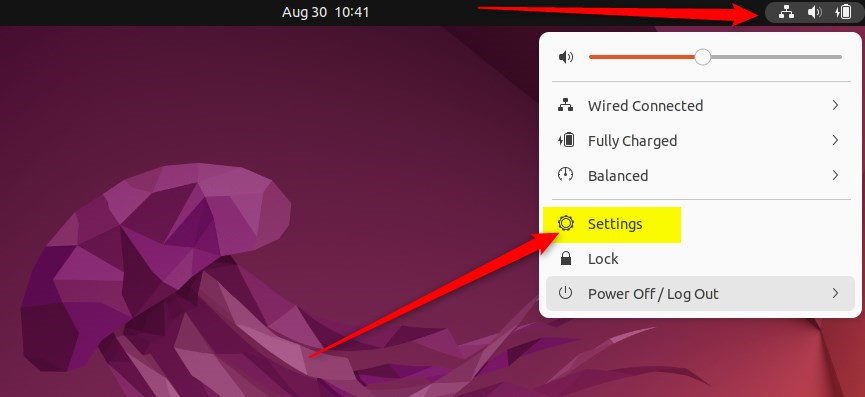
- Click the System menu in the top-right corner of the screen. A small panel opens with volume, network and power options.
- Click Settings in that panel, as shown below. The Settings window opens.
- Click the Appearance tile in the sidebar. The Appearance panel opens on the right. On Ubuntu 22.04, click Ubuntu Desktop instead.
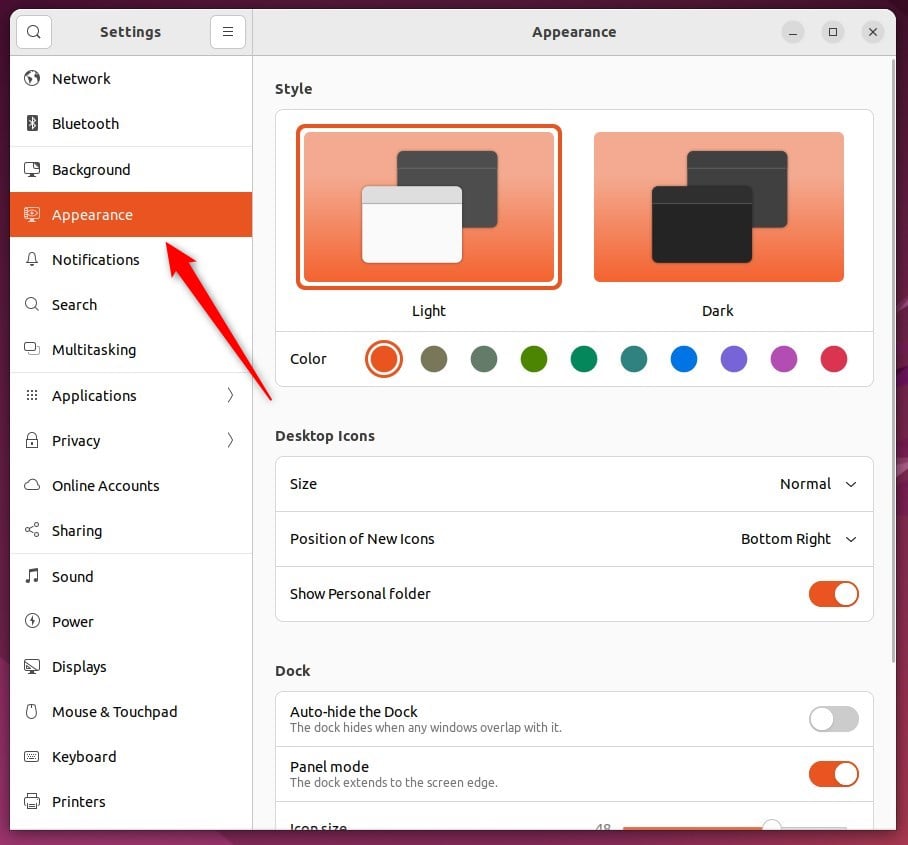
Now find the desktop icon options in Settings Appearance
- Scroll down to the Desktop icons section. If you don't see it, check that you are running the standard Ubuntu desktop. Other flavours and plain GNOME handle desktop icons differently, and some have no desktop icons at all.
- Find the Show Personal folder switch.
- Set the switch to Off to hide the folder, or to On to show it. The Home icon vanishes from or returns to your desktop right away.
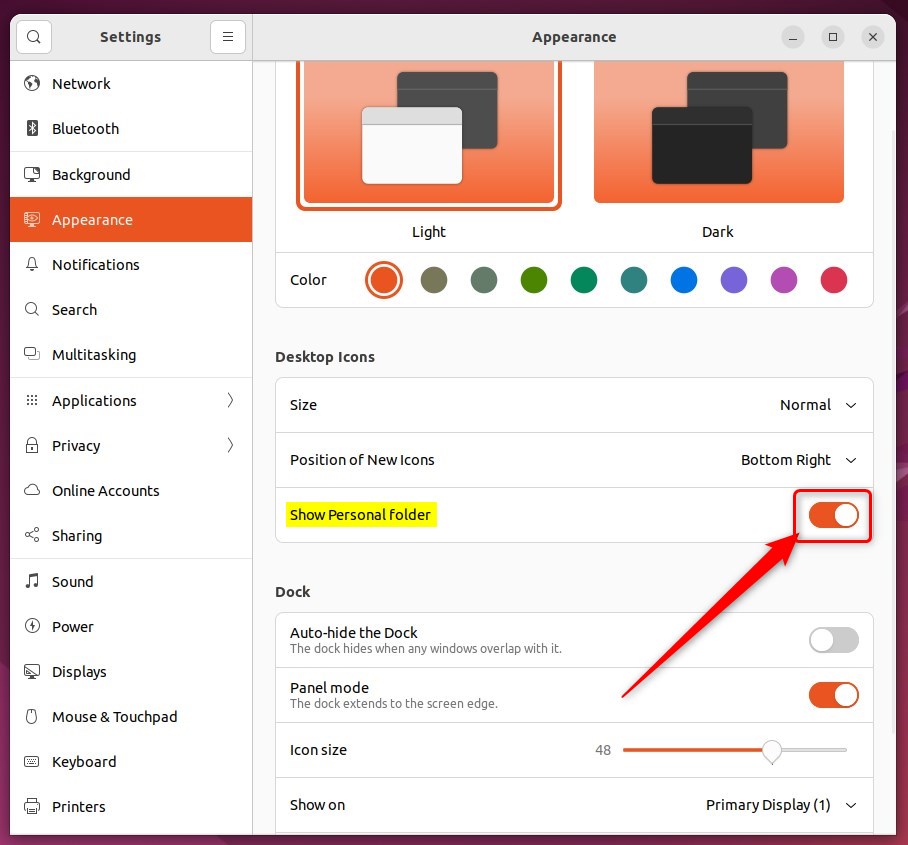
Turning it On makes the folder appear again. To undo the change, just flip the switch back. The same section has switches for other desktop items, such as the Trash and mounted drives, if you want to tidy those too.
That should do it!
Conclusion:
- Ubuntu Linux provides a centralized location for managing settings and configurations, including desktop icons.
- Users can conveniently hide or unhide their personal folders on the desktop by accessing the System Settings panel and navigating to the Appearance section.
- Toggling the "Show Personal folder" switch allows for seamless control over the folder's visibility, enabling users to keep their desktops clean or readily access their home folder as needed.
Have a question about this guide?
Answered by AI from this guide. Good questions may be added to this page — please don't include personal details.
Did this guide fix your problem?

About the Author
Richard
Tech Writer, IT Professional
Richard is a writer at Geek Rewind who turns complex IT tasks into clear, step-by-step guides. He draws on years of hands-on experience in system administration and enterprise IT operations, focusing on Windows, Linux and WordPress: the problems people actually run into, and the fixes that work. His server and WordPress guides come from systems he runs himself. Richard builds and maintains the platform behind Geek Rewind, from its Ubuntu servers and Nginx configuration to its custom WordPress plugins. Many new tutorials start with readers' questions, and he's always glad to answer them in the comments.
[…] typical Ubuntu desktop will come with a single (Personal) folder icon on the desktop after installation. However, you can add additional icons on the […]
[…] typical Ubuntu desktop will come with a single (Personal) folder icon on the desktop after installation. However, you can add more icons on the desktop, […]
[…] typical Ubuntu desktop will come with a single (Personal) folder icon on the desktop after installation. Computers running Ubuntu usually have clean and […]