How to Enable Xbox Controller Bar in Windows 11


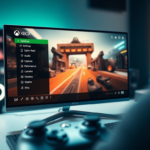
The Xbox Controller Bar in Windows 11 is an overlay that appears when you press the Xbox button on your controller. It gives you quick access to your games and apps on the PC, so it feels closer to using an Xbox console, and you don’t have to leave your game.
Turning it on usually takes one setting in the Xbox Game Bar, found in the Shortcuts tab of the Game Bar’s settings. If you can’t find it there, Settings Gaming Xbox Game Bar has a toggle that lets the controller open the Game Bar. The exact wording of that toggle changes between Windows 11 builds. The Game Bar itself must also be switched on, or the controller button does nothing.
Press Win+G to open the Xbox Game Bar, go to Settings , then Shortcuts, and check the box to open the Controller Bar using the Xbox button. This enables a console-like navigation experience on your PC.
Troubleshooting: Why the Controller Bar Won’t Open
If the bar does not appear, check your Xbox Accessories App. Download it from the Microsoft Store to update your controller’s firmware. Outdated firmware (the internal software that controls your controller) often causes button mapping issues.
Connect the controller by USB cable if the app can’t see it over Bluetooth . If the app offers an update, install it and don’t unplug the controller while it runs. A normal update takes a few minutes. When it finishes, press the Xbox button again to test it. You don’t need to restart Windows.
Resetting Game Bar Data
If the app is buggy, try resetting it. This is a good next step when the Xbox button does nothing or the bar opens and then freezes.
A reset returns the Game Bar to its default state and clears its app data. Your shortcut and controller settings will go back to defaults, so check them again afterwards. This works the same on Windows 11 Home and Pro.
- Open Settings Apps Installed apps The list of installed apps should appear.
- Search for Xbox Game Bar in the search box at the top of the list. The app should appear in the results.
- Click the three dots next to the app and select Advanced options. The app's settings page should open. If you don't see Advanced options, the app may be listed under a different name, so search for "Xbox" instead.
- Scroll to the reset section and click Reset. Windows may ask you to confirm. Click Reset again, and a check mark should appear next to the button when it finishes. If you only want to try a lighter fix first, click Repair instead, which keeps your app data.
After the reset, press the Xbox button on your controller. If nothing happens, go back to the Game Bar settings and turn the controller option on again. A restart is not normally required, but it is worth trying if the app still misbehaves.
Background Conflicts
Other apps can sometimes stop your Xbox button from working, so you might need to turn them off to enable Controller Bar Windows 11 properly.
The usual culprits are programs that also grab the controller or add their own overlay, such as Steam (especially Big Picture mode), Discord, and GPU software overlays. Close the app completely, including its tray icon, or turn off its overlay or controller option in its own settings. Then press the Xbox button again. If the bar works, you've found the conflict. You can switch the other app's feature back on later and see whether the problem returns.
Advanced Registry Fix
To enable Controller Bar Windows 11 features when standard settings fail, you can use the Registry Editor (a system database that stores low-level settings) to update a specific capture key. Use this only after the earlier fixes have failed, because a wrong registry edit can cause other problems. Back up the registry first, using File Export in the Registry Editor.
Open the Registry Editor by searching for 'regedit', go to HKEY_CURRENT_USER\SOFTWARE\Microsoft\Windows\CurrentVersion\GameDVR, and check that the value for 'AppCaptureEnabled' is set to 1. If it is already 1, leave it alone and move on to another fix. If it is 0, double-click the value, change it to 1, and click OK. Close the Registry Editor and restart your PC so the change takes effect. To undo it, set the value back to 0 or import the backup you exported.
Summary
The Controller Bar is a handy tool for navigating Windows 11 with your controller. Keeping your firmware updated, resetting the Game Bar app, and turning off conflicting overlays will help everything run smoothly. If the button stops responding, always double-check your shortcut settings. That is the quickest check, and it fixes most cases after a Windows update or an app reset.
Was this guide helpful?

About the Author
Richard
Tech Writer, IT Professional
Richard is a writer at Geek Rewind who turns complex IT tasks into clear, step-by-step guides. He draws on years of hands-on experience in system administration and enterprise IT operations, focusing on Windows, Linux and WordPress: the problems people actually run into, and the fixes that work. His server and WordPress guides come from systems he runs himself. Richard builds and maintains the platform behind Geek Rewind, from its Ubuntu servers and Nginx configuration to its custom WordPress plugins. Many new tutorials start with readers' questions, and he's always glad to answer them in the comments.
No comments yet — be the first to share your thoughts!