Download Bing Wallpaper for Ubuntu Linux: A Quick Guide


Bing Wallpaper for Ubuntu Linux puts the daily photo from the Bing homepage directly onto your desktop background. This add-on changes your wallpaper every 24 hours with a new high-resolution picture so you get fresh scenery without lifting a finger.
Controls sit right inside the top menu bar of the GNOME desktop environment for quick access. Before you install it , check that the extension works with your setup and stays actively updated to save headaches down the road.
Install the Bing Wallpaper GNOME extension using Extension Manager. Open Extension Manager, search for “Bing Wallpaper,” and install it . Your desktop background will then update daily with Bing images.
How to set up Bing Wallpaper
Bing Wallpaper Ubuntu setup requires the Extension Manager tool to download and apply daily background images automatically. Open your terminal and run sudo apt install gnome-shell-extension-manager to install the required program. Once installed, open the Extension Manager app, search for the Bing Wallpaper extension, and turn it on to change your desktop background to the daily image from Bing.
Opening the App Center provides an alternative graphical method for installation. Running sudo apt install gnome-shell-extension-manager installs the most reliable version.
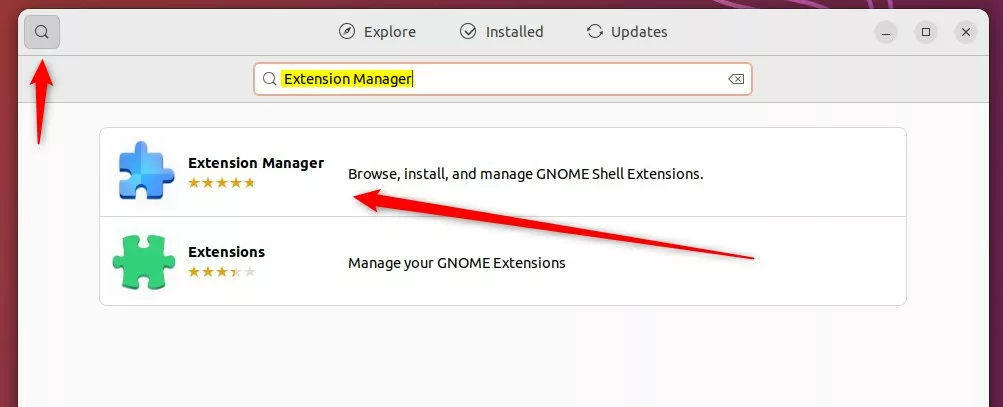
After installing , open the Extension Manager. Press the Super key (that’s the Win on most keyboards) and search to find it.
Once the app is open, search for the Bing Wallpaper extension and install it . 
Checking for updates and compatibility
Bing Wallpaper Ubuntu compatibility and updates are managed directly through the Extension Manager app. Open the app and look at the extension to see if an update is waiting or if it works with your current version of the GNOME desktop environment. Click the gear icon next to the extension to open its settings, where you can change how often the image updates and pick your preferred image region.
Select the gear icon next to the Bing Wallpaper extension to open its settings. 
Adjust the settings to match preferences. 
The desktop background starts changing automatically once configuration finishes. A small Bing icon appears in the top menu bar. 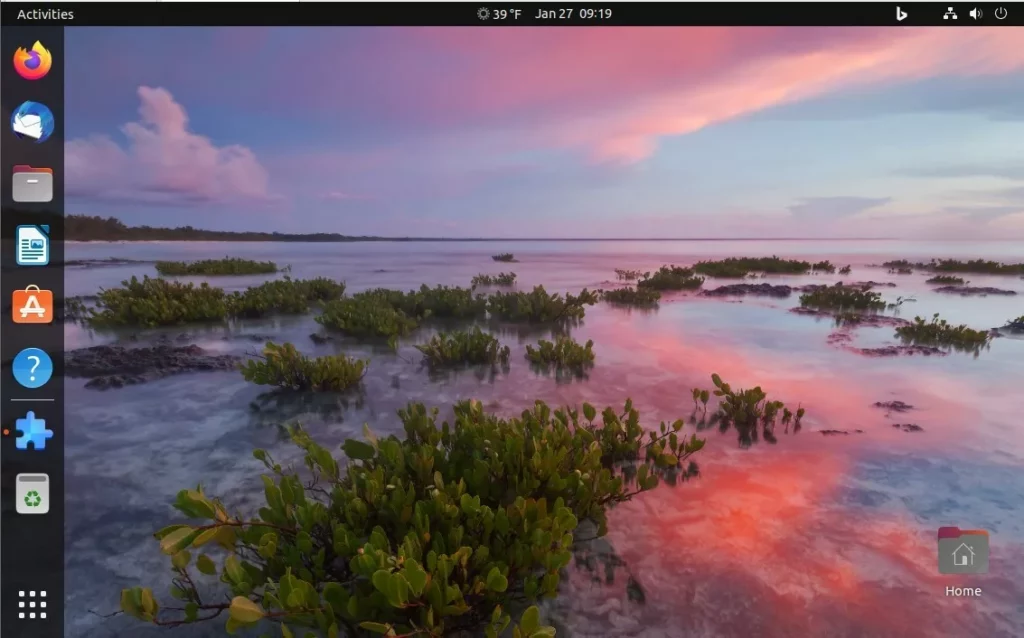
Conclusion
Modern Ubuntu versions often include built-in options for managing your desktop background. Check these native controls first before installing third-party add-ons.
Was this guide helpful?

About the Author
Richard
Tech Writer, IT Professional
Richard is a writer at Geek Rewind who turns complex IT tasks into clear, step-by-step guides. He draws on years of hands-on experience in system administration and enterprise IT operations, focusing on Windows, Linux and WordPress: the problems people actually run into, and the fixes that work. His server and WordPress guides come from systems he runs himself. Richard builds and maintains the platform behind Geek Rewind, from its Ubuntu servers and Nginx configuration to its custom WordPress plugins. Many new tutorials start with readers' questions, and he's always glad to answer them in the comments.



No comments yet — be the first to share your thoughts!