Follow
💡

Browsers

Browsers 2 min read
How to Enable or Disable Visual Search in Microsoft Edge

The article details how to enable or disable the Visual Search feature in the Microsoft Edge browser. This feature, part of the Smart Explore functionality, shows an icon when hovering over an image, offering more related content. The post elaborates on two ways to manipulate this feature: through the browser's setting or via the Windows Registry Editor.

March 2, 2023 Read more →

Browsers 3 min read
How to Enable Enhanced Security Mode in Microsoft Edge

The article provides a guide on enabling or disabling the enhanced security mode in Microsoft Edge, the default browser in Windows 11. The enhanced security mode offers additional protection while browsing, with three levels of security: Basic, Balanced, and Strict. Users can manually add site exceptions. The article also explains how to manipulate the enhanced security mode via the Windows Registry Editor.

February 18, 2023 Read more →
Browsers 3 min read
How to Stop Microsoft Edge from Creating Desktop Shortcuts

The article provides a guide on how to stop the Microsoft Edge browser from automatically creating a desktop shortcut each time it updates in Windows 11. This can be accomplished by adjusting settings within the Windows registry, specifically by creating a new value named "RemoveDesktopShortcutDefault" and setting its value data to "1". A system restart is required after making changes.

January 29, 2023 Read more →
Browsers 2 min read
How to Enable or Disable Microsoft Edge Secure Network VPN

This article details how to enable or disable secure DNS in the Microsoft Edge browser, the default for Windows 11. Users can choose their preferred DNS provider, like NextDNS, OpenDNS, or Google Public DNS, among others. The guide also provides an alternative method via the Windows Registry to control secure DNS settings, and a mention of enabling DNS over HTTPS in Windows 11.

January 25, 2023 Read more →
Browsers 2 min read
How to Enable or Disable Ask Where to Save Downloads in Microsoft Edge

The article provides a detailed guide on how to activate or deactivate the "Ask me what to do with each download" feature in the Microsoft Edge browser. This function, when enabled, allows the user to choose whether to download and save a file or open it directly in the browser. The guide also includes a manual method to enable or disable this feature through the Windows Registry.

Browsers 2 min read
How to Enable or Disable Website Typo Protection in Microsoft Edge

The article guides users on activating or deactivating the Website typo protection feature in the Microsoft Edge browser. The feature, designed to enhance online security, redirects users to legitimate sites when they mistype URLs, avoiding potential fraudulent websites. Steps include modifying browser settings or tweaking the Windows Registry.

January 9, 2023 Read more →
Browsers 2 min read
How to Enable Close Tabs Prompt in Microsoft Edge

The article explains how to toggle on or off the prompt to confirm closing a window with multiple tabs in Microsoft Edge, the default browser of Windows 11. Steps are provided for adjusting this setting in the browser’s menu interface and through the Windows Registry. The setting is on by default to prevent unintentional closing of multiple tabs.

January 6, 2023 Read more →
Browsers 1 min read
How to Always Show the Forward Button in Microsoft Edge

This informative text describes how to control the forward button visibility on the Microsoft Edge browser toolbar. By default, this button appears automatically when possible to navigate forward. However, it can be set to be consistently visible by navigating through the browser's settings: Settings>Appearance>Customize toolbar>Select which buttons to show on the toolbar>Always show.

December 22, 2022 Read more →
Browsers 2 min read
How to Open Favorites in New Tabs in Microsoft Edge

The article provides a guide for activating or deactivating the "Always open favorites in new tab" feature in Microsoft Edge, starting with version 110. The feature, however, is not universally accessible yet. The post explains how to access this setting through the 'Settings' and then 'Appearance' page and use a toggle button to enable or disable it.

December 16, 2022 Read more →
Browsers 2 min read
How to Add or Remove Sidebar in Microsoft Edge

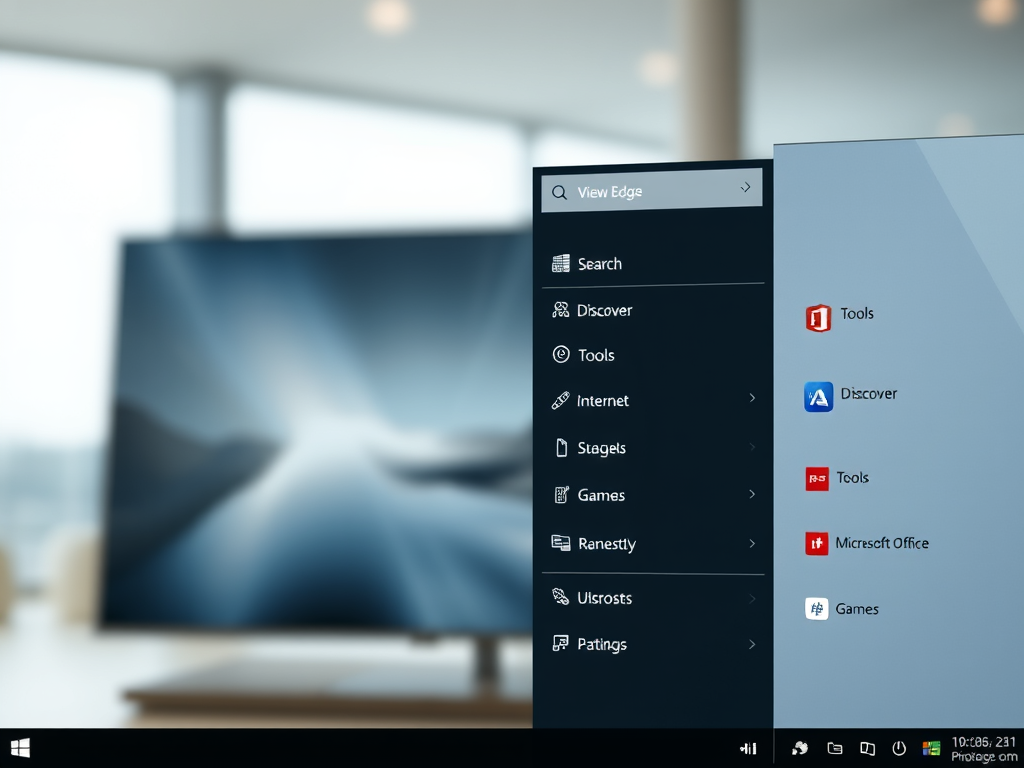
The article provides a guide on adding or removing a sidebar in the Microsoft Edge browser, which is the default browser in Windows 11. Quick access features like Search, Discover, Tools, Internet Speed Test, Games, and Microsoft Office icons can be included on the sidebar. The sidebar can be managed via the Settings menu within the browser, or using the Windows Registry.

December 6, 2022 Read more →
Browsers 2 min read
How to Enable Updates for Edge on Metered Connections

The article provides a guide on how to activate or deactivate downloading updates over metered connections in the Microsoft Edge browser. Microsoft Edge will only update on non-metered networks by default, however, this can be changed in settings or via the Windows Registry. The steps for both methods are detailed in the text.

November 28, 2022 Read more →
Browsers 4 min read
How to Backup and Restore Microsoft Edge

The post provides a guide on backing up and restoring everything in the Microsoft Edge browser on Windows systems. The backup includes all settings, favorites, profiles, and extensions but excludes passwords stored in Edge. These are encrypted and stored online. The guide offers detailed steps on how to locate the Edge folder, copy it to a new system, and restore browser preferences via the Windows registry.

August 1, 2022 Read more →
Browsers 3 min read
How to Set DuckDuckGo as Default in Windows 11

The post outlines steps to set DuckDuckGo as the default search engine in various browsers (Microsoft Edge, Google Chrome, Firefox, etc.) in Windows 11. Stating that DuckDuckGo provides privacy protection, it presents instructions to install different browsers on Windows 11 and configure DuckDuckGo as the default search engine, differentiating steps for Chromium-based browsers and Firefox.

December 24, 2021 Read more →
Browsers 3 min read
How to Export Passwords from Microsoft Edge

The post provides a step-by-step guide for exporting passwords from Microsoft Edge to a .CSV file, which can then be imported into other third-party password managers. The article also suggests that while useful, Microsoft Edge's built-in password manager may not be the most secure option available.

November 13, 2021 Read more →
Browsers 3 min read
How to Export Passwords from Google Chrome

The post provides a guide on how to export passwords from Google Chrome's built-in password manager. This feature allows stored passwords to be migrated to third-party password managers or kept as a record for later use. The steps involve accessing the settings, selecting 'Autofill', then 'Passwords', and finally 'Export passwords'. Users must authenticate themselves with their Windows password to complete the process.

November 11, 2021 Read more →