How to Manage Outlook Calendar Notifications in Windows 11


Outlook calendar notifications in Windows 11 pop up on your screen to remind you about meetings and appointments so you never miss an event. These alerts can still appear when the Outlook app is closed, provided Outlook notifications are allowed in Windows. You can change how early a reminder appears or pick a custom sound for each event.
You can manage these pop-ups in two places: the settings inside Outlook, and the notification settings in Windows 11. If alerts feel random, or you get too many or too few, one of these two places is almost always the cause. This guide covers both.
Open the Outlook app and click the Settings gear at the top right. Go to General Notifications, then click Calendar and toggle the switch to On or Off. Click Save to apply your changes. No restart is needed.
How to turn Outlook Calendar reminders on or off
You can turn Outlook Calendar notifications on or off from the settings menu inside the Outlook app. This stops unwanted pop-ups for meetings and appointments, or brings them back if you have been missing them. The steps below use the new Outlook for Windows, which has a Settings gear in the top right. The classic Outlook desktop app has a different layout, so these menus will not match it. No restart is needed after any of these changes.
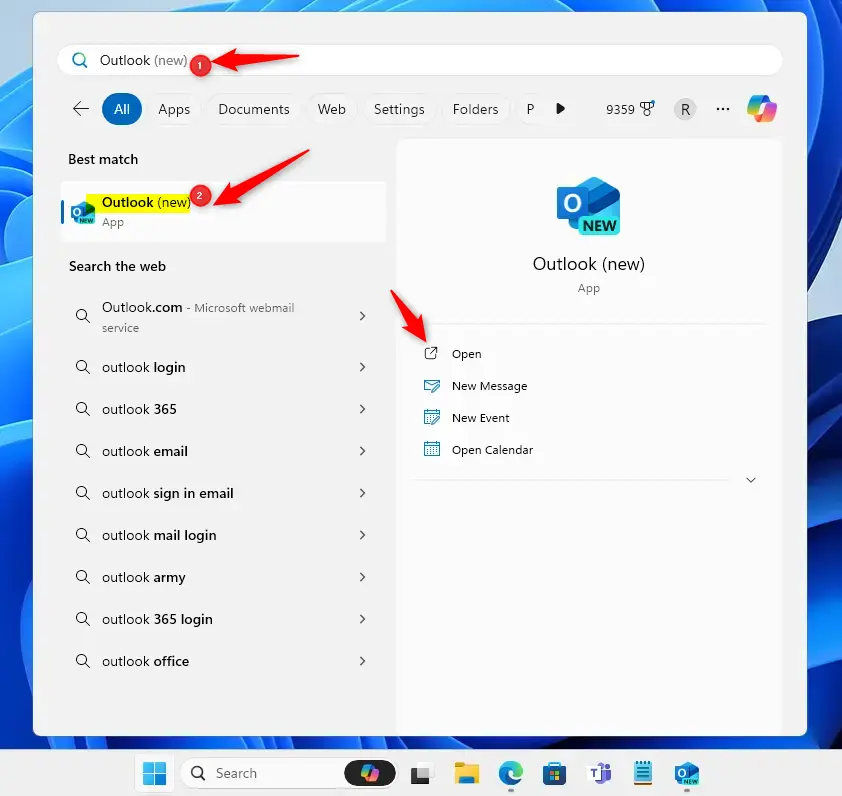
- Open the Outlook app from your Start menu or search bar . Wait for your inbox to load before moving on.
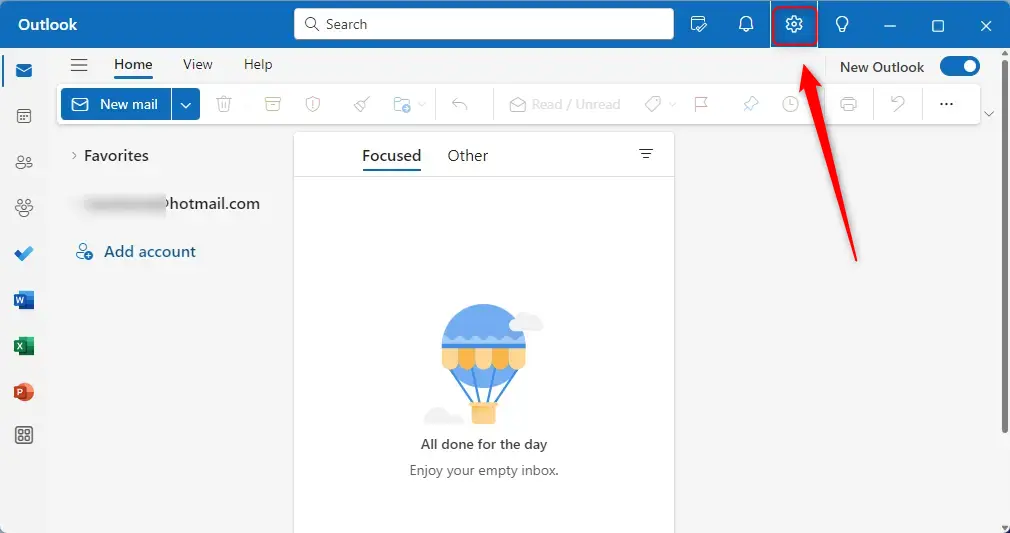
- Click the Settings gear icon located at the top right of the window. A settings panel or window opens. If you do not see the gear, make sure you are in the new Outlook and not the classic version.
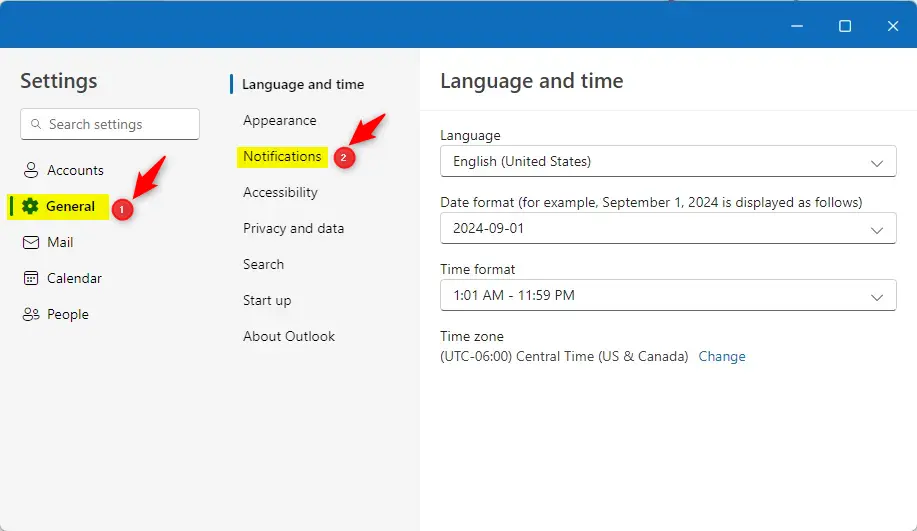
- In the menu, click General and then select Notifications. The notification options for Outlook appear on the right.
- Find the Notifications in Outlook section. You can choose to turn sounds on or off here. If you only want to silence the audio and still see the pop-ups, change the sound option and leave the rest alone.
If alerts still fail to appear, check these things in order:
- Open Settings System Notifications in Windows 11 and make sure notifications are on. Find Outlook in the app list below and confirm it is switched on too.
- Check that Windows Focus (a feature that silences notifications) is turned off. While it is active, Windows holds back alerts, and you will only see them later in the notification center.
- Check that Battery Saver is turned off. You can find it under Settings System Power & battery On laptops running on battery, it can delay or block background alerts.
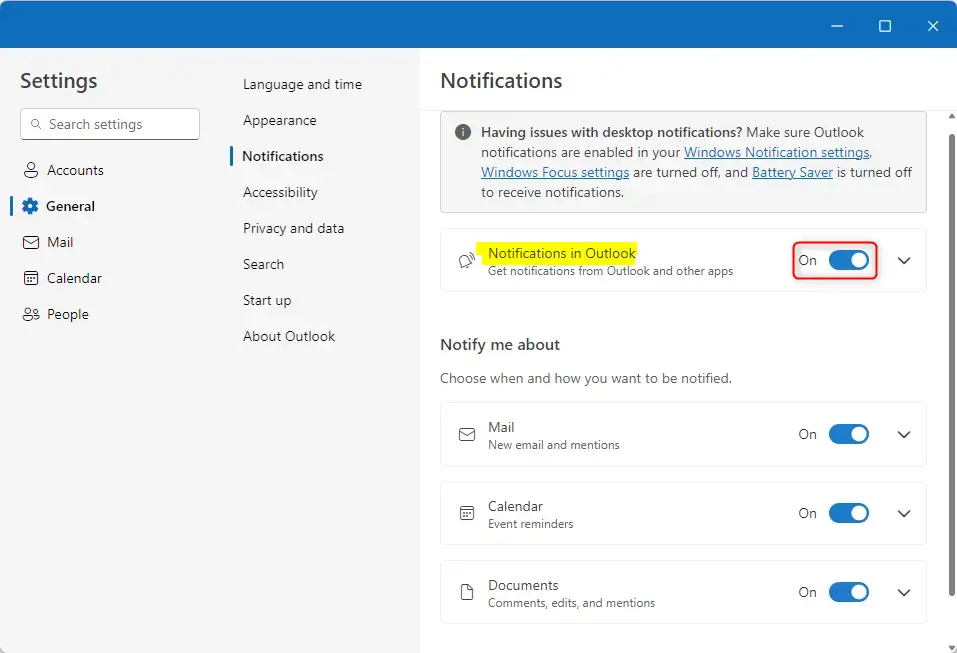
- Once Notification in Outlook is enabled, click the Calendar tile. The options for calendar alerts open.
- Toggle the switch to Off to stop alerts, or On to receive them. The switch should change position straight away. To undo the change later, come back to this screen and flip the switch again.
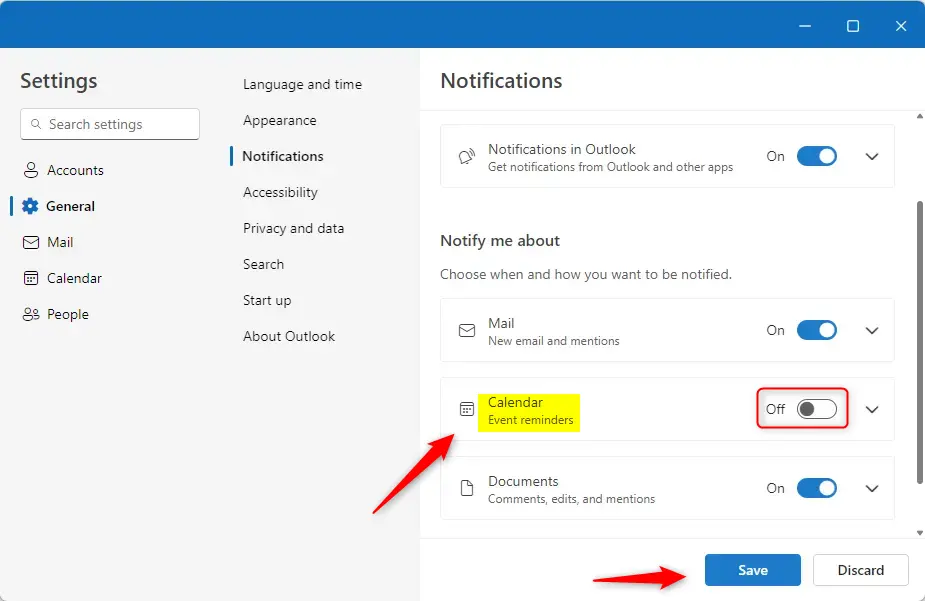
- Click the Save button at the bottom of the screen to finish. Your choices are only applied once you save. To test them, create a calendar event a few minutes ahead and check that the reminder appears.
Some options may also be greyed out because a policy set by your IT team controls them. In that case, ask your administrator to change them.
Summary
Control your Outlook calendar alerts from the Settings menu within the app. Turning them on keeps you on schedule, while turning them off removes distractions. If you are not receiving the alerts you expect, check your Windows system settings next, especially the Outlook notification entry, Focus and Battery Saver.
Was this guide helpful?

About the Author
Richard
Tech Writer, IT Professional
Richard is a writer at Geek Rewind who turns complex IT tasks into clear, step-by-step guides. He draws on years of hands-on experience in system administration and enterprise IT operations, focusing on Windows, Linux and WordPress: the problems people actually run into, and the fixes that work. His server and WordPress guides come from systems he runs himself. Richard builds and maintains the platform behind Geek Rewind, from its Ubuntu servers and Nginx configuration to its custom WordPress plugins. Many new tutorials start with readers' questions, and he's always glad to answer them in the comments.



No comments yet — be the first to share your thoughts!