How to Change Location Services in Windows 11 Photos App


This article explains how to turn on or off location features in the Photos app on Windows 11.
What is the Photos App?
The Microsoft Photos app is built into Windows. It lets you view, edit, and organize your photos and images all in one place.
You can use the Photos app to replace an image background, remove an image background, import photos and videos, show iCloud in the app, change mouse wheel behavior, use filmstrip, and more.
Why Control Location Features?
When you use the Photos app, Windows can collect location data from your photos. Location-based features let you tag photos with where they were taken.
Turning these features ON means the Photos app will automatically add location tags to your photos. This helps you organize and find images based on where you took them.
Turning these features OFF means your photos won’t get location tags. This keeps your location information private.
How to Turn Location Features On or Off
- Open the Photos app on your computer.
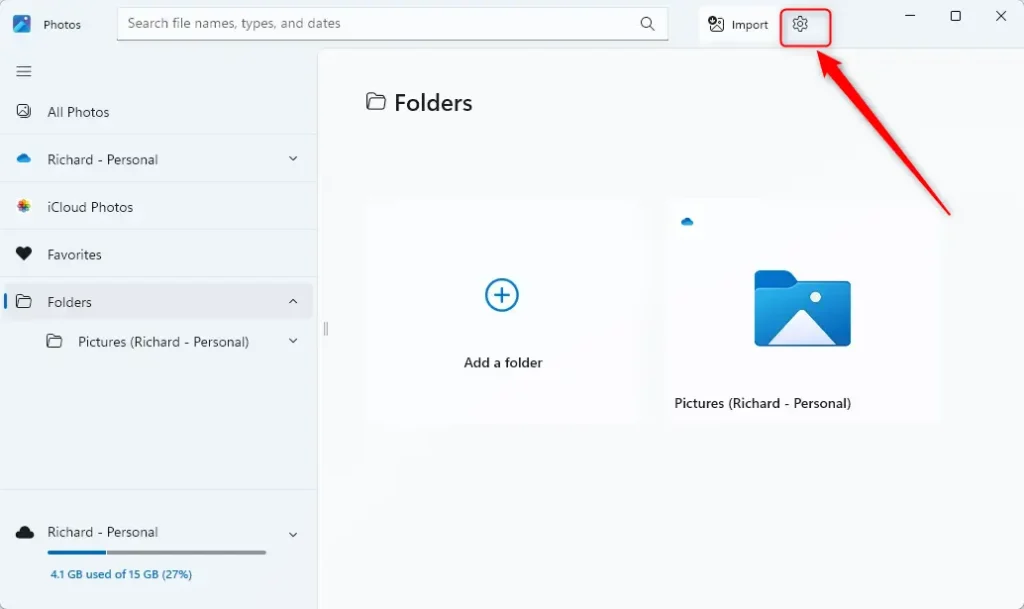
- Click the Settings (gear) icon at the top of the screen. If you don’t see it, click the three dots menu and select Settings.
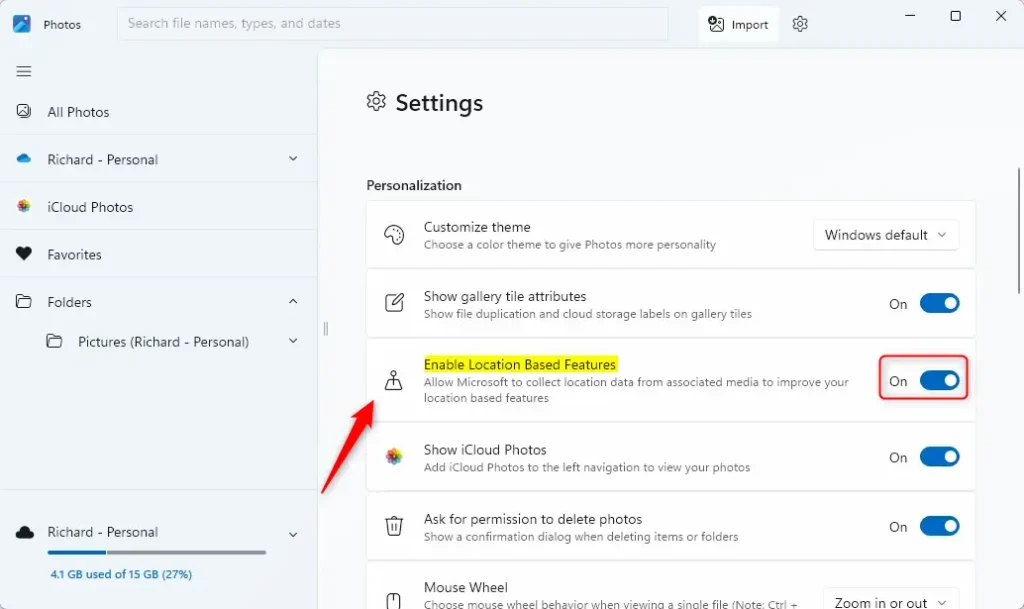
- Look for Personalization.
- Find the option that says “Enable Location Based Services”.
- Toggle it ON or OFF based on what you want.
That’s all you need to do!
Summary
Location features in the Photos app let Windows tag your photos with location information. This helps organize your photos, but it also shares your location data.
- Turn ON location features: Photos get tagged with location info. Easier to find and organize photos by where they were taken.
- Turn OFF location features: Photos don’t get location tags. Your location stays private.
Changing this setting only takes a few clicks in the Photos app Settings menu. Choose what works best for your privacy needs.
Frequently Asked Questions
How do I enable location services in the Windows 11 Photos app?
What happens when I turn off location-based features in the Photos app?
Can I still organize my photos without location services in Windows 11?
Is it safe to enable location services in the Photos app?
How do I access the settings for location services in the Photos app?
Was this guide helpful?





Leave a Reply