How to Create a Microsoft Account
This guide explains how to sign up for a Microsoft account. Think of this account as a digital key. It unlocks services like Windows 11, Outlook, Xbox Live, and OneDrive.
Why create an account?
A Microsoft account links your digital life. It keeps your files, settings, and game progress synced across all your devices. It also provides a central dashboard to manage your security.
What happens when done?
Once finished, you have a secure login for all Microsoft products. You can track lost devices, manage subscriptions like Microsoft 365, and control your privacy settings in one place.
Click here to create your Microsoft account
Steps to register your Microsoft account
- Visit the official Microsoft signup page.
- Choose to create a new email address or use an existing one.

- Enter your email address.

- Create a strong, unique password.

- Provide your birth date and country.

- Check your email for a verification code. Enter this code on the site to prove it is you.

- Your account is now active and ready to use.

Email Alias vs. New Outlook Address
You can use your current email (like Gmail) as your login. Alternatively, you can create a new @outlook.com address. A new address is often better for keeping your personal and professional emails separate.
Security Best Practices
Keep your account safe by enabling two-step verification. This adds a second layer of protection. Download the Microsoft Authenticator app to approve logins with a single tap. Always add a recovery email or phone number so you can regain access if you forget your password.
Setting up a child account
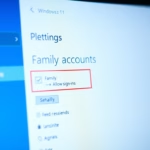
If the user is under 13, a parent must help. Note: This step requires admin privileges or access to a parent’s verified Microsoft account. Follow the prompts to link the child to a family group.
Log in with the parent’s account to manage Family Safety features. 
Summary
Creating a Microsoft account is a simple way to access your favorite tools. By following these steps, you gain better security and easy file management. Remember to use two-step verification to protect your data. If you have trouble, check your email for verification codes or visit the official Microsoft support site.
Is a Microsoft account free?
Yes, creating a Microsoft account is completely free. You do not need to pay to register. While some services like Microsoft 365 require a paid subscription, the basic account, including access to OneDrive storage and Outlook email, costs nothing to set up and use for your daily tasks.
Can I create a Microsoft account without a phone number?
In most cases, you can sign up using only an email address. However, Microsoft may ask for a phone number if it detects unusual activity or to verify your identity during setup. Using a phone number is highly recommended to keep your account secure and for easier account recovery.
What is the difference between a local account and a Microsoft account?
A local account only works on one specific computer. It does not sync files or settings to the cloud. A Microsoft account works across all your devices, syncs your OneDrive files, and allows you to download apps from the Microsoft Store. It offers much better connectivity and backup options.
How do I delete a Microsoft account?
To delete your account, log in to the Microsoft security dashboard. Navigate to the advanced security options and select the option to close your account. Be aware that this will permanently delete your emails, OneDrive files, and Xbox data. This process is irreversible, so ensure you back up your data first.
Was this guide helpful?
Leave a Reply