Enable or Disable Bluetooth on Ubuntu Linux


Bluetooth lets you connect wireless mice, headphones, and other accessories to your Ubuntu 22.04 LTS computer. The Settings app manages these wireless connections, or you can turn the radio on and off with a quick keyboard shortcut to save laptop battery life when you travel.
Open Settings , navigate to Bluetooth , and toggle the switch to enable or disable it. Alternatively, click the system menu in the top-right corner and toggle Bluetooth from the quick settings panel.
How to turn off or on Bluetooth on Laptop
There are several ways to turn Bluetooth on or off in Ubuntu Linux. One way is using your computer’s Bluetooth button.
Many laptops also include a physical key or switch to toggle wireless features instantly.
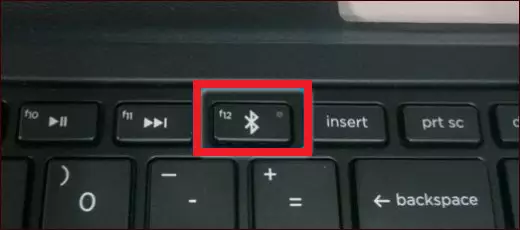
How to turn on or off Bluetooth on Ubuntu
Bluetooth can be turned on or off directly within Ubuntu Linux via the system menu.

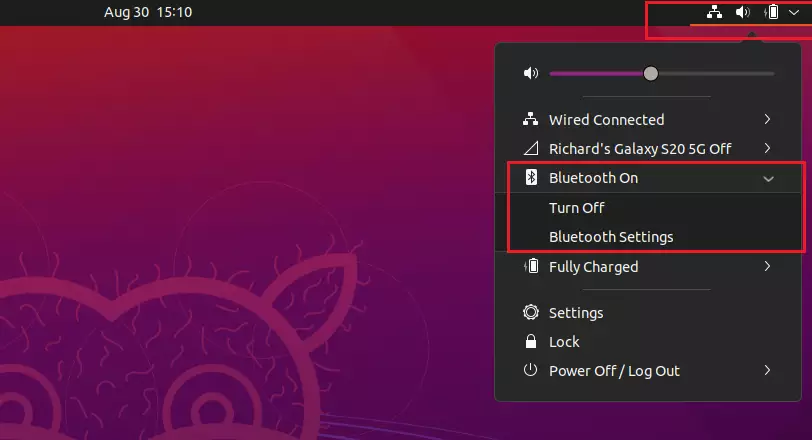
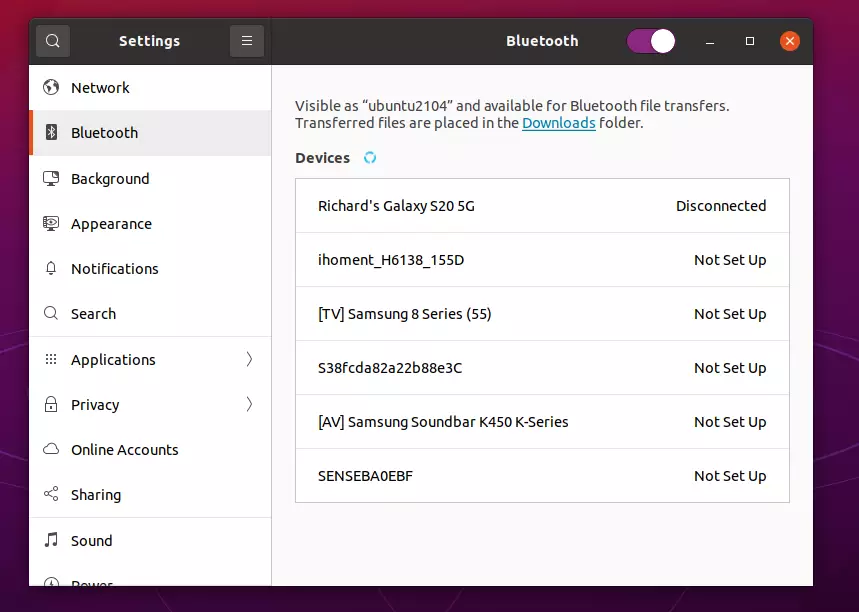
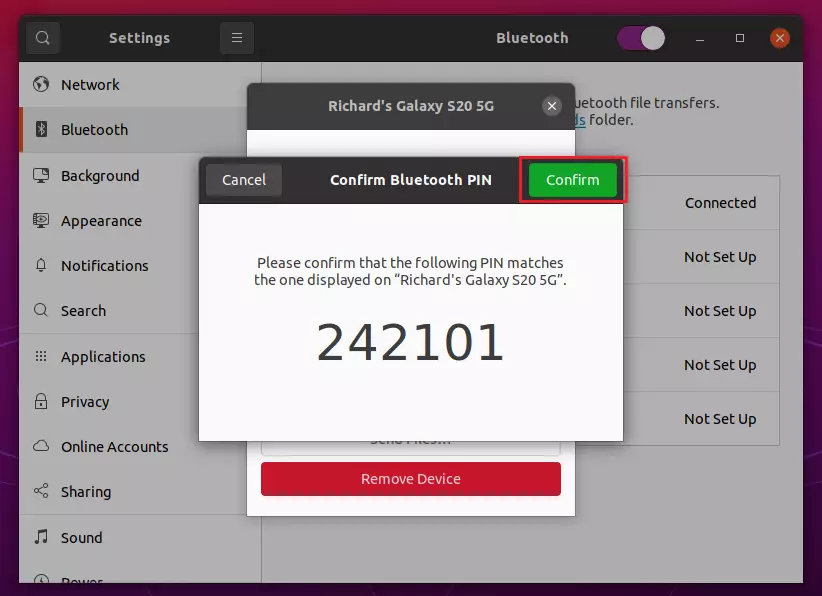
How to disable or enable Bluetooth on Ubuntu Linux
Bluetooth Ubuntu Linux settings let you turn your wireless adapter on or off directly from the system menu to save battery life or connect accessories. To change this setting, open the system menu from the top right corner of your screen, select Settings, and click the Bluetooth tab to toggle the switch.
To disable Bluetooth on Ubuntu Linux from the desktop, click the “Show Applications” icon in the bottom-left corner, or press the Win on your keyboard.
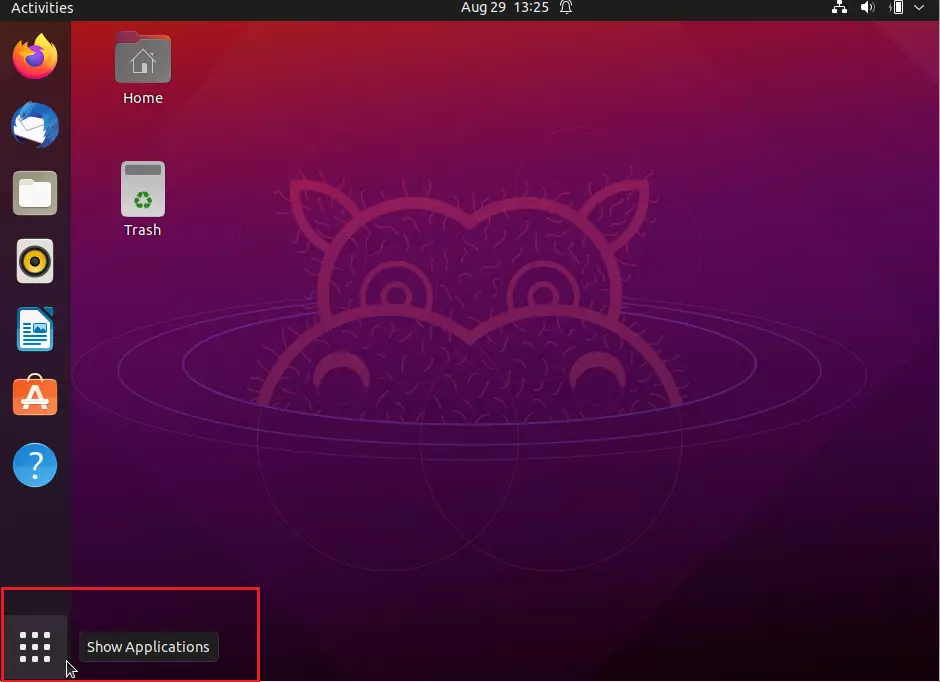
On the Activities overview dashboard, start typing Bluetooth in the search box. Click on the Bluetooth app to open its panel. From there, you can quickly disable or enable Bluetooth by toggling the button to the On or Off position.
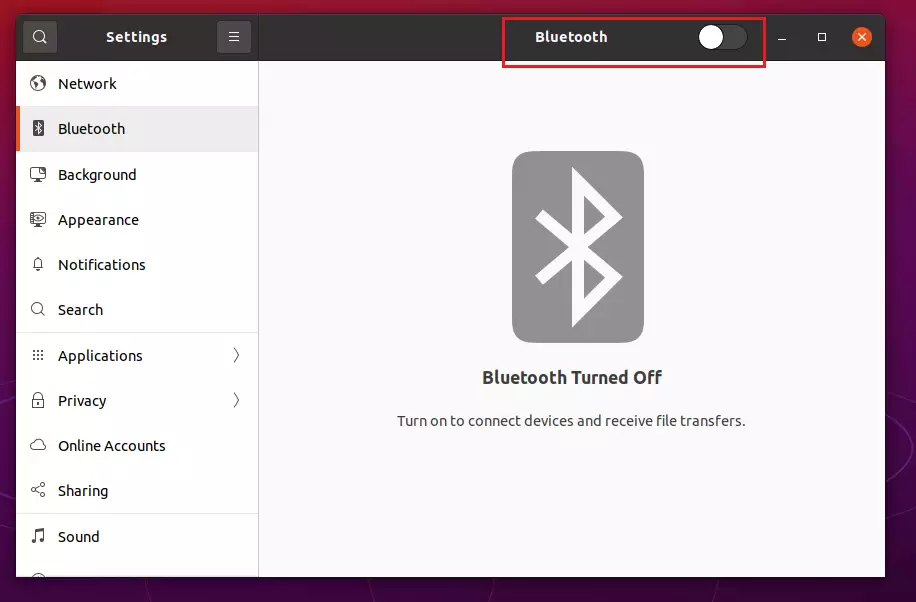
This will turn Bluetooth on or off. You can now exit the settings panel.
Conclusion:
If you ever need to reconnect your devices, repeat these steps to toggle Bluetooth back on.
Was this guide helpful?
0% of readers found this helpful (1 votes)

About the Author
Richard
Tech Writer, IT Professional
Richard, a writer for Geek Rewind, is a tech enthusiast who loves breaking down complex IT topics into simple, easy-to-understand ideas. With years of hands-on experience in system administration and enterprise IT operations, he’s developed a knack for offering practical tips and solutions. Richard aims to make technology more accessible and actionable. He's deeply committed to the Geek Rewind community, always ready to answer questions and engage in discussions.




No comments yet — be the first to share your thoughts!