How to Install VBScript in Windows 11


You install VBScript in Windows 11 by enabling the Windows Script Host feature, which is typically enabled by default but might have been disabled for security reasons.
VBScript, or Visual Basic Scripting Edition, is a scripting language developed by Microsoft. It allows you to automate tasks and create simple applications within the Windows environment. For many years, VBScript was a go-to for system administrators and power users.
While Microsoft now favors newer scripting languages like JavaScript and PowerShell, VBScript remains a functional component for running legacy scripts. You might need to enable VBScript if you encounter errors trying to execute .vbs files.
Why use VBScript?
VBScript is an older scripting language. Microsoft is moving away from it to improve system security. You might need to install it if you use legacy software or old business scripts that require this technology to run.
Security and Deprecation Roadmap
Microsoft has officially deprecated VBScript. This means it is no longer being updated or improved. VBScript is often used by attackers to run malicious code. By removing it from the default Windows 11 installation, Microsoft makes your computer safer. You should only enable it if you have a specific, verified need for legacy application support.
Install or Uninstall via Settings
You can add or remove this feature using the standard Windows Settings menu. Note: This process requires administrator privileges.
- Open the Windows Settings app by pressing Windows key + I.
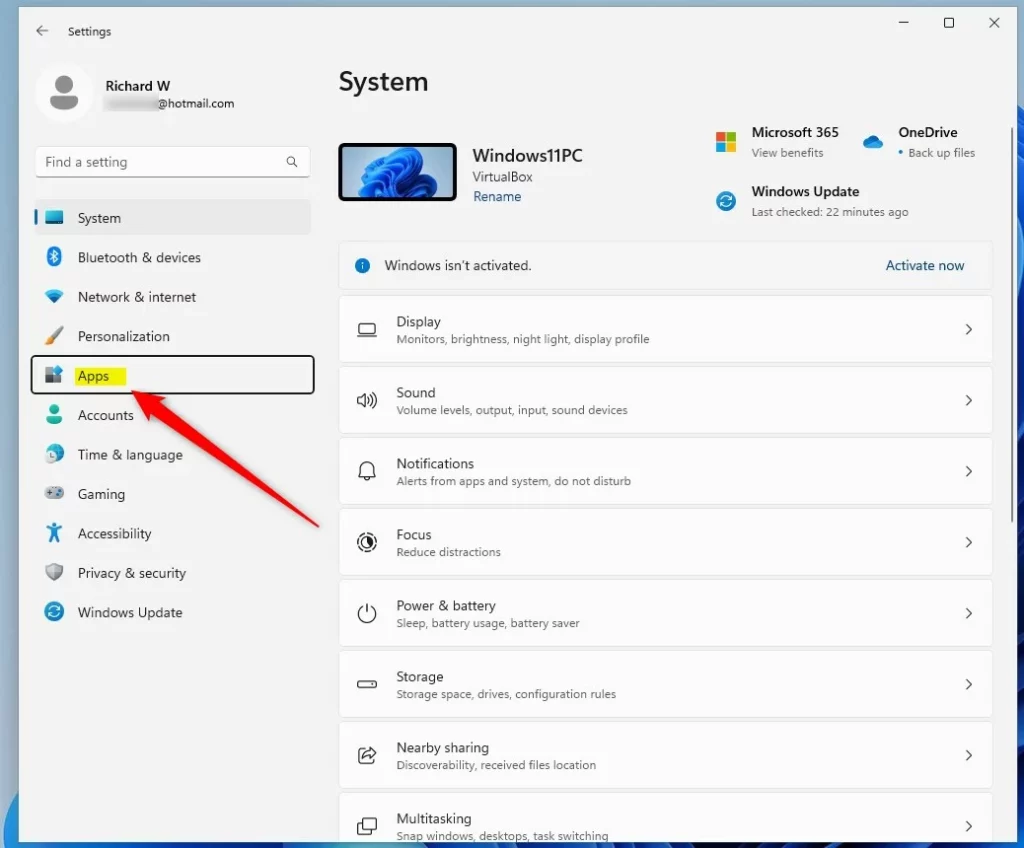
- Click on Apps on the left side.
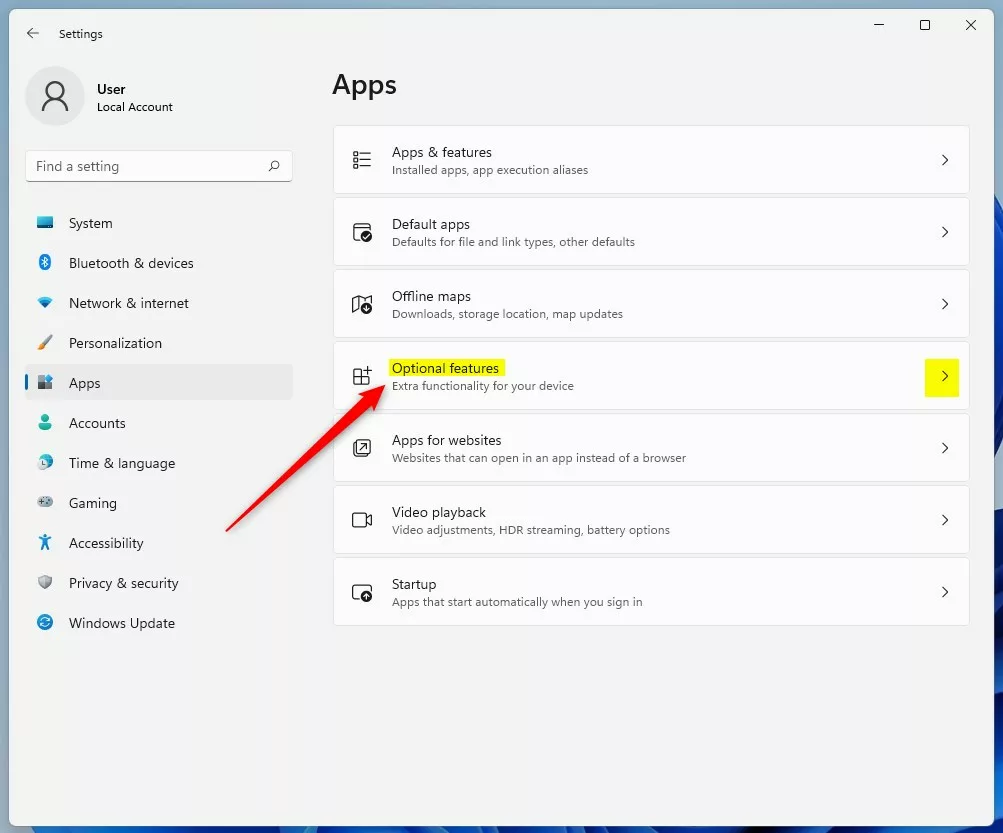
- Select the Optional features tile.
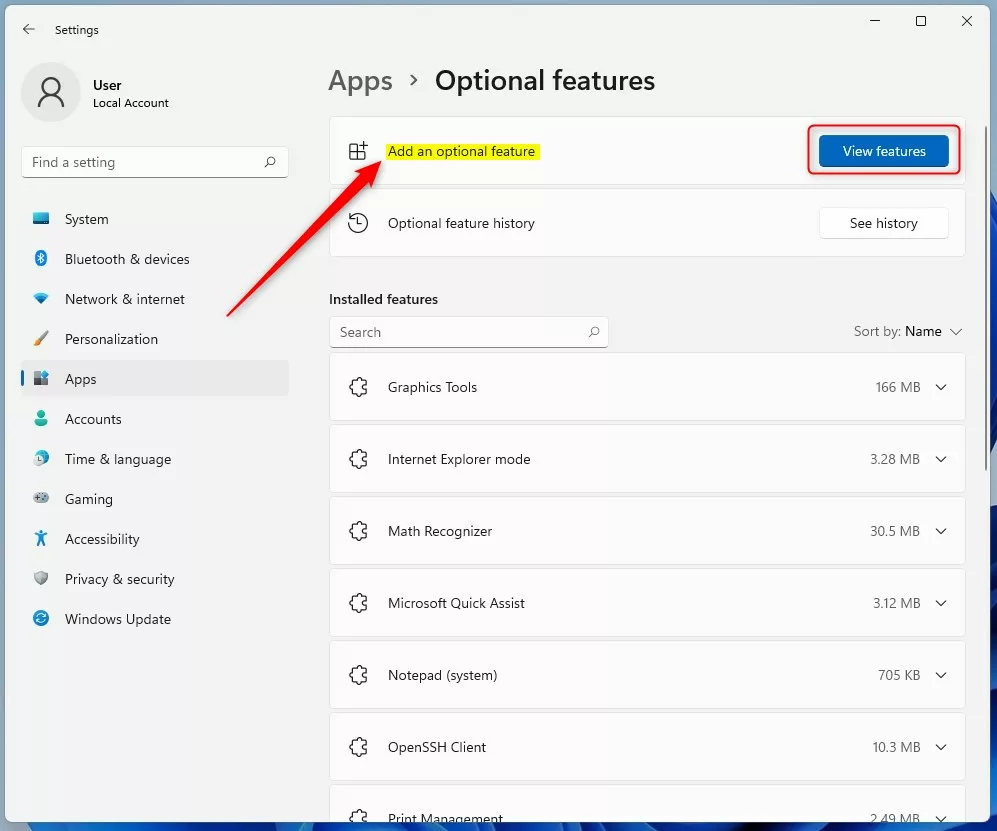
- Click the View features button.
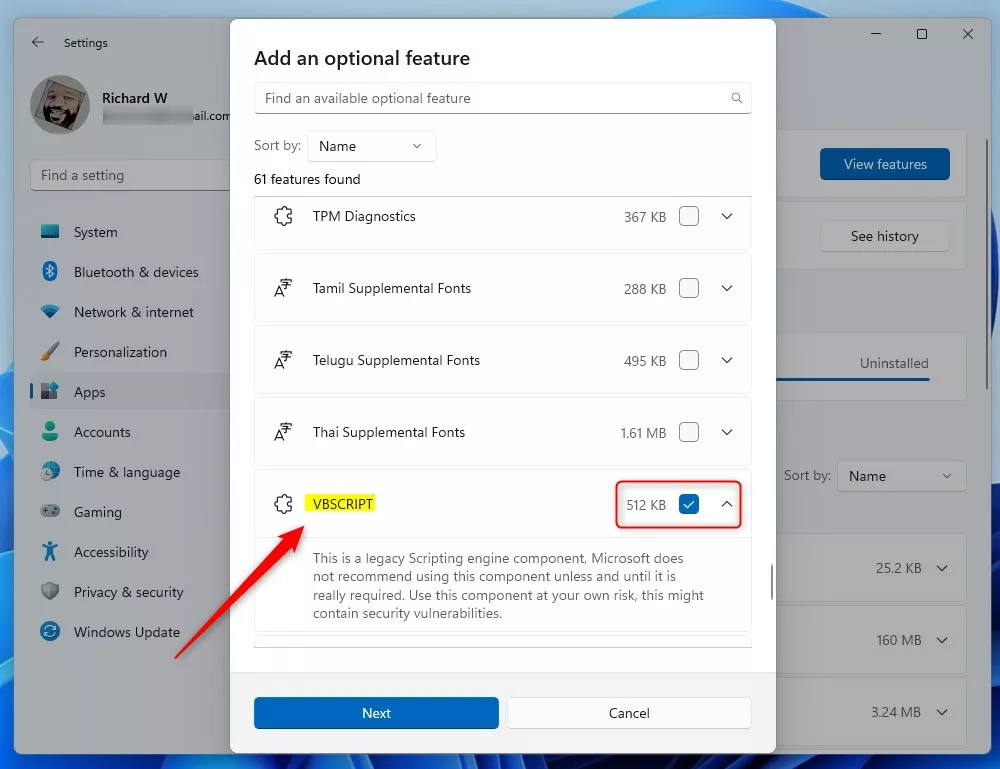
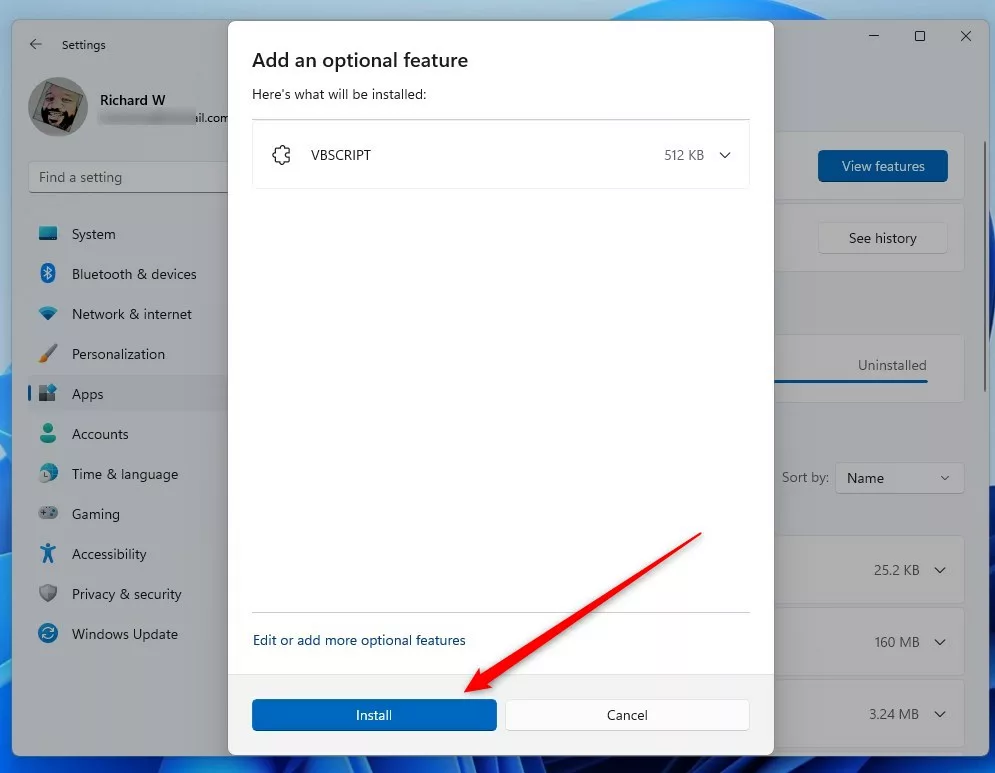
- Search for VBScript, check the box , and click Next.
- Click Install to finish.
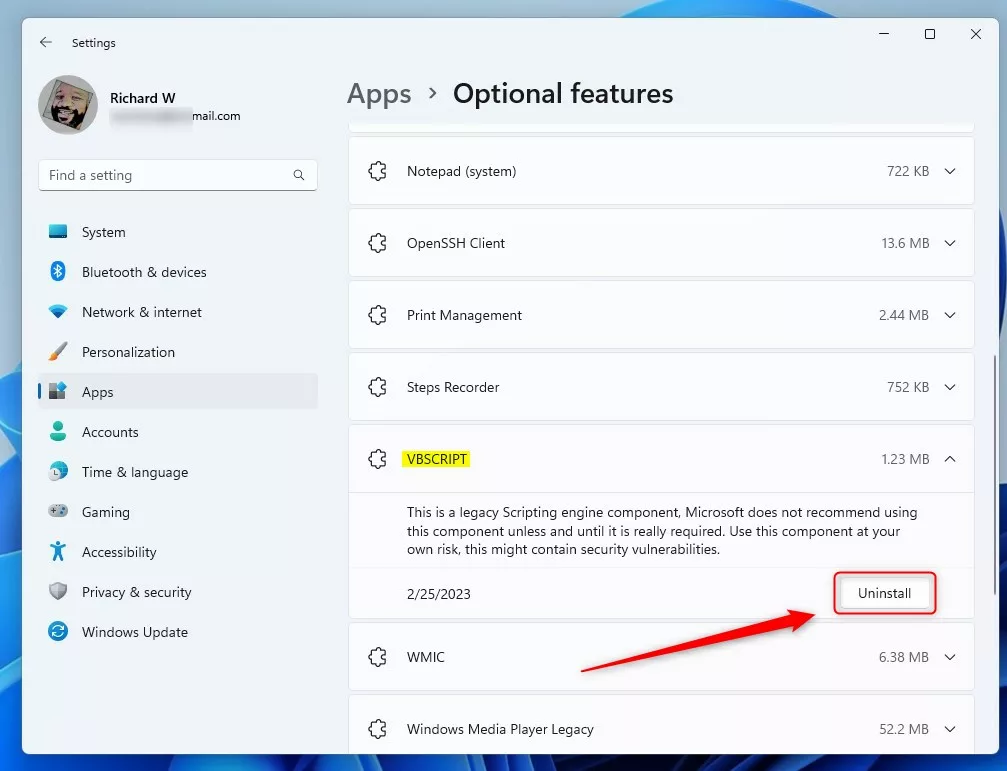
To uninstall later, return to this menu, find VBScript, and select Uninstall.
Install or Uninstall via Command Line
Advanced users can use the Windows Terminal. Note: This requires running the terminal as an administrator.
To install the feature, run this command:
DISM /Online /Add-Capability /CapabilityName:VBSCRIPT~~~~
To remove the feature, run this command:
DISM /Online /Remove-Capability /CapabilityName:VBSCRIPT~~~~
Enterprise Management (GPO & Intune)
IT administrators can manage this feature across a network. You can use Group Policy Objects (GPO) or Microsoft Intune to deploy the VBScript Feature-on-Demand (FOD) to multiple computers. This ensures that legacy applications remain functional in a corporate environment while maintaining control over the deployment.
Troubleshooting 24H2 Errors
If you are using Windows 11 24H2 and scripts fail, ensure the feature is installed. You can check if it is enabled via PowerShell with this command:
Get-WindowsCapability -Online -Name VBSCRIPT~~~~
If the status is ‘NotPresent’, use the DISM command provided above to install it. If errors persist, verify that your user account has local administrator rights.
Summary
VBScript is a legacy tool that is not included in Windows 11 by default. If you need it for old programs, you can install it via the Optional Features menu or the DISM command line. Always remember that enabling it carries security risks. If you do not need it, keep it uninstalled to stay safe.
Is VBScript permanently removed in 🪟 Windows 11 24H2?
VBScript is not permanently removed, but it is no longer installed by default. It is now an optional feature that you can manually add back to your system if you need to run older scripts or legacy applications that rely on this specific scripting environment.
What are the security risks of enabling VBScript?
VBScript is considered a security risk because it lacks modern protections. Attackers often use VBScript to execute malicious code on your computer. By keeping it disabled, you reduce the “attack surface” of your system, making it much harder for harmful software to run successfully on your machine.
Was this guide helpful?

About the Author
Richard
Tech Writer, IT Professional
Richard, a writer for Geek Rewind, is a tech enthusiast who loves breaking down complex IT topics into simple, easy-to-understand ideas. With years of hands-on experience in system administration and enterprise IT operations, he’s developed a knack for offering practical tips and solutions. Richard aims to make technology more accessible and actionable. He's deeply committed to the Geek Rewind community, always ready to answer questions and engage in discussions.



No comments yet — be the first to share your thoughts!