How to Enable or Disable Toggle Keys Tone in Windows 11


You enable or disable the Toggle Keys tone in Windows 11 within the Accessibility settings.
The Toggle Keys tone is a sound that Windows 11 plays to confirm when you press Caps⇩, Num Lock, or Scroll Lock. This audible alert helps you quickly know if a lock key is active, preventing common typing mistakes like accidental all-caps phrases.
For instance, a distinct beep typically sounds when you press Caps⇩. You can customize or turn off this sound entirely to better suit your typing habits.
You can enable or disable the Toggle Keys tone in Windows 11 using the Settings app by navigating to Accessibility, then Keyboard, and toggling the option. Alternatively, press and hold the Num Lock key for 5 seconds to bring up the confirmation prompt.
How to Enable or Disable Toggle Keys
The fastest way to change this setting is using a keyboard shortcut:
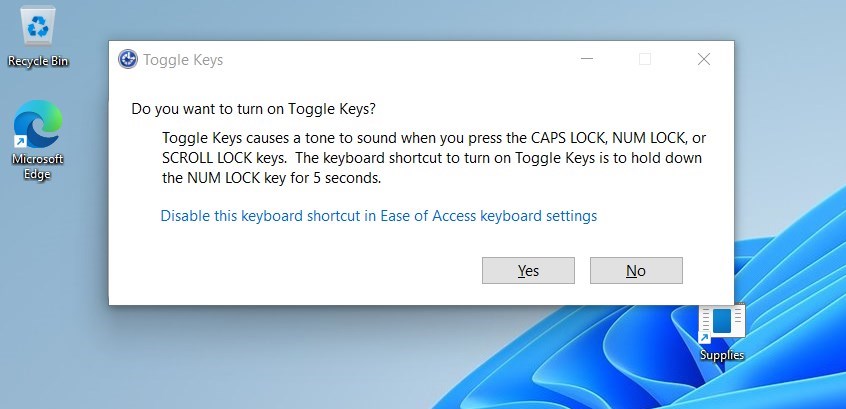
- Press and hold the Num Lock key for 5 seconds.
- A window will pop up asking if you want to turn on Toggle Keys.
- Select Yes to confirm.
Using the Settings App
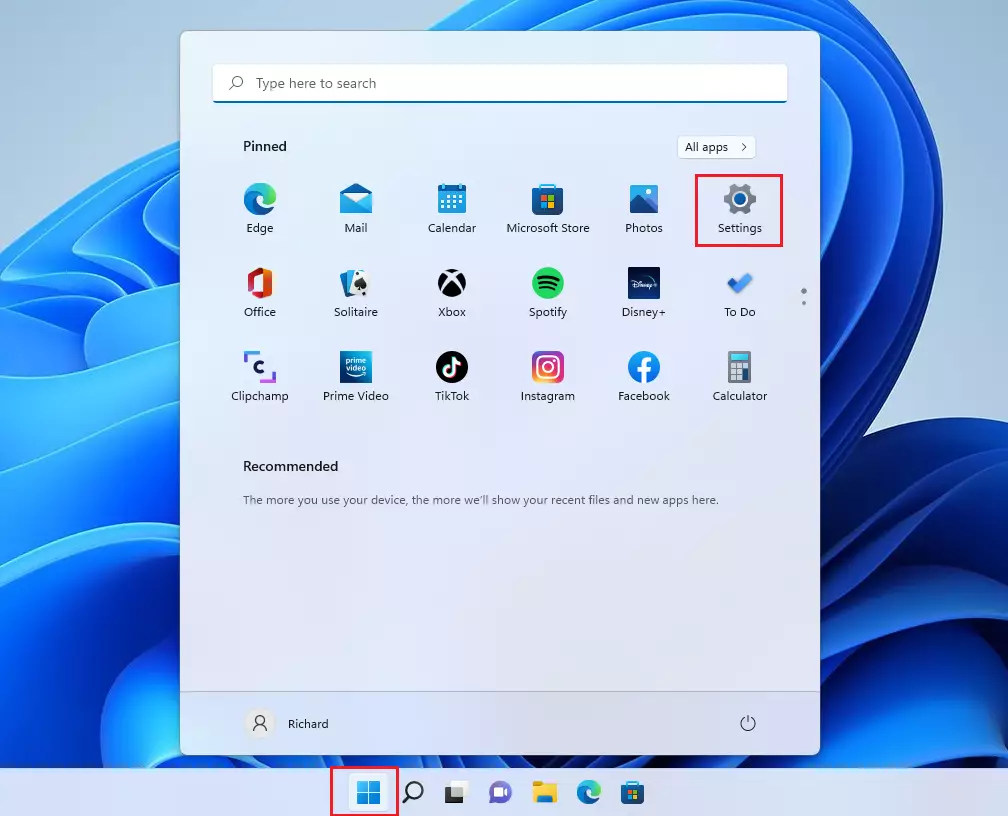
You can manage this through the Windows Settings app:
- Press Windows key + I to open Settings.
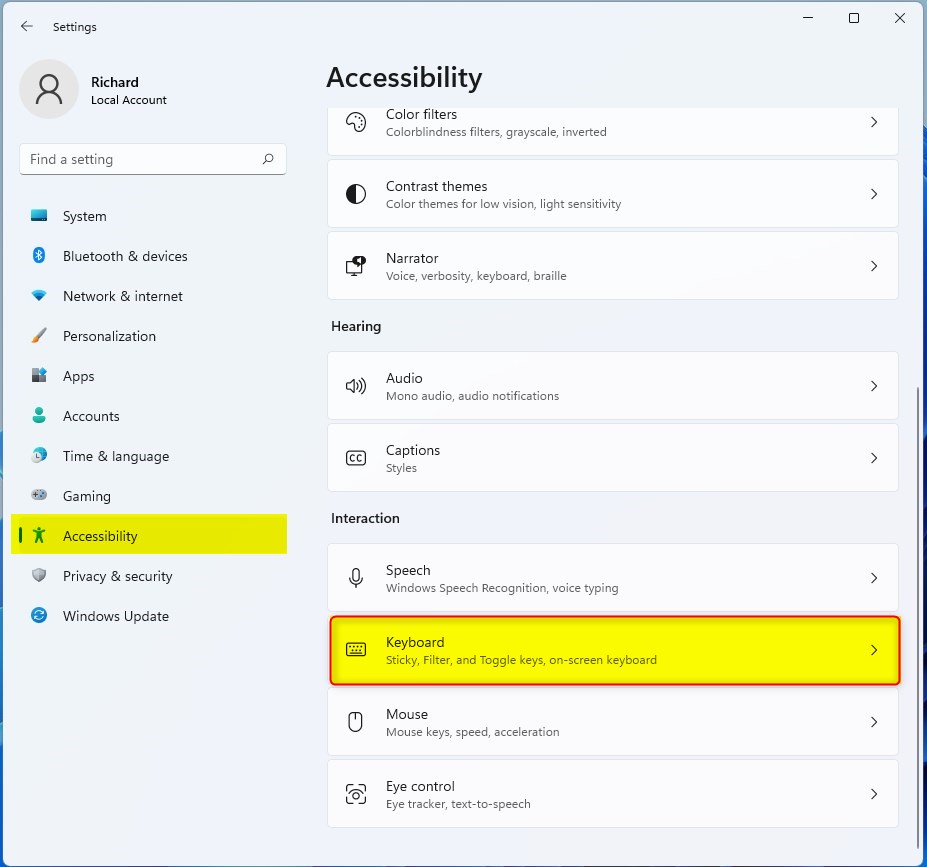
- Click on Accessibility in the menu on the left.
- Select the Keyboard tile on the right side.
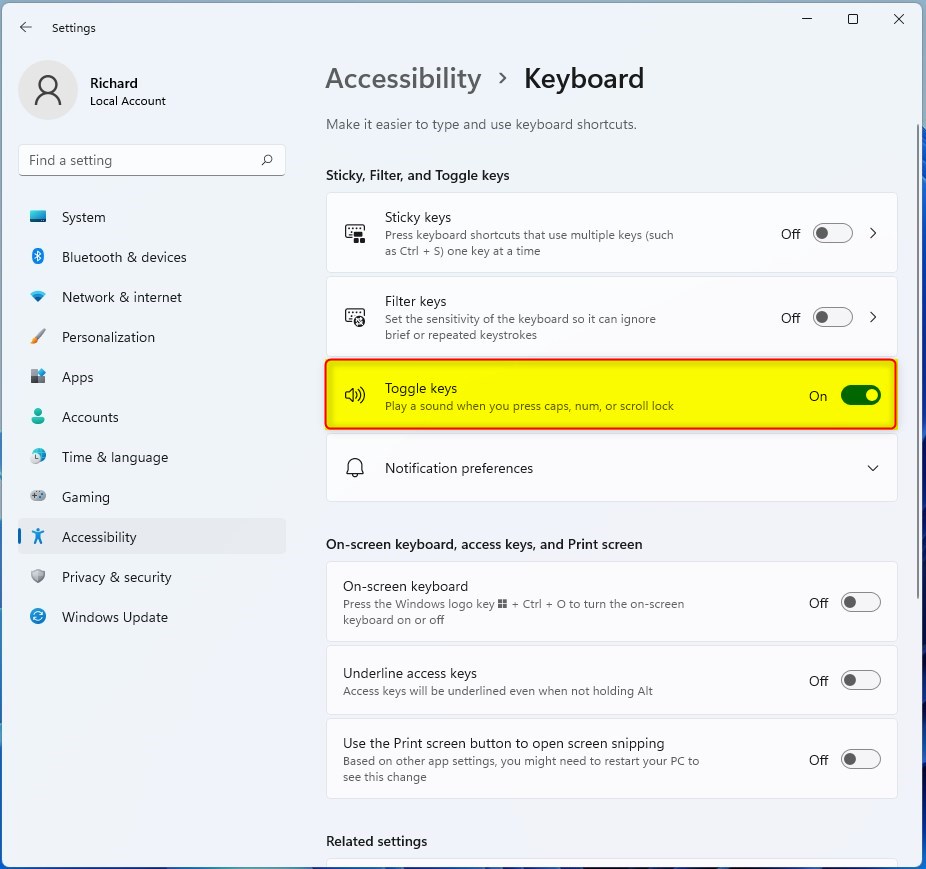
- Click on the Toggle keys option to switch it On or Off.
Control Panel Method
For those who prefer the classic interface, you can use the Control Panel:
- Press Windows key + R, type control, and hit Enter.
- Go to Ease of Access Center.
- Click Make the keyboard easier to use.
- Check or uncheck Turn on Toggle Keys.
Advanced Configuration and Troubleshooting
Registry Editor Method (Admin Required)
You can turn the Toggle Keys tone on or off in Windows 11 by changing a setting in the Registry Editor, but you’ll need administrator rights to do this.
- Press Windows key + R, type regedit, and press Enter.
- Navigate to: 🗝️HKEY_CURRENT_USER\ Control Panel\Accessibility\ToggleKeys
- Modify the Flags string value. Setting it to 59 enables the feature, while 58 disables it.
PowerShell for IT Management (Admin Required)
IT administrators can use PowerShell to deploy this setting across multiple machines:
Set-ItemProperty -Path 'HKCU:\Control Panel\Accessibility\ToggleKeys' -Name 'Flags' -Value '59'
Troubleshooting Audio Issues
If you do not hear the tone, ensure your system volume is not muted. Check your audio drivers in Device Manager to confirm your speakers are working correctly. Toggle Keys relies on the default system sound scheme.
Summary
Toggle Keys in Windows 11 gives you a sound when you press your Caps Lock, Num Lock, or Scroll Lock keys, helping you know they’re on or off.
Does Toggle Keys work for all keyboard types?
Yes, Toggle Keys works for almost all standard USB, wireless, and laptop keyboards. Since the feature is handled by the Windows operating system rather than the hardware itself, it will trigger the sound as long as the keyboard sends the standard lock key signals to the computer.
Can I change the pitch of the Toggle Keys tone?
Windows does not provide a native setting to change the specific pitch or frequency of the Toggle Keys sound. The tones are hardcoded into the system accessibility features to ensure they are distinct from other system notifications, helping you identify the status of your lock keys instantly.
Is Toggle Keys enabled by default in 🪟 Windows 11?
No, Toggle Keys is disabled by default in Windows 11. Most users prefer to keep it off to avoid unnecessary beeping. You must manually enable it through the Accessibility settings or the keyboard shortcut if you want to receive auditory feedback when pressing the Caps, Num, or Scroll Lock keys.
Was this guide helpful?

About the Author
Richard
Tech Writer, IT Professional
Richard, a writer for Geek Rewind, is a tech enthusiast who loves breaking down complex IT topics into simple, easy-to-understand ideas. With years of hands-on experience in system administration and enterprise IT operations, he’s developed a knack for offering practical tips and solutions. Richard aims to make technology more accessible and actionable. He's deeply committed to the Geek Rewind community, always ready to answer questions and engage in discussions.


[…] Assistive technology is a suite of features allowing people with disabilities to use Windows easily. These include a Narrator to help users read text on the screen, a Magnifier to make items on the screen larger, Stikcy keys to help press keyboard shortcuts one key at a time, Filter keys to help ignore extras presses with repeated keys, and Toggle Keys. […]
[…] Toggle Keys play a tone each time you press the Caps Lock, Num Lock, or Scroll Lock keys, indicating whether those keys are on or off. […]
[…] How to use Toggle Keys sounds […]