How to Change Your Product Key in Windows 11

A product key is a special 25-character code that activates Windows on your computer. If you need to change your Windows 11 product key, this guide will walk you through it step by step.
Why change your product key? You might want to switch to a different version of Windows or replace a generic key with a personal one.
Not sure what your product key is? Check out our guide on how to find your Windows 11 product key.
Do you have a digital license instead? Some PCs have a digital license, which means Windows is already activated without needing a key. You can still follow these steps if you want to upgrade.
Change the Product Key Using settings-app-in-windows-11/" class="sal-link" rel="noopener" target="_blank" data-sal-id="37363">Windows Settings
This is the easiest way to change your product key:
- Open Settings: Press the Windows key + I on your keyboard. Or click the Start button and select the gear icon (Settings).
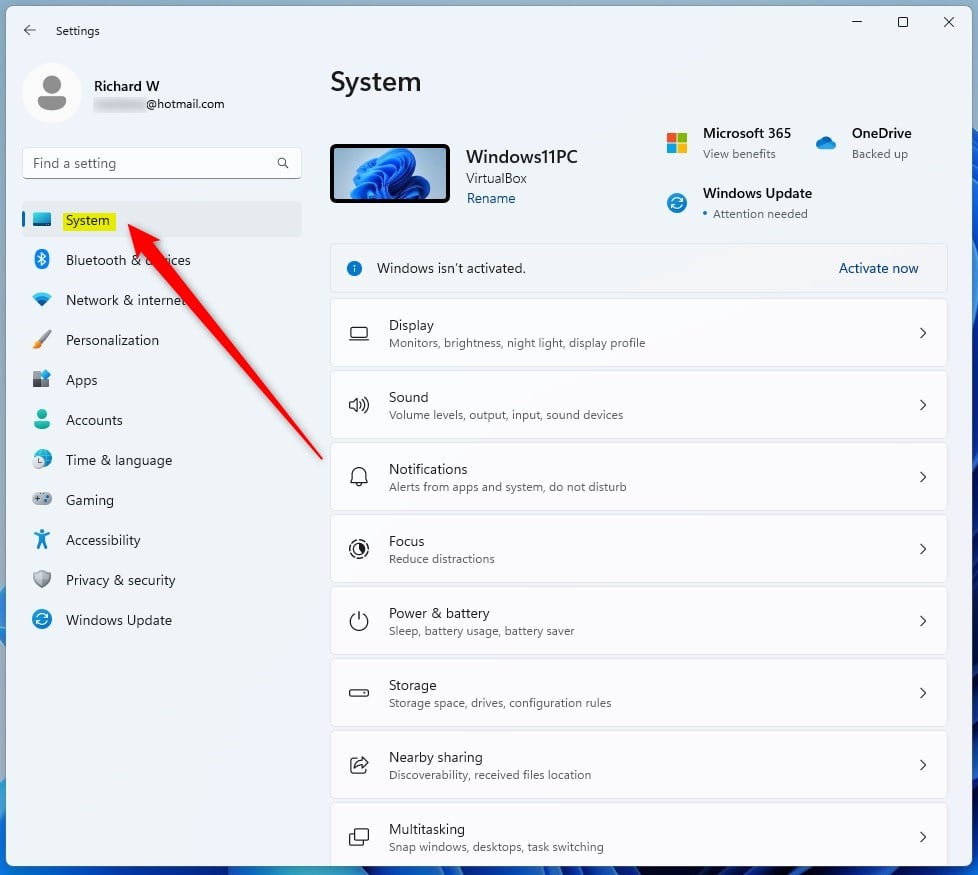
- Go to System: On the left menu, click System.
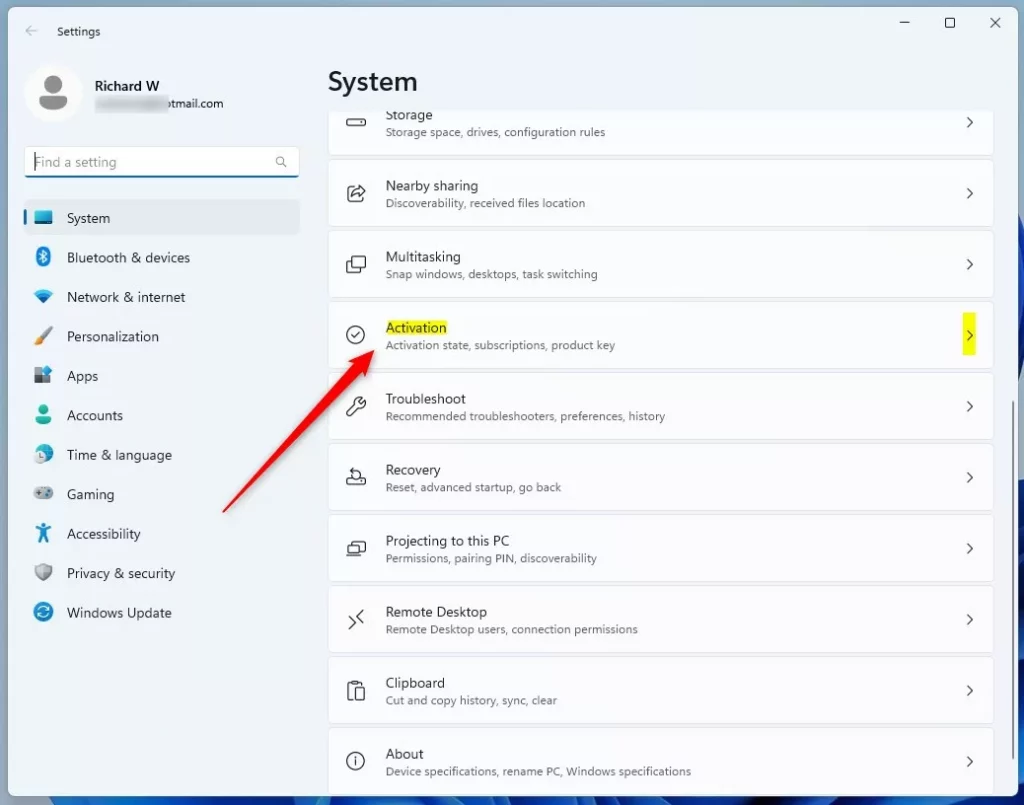
- Click Activation: On the right side, find and click Activation.
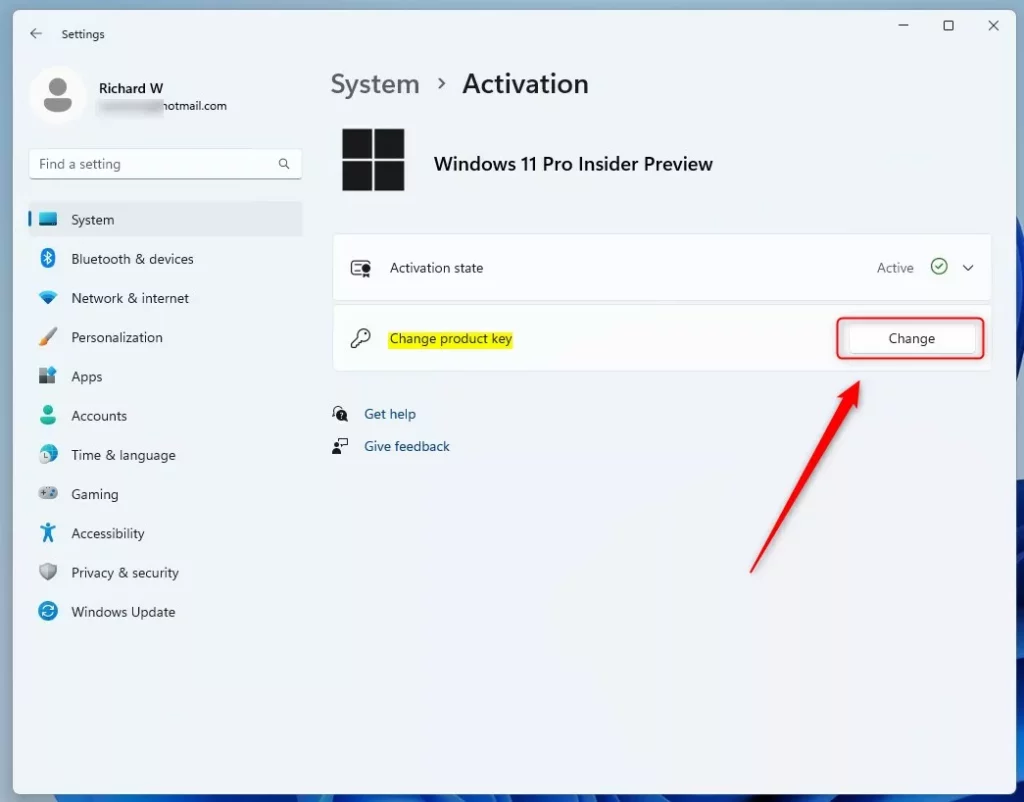
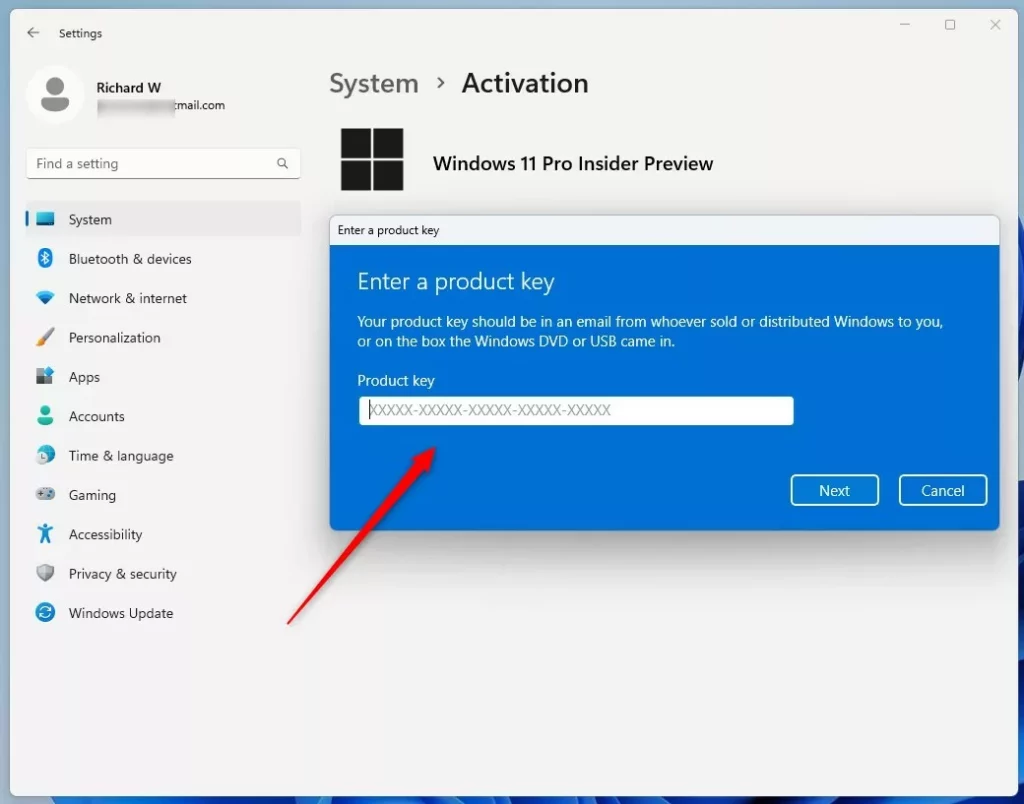
- Change Product Key: Look for the Change product key button and click it. If you have Windows 11 Home, you might see Upgrade your edition of Windows first. Click to expand, then find the change key option.
- Activate: Click the Activate button to finish.
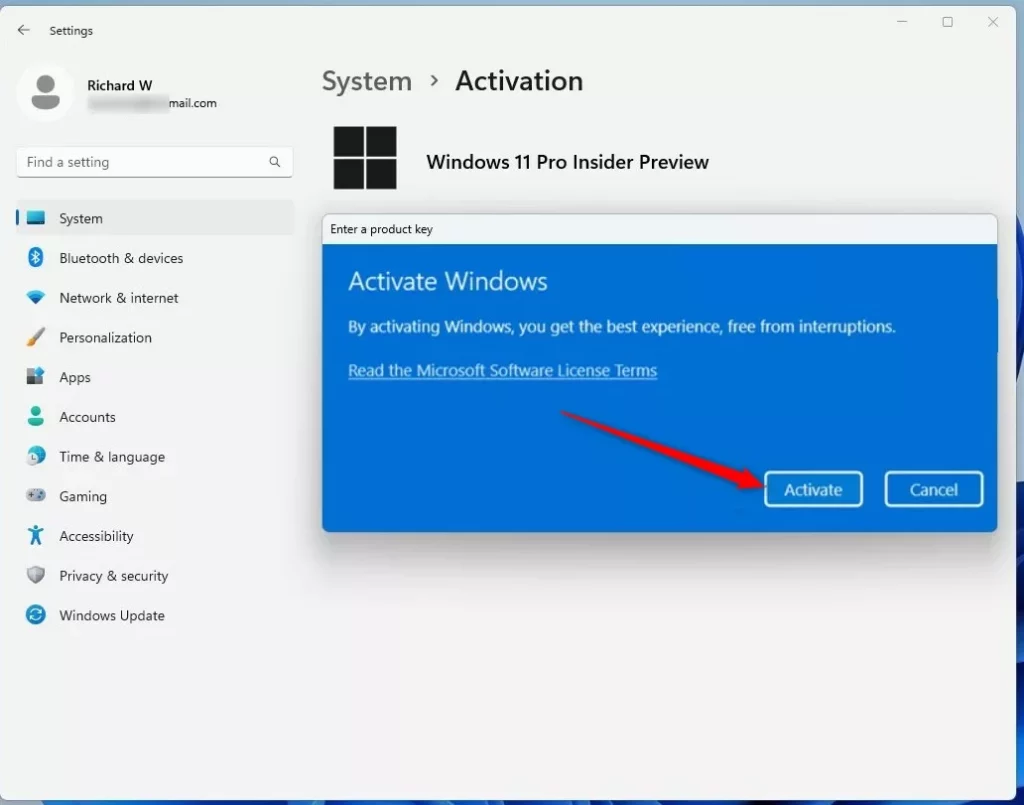
- Close Settings: Click Close when done.
Change the Product Key Using Command Prompt
If you prefer using commands, you can change your product key this way:
- Open Windows Terminal (Admin): Press Windows key + X and choose Windows Terminal (Admin). Or search for “Windows Terminal” in the Start menu and run it as administrator. Learn more about opening Windows Terminal. ⚠️ Admin privileges required
- Type the Command: Enter this command. Replace XXXXX-XXXXX-XXXXX-XXXXX-XXXXX with your actual product key:
slmgr /ipk XXXXX-XXXXX-XXXXX-XXXXX-XXXXX - Press Enter: Hit Enter to run the command.
- Confirm: A confirmation message will appear. Click OK.
What happens next? Your product key will update, and Windows will activate with the new key.
Need More Help?
For full details on Windows activation, visit Microsoft’s official page: Windows 11 Activation Support.
Summary
- A product key is a 25-character code that activates Windows 11.
- The easiest way to change it is through the Windows Settings app.
- You can also use Command Prompt with the
slmgr /ipkcommand (requires admin privileges). - Visit Microsoft’s official support page for detailed guidance.
Was this guide helpful?
100% of readers found this helpful (1 votes)

About the Author
Richard
Tech Writer, IT Professional
Richard, a writer for Geek Rewind, is a tech enthusiast who loves breaking down complex IT topics into simple, easy-to-understand ideas. With years of hands-on experience in system administration and enterprise IT operations, he’s developed a knack for offering practical tips and solutions. Richard aims to make technology more accessible and actionable. He's deeply committed to the Geek Rewind community, always ready to answer questions and engage in discussions.


No comments yet — be the first to share your thoughts!