




How to Perform a Hard Page Refresh in Microsoft Edge on Windows 11
You perform a hard page refresh in Microsoft Edge on Windows 11 to force the browser to download the latest version of a webpage…
Step-by-step guides for Windows, Linux, networking and everything tech — written by experts, verified for accuracy.
Most recently published
You perform a hard page refresh in Microsoft Edge on Windows 11 to force the browser to download the latest version of a webpage…
You can turn on Internet Explorer Mode in Microsoft Edge to access older websites and applications that require it. Internet Explorer Mode is a…
You get the latest Microsoft Edge update in Windows 11 by checking for updates directly within the browser itself. Microsoft Edge is a web…

You create a new profile in Microsoft Edge to keep your browsing data separate for different users or purposes. Microsoft Edge profiles allow you…
You can hide or show recent files on your Windows 11 Start menu by adjusting a single setting. The Start menu's "Recommended" section, sometimes…
You can add or remove the Pinned section on your Windows 11 Start menu to customize your experience. The Start menu in Windows 11…
You can hide or show your account name and profile picture on the Windows 11 Start menu by adjusting a simple setting. The Start…
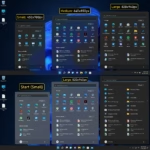
You can change your Windows 11 Start Menu size to a compact or expanded view. The Start Menu in Windows 11 typically displays your…