How to Delete Old Restore Points in Windows 11

Is your computer running low on space? Deleting old restore points can help. This guide shows you how to remove old restore points while keeping the latest one in Windows 11. Restore points are snapshots of your system. They help you fix problems by going back to an earlier time.
What Are Restore Points?
Windows automatically saves restore points. These help you undo changes if something goes wrong. Think of a restore point like a “save” button for your computer. If a problem happens, you can return to that saved state.
Learn more about how to create restore points in Windows 11.
How to Delete Old Restore Points and Keep the Latest One
We will use the built-in Disk Cleanup tool. This deletes old restore points safely. Follow these simple steps:
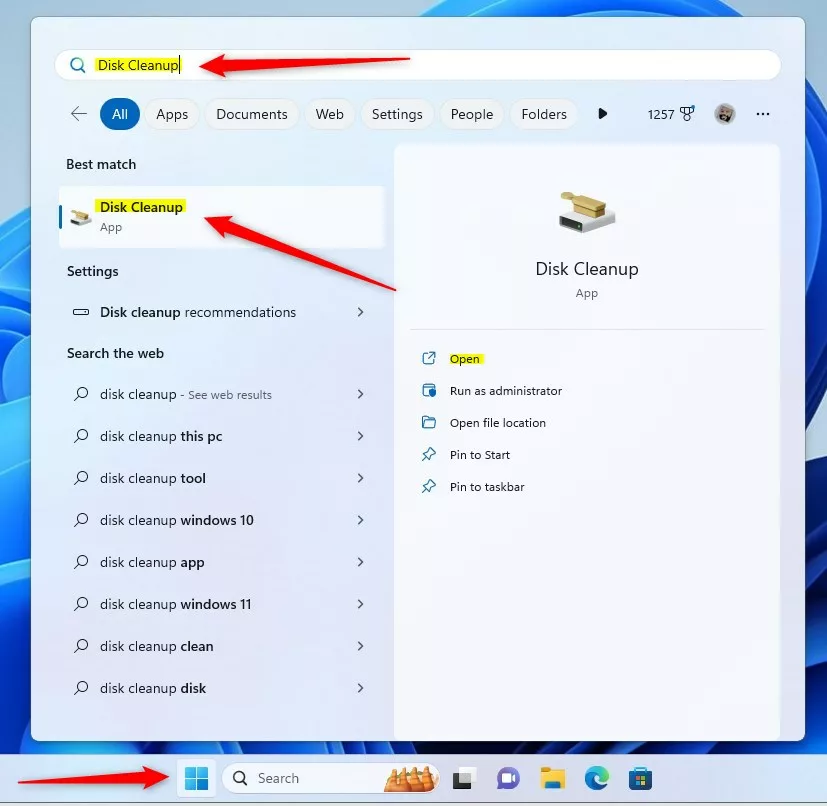
- Open the Start Menu — Click the Start button. Or press the Windows key on your keyboard.
- Search for Disk Cleanup — Type
Disk Cleanupin the search box. - Open Disk Cleanup — In the search results, click on the Disk Cleanup app.
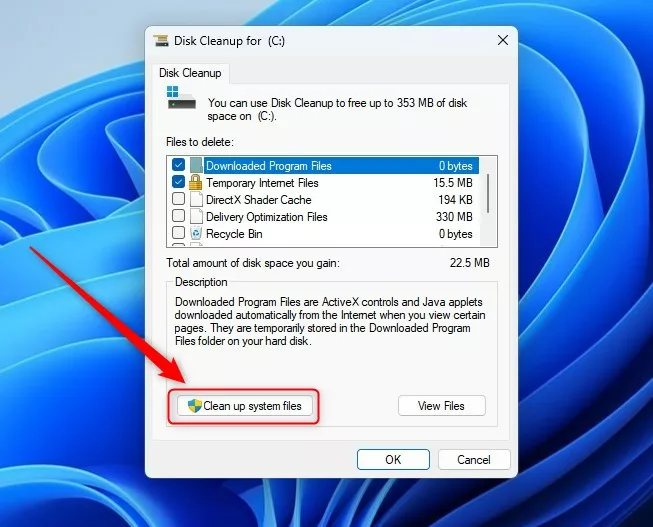
- Click “Clean up system files” — When Disk Cleanup opens, click the Clean up system files button. [REQUIRES ADMIN PRIVILEGES]
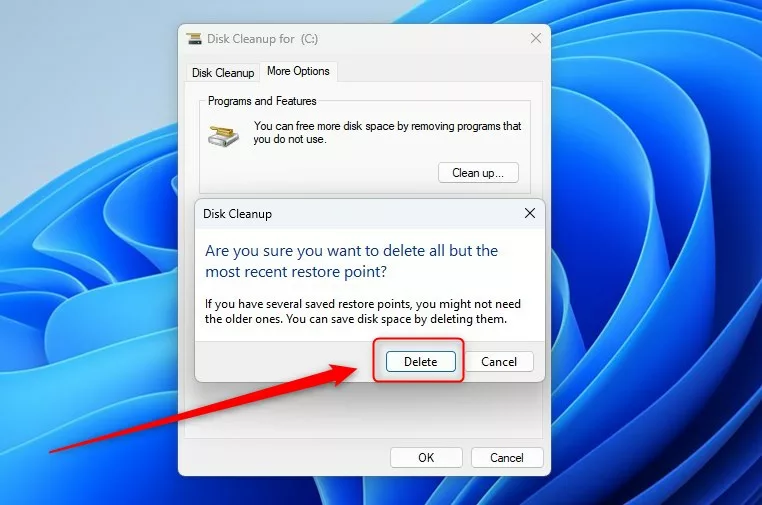
- Go to the More Options tab — After the scan finishes, click the More Options tab at the top.
- Confirm the deletion — A message will ask: “Are you sure you want to delete all but the most recent restore point?” Click Delete.
- Final confirmation — Another message will ask if you want to perform the actions. Click Yes to finish.
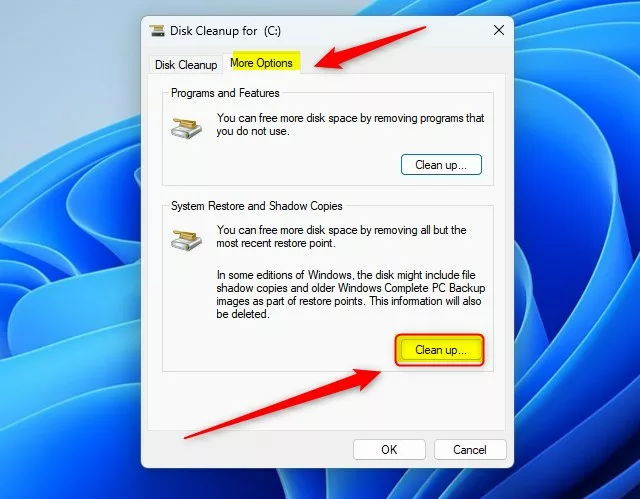
That’s it! You have successfully deleted all old restore points. Only the latest one remains. This will free up space on your computer.
Why Should You Do This?
- Deleting old restore points helps free up disk space.
- Keeping the latest restore point ensures you still have a backup if something goes wrong.
- It helps your system run more smoothly and prevents storage problems.
For more tips on managing restore points, check out these guides:
Summary
Old restore points take up storage space on your computer. Windows 11 lets you delete them using the Disk Cleanup tool. This tool safely removes old restore points while keeping the newest one. You need admin privileges to do this. By deleting old restore points, you free up disk space and help your computer run faster. You still stay protected because the latest restore point remains as a backup.
Was this guide helpful?

About the Author
Richard
Tech Writer, IT Professional
Richard, a writer for Geek Rewind, is a tech enthusiast who loves breaking down complex IT topics into simple, easy-to-understand ideas. With years of hands-on experience in system administration and enterprise IT operations, he’s developed a knack for offering practical tips and solutions. Richard aims to make technology more accessible and actionable. He's deeply committed to the Geek Rewind community, always ready to answer questions and engage in discussions.




No comments yet — be the first to share your thoughts!