How to Change Narrator Math Reading Pause Factor in Windows 11

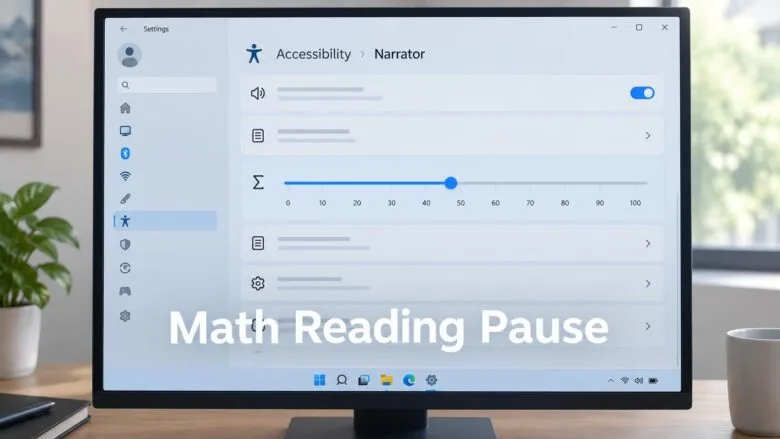
Narrator math reading pause factor controls how long Narrator (the built-in screen reader in Windows 11) waits between words when reading equations aloud. A pause factor of 0 removes all pauses, while 100 makes pauses 10 times longer than normal. You can set any value from 0 to 100, and the change only affects your account.
Math reading is a newer feature that arrived in Windows 11 build 26340.9354. It reads equations structurally in supported Microsoft 365 apps like Word and PowerPoint—for example, it says “numerator over denominator” for fractions instead of reading each symbol separately. You can adjust the pause factor through Settings or Registry Editor to find the reading speed that works best for you.
Math reading currently supports six languages: English (United States), English (United Kingdom), Traditional Chinese, Finnish, German, and Spanish. It also works with supported web content in Microsoft Edge (version 153.0.4234.32 and later) and Chrome (version 153.0.8010.18 and later). To explore equations piece by piece, press Narrator key + Alt+N to turn on math navigation, then use arrow keys to move through fractions, exponents, and roots.
Open Settings Accessibility Narrator, then select Math reading under the Math section. Drag the Pause factor slider to a value between 0 and 100, where 0 turns off pauses and 100 makes them 10 times longer than normal. The default is 50.
Option 1Change Narrator Math Reading Pause Factor in Settings
Use this method to set the pause factor with a slider in the Narrator settings.
- Open Settings (Win+I).
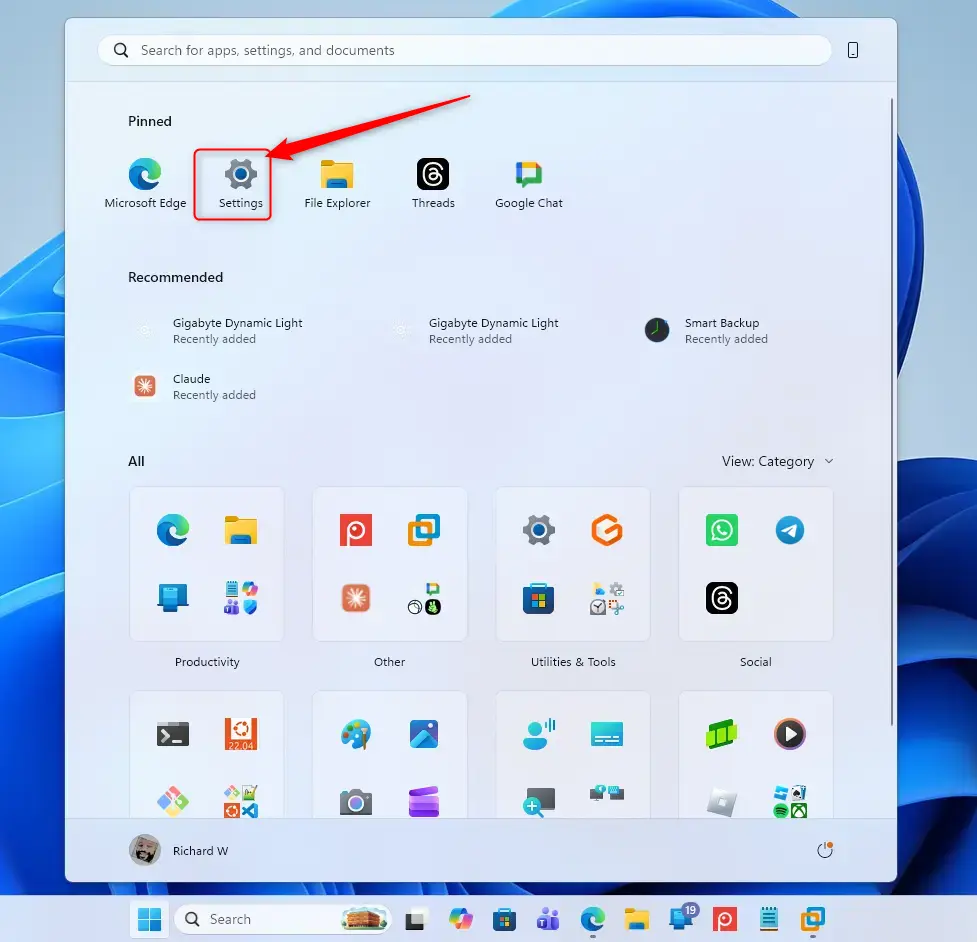
Windows 11 Start menu with Settings gear icon highlighted. - Select Accessibility on the left, then select Narrator on the right. Open Narrator settings (Win+Ctrl+N)
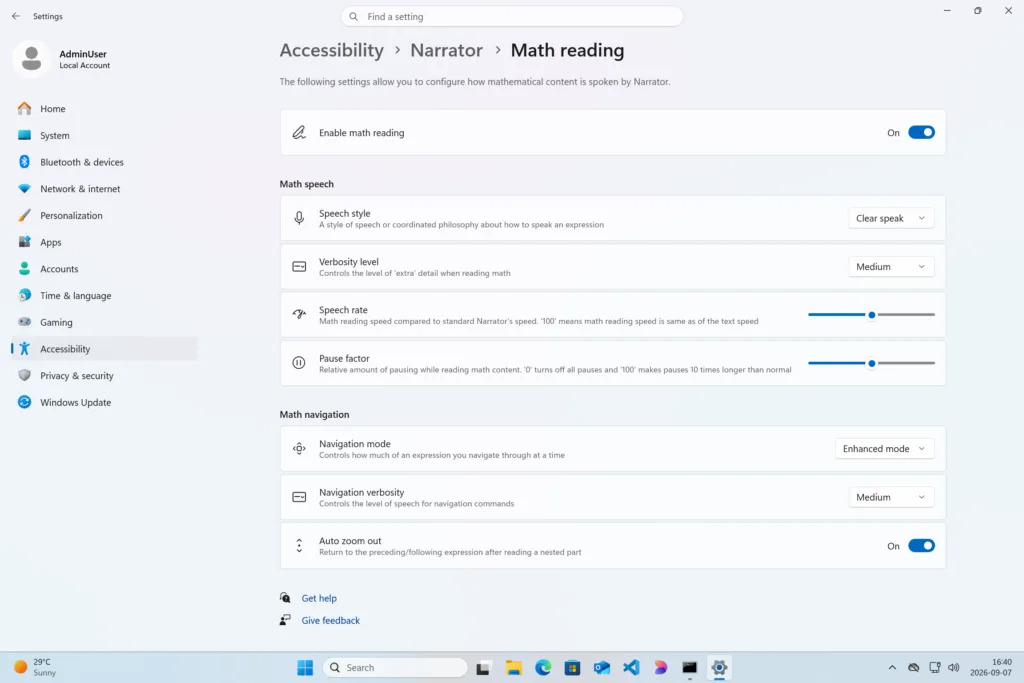
Settings › Accessibility › Narrator › Math reading - Under the Math section, select Math reading. Open Math reading settings
Settings › Accessibility › Narrator › Math reading - Under Math speech, drag the Pause factor slider to a value between 0 and 100.
- The default is 50.
- 0 turns off all pauses. 100 makes pauses 10 times longer than normal.
- Hover the pointer over the slider’s dot to see the current value.
- Close Settings.
Option 2Change Narrator Math Reading Pause Factor in Registry Editor
- Open Registry Editor (regedit.exe).
- In the left pane, navigate to this key:
HKEY_CURRENT_USER\Software\Microsoft\Narrator - In the right pane of the Narrator key, double-click the MathReadingPauseFactor DWORD value to open it.
- Select Decimal, enter a value data from 0 to 100, and select OK.
- The default is 50.
- 0 turns off all pauses. 100 makes pauses 10 times longer than normal.
- Close Registry Editor.
If this didn’t work
Frequently asked questions
What is a math benchmark?
A math benchmark is a standard test or assessment used to measure student performance against established goals. Schools use benchmarks to check progress at specific times during the year, separate from final exams. They help identify which students need extra support.
What is the highest level of maths?
The highest level of math is typically considered to be theoretical mathematics or advanced pure mathematics, such as topology, abstract algebra, and mathematical logic. At university level, doctoral research in mathematics explores unsolved problems and develops new mathematical theories.
What's the best age to learn math?
Children begin learning basic math concepts around age 3 or 4 with counting and shapes. Formal math instruction typically starts in kindergarten or first grade around age 5 or 6. The best age depends on the individual child's readiness and development.
What are some common math functions in Java?
Common math functions in Java include Math.abs() for absolute value, Math.sqrt() for square roots, Math.pow() for exponents, Math.max() and Math.min() for largest and smallest values, Math.round() for rounding, and Math.random() for generating random numbers.
Still have a question?
Answered by AI from this guide. Good questions may be added to this page — please don't include personal details.
Did this guide fix your problem?

About the Author
Richard
Tech Writer, IT Professional
Richard is a writer at Geek Rewind who turns complex IT tasks into clear, step-by-step guides. He draws on years of hands-on experience in system administration and enterprise IT operations, focusing on Windows, Linux and WordPress: the problems people actually run into, and the fixes that work. His server and WordPress guides come from systems he runs himself. Richard builds and maintains the platform behind Geek Rewind, from its Ubuntu servers and Nginx configuration to its custom WordPress plugins. Many new tutorials start with readers' questions, and he's always glad to answer them in the comments.
No comments yet — be the first to share your thoughts!