Richard

Richard✓ Verified Author

Richard

Tech Writer, IT Professional

Richard, a writer for Geek Rewind, is a tech enthusiast who loves breaking down complex IT topics into simple, easy-to-understand ideas. With years of hands-on experience in system administration and enterprise IT operations, he’s developed a knack for offering practical tips and solutions. Richard aims to make technology more accessible and actionable. He's deeply committed to the Geek Rewind community, always ready to answer questions and engage in discussions.

2540 Articles4 Topics
Windows 11Ubuntu LinuxCMSApps and Browsers
Windows 3 min read
How to Remove Library Locations in Windows Media Player

This article details how to remove library folder locations from the Windows 11 Media Player app. It describes how to open the app, access settings, and delete unwanted media folders through the library tiles. This ensures users can manage their media libraries and reduce clutter efficiently.

January 17, 2024 Read more →

Windows 3 min read
How to Enable or Disable Link Preview in Outlook on Windows 11

This guide details how to toggle Link Preview in the new Outlook for Windows 11, a feature showing a title, image, and description for URLs in emails. Enabling it helps identify link content without clicking, while disabling offers a simpler email view. Users adjust Link Preview via 'Settings' -> 'Mail' -> 'Compose and reply.'

January 16, 2024 Read more →
Windows 3 min read
How to Refresh Media Library Locations in Windows Media Player

This article provides a guide on how to refresh libraries in Windows Media Player on Windows 11, ensuring all media files are accessible within the app. It outlines steps to re-index media files by using the 'Refresh' feature, found in the app's settings, and emphasizes the importance of having Windows Search Indexing enabled for the process.

January 15, 2024 Read more →
Windows 3 min read
How to Add Music Folders in Windows Media Player

This article explains how to add folders to the Windows Media Player app on Windows 11 for easy access to music files. By adding a folder to the library, all the music files within it are automatically indexed and accessible from the app, simplifying the organization and management of your music collection.

January 14, 2024 Read more →
Windows 3 min read
How to Open Windows Media Player on Windows 11

The article explains how to open and use the new Windows Media Player in Windows 11. It covers the basic features and playback controls, along with instructions on installation and configuration. The post also provides keyboard shortcuts for efficient navigation and operation within the app, offering a comprehensive guide for users.

January 13, 2024 Read more →
Windows 3 min read
How to Check Disk Drive Partition Style in Windows 11

This article guides Windows 11 users in checking their device's disk drive partition style, important for tasks like OS installation and creating partitions. It covers three methods: using the Windows Settings app, Disk Management tool, and command line. Determining the partition style supports informed decision-making and ensures software compatibility. The article provides detailed steps for each method, empowering readers with practical knowledge.

January 5, 2024 Read more →
Windows 3 min read
How to Change Your Windows 11 Lock Screen Status

This article explains how to customize the lock screen in Windows 11 and select which app to display detailed status. With the latest Windows 11 build, Microsoft introduces a dynamic weather experience on the lock screen. Users can easily change the lock screen status to 'None' or choose from apps like 3D Viewer, Mail, Weather, or Windows Widgets. Simply access Lock Screen settings in Windows Settings to make the selection.

January 3, 2024 Read more →
Windows 3 min read
How to Refresh Wi-Fi Networks in Windows 11

This article explains how to refresh or rescan available Wi-Fi networks in Windows 11. Users can now use a new refresh button in the Wi-Fi Quick Settings flyout or commands in the Windows Terminal app to update the list. This provides an efficient way to connect to wireless networks.

January 2, 2024 Read more →
Browsers 1 min read
How to Show Your Profile Icon in Microsoft Edge

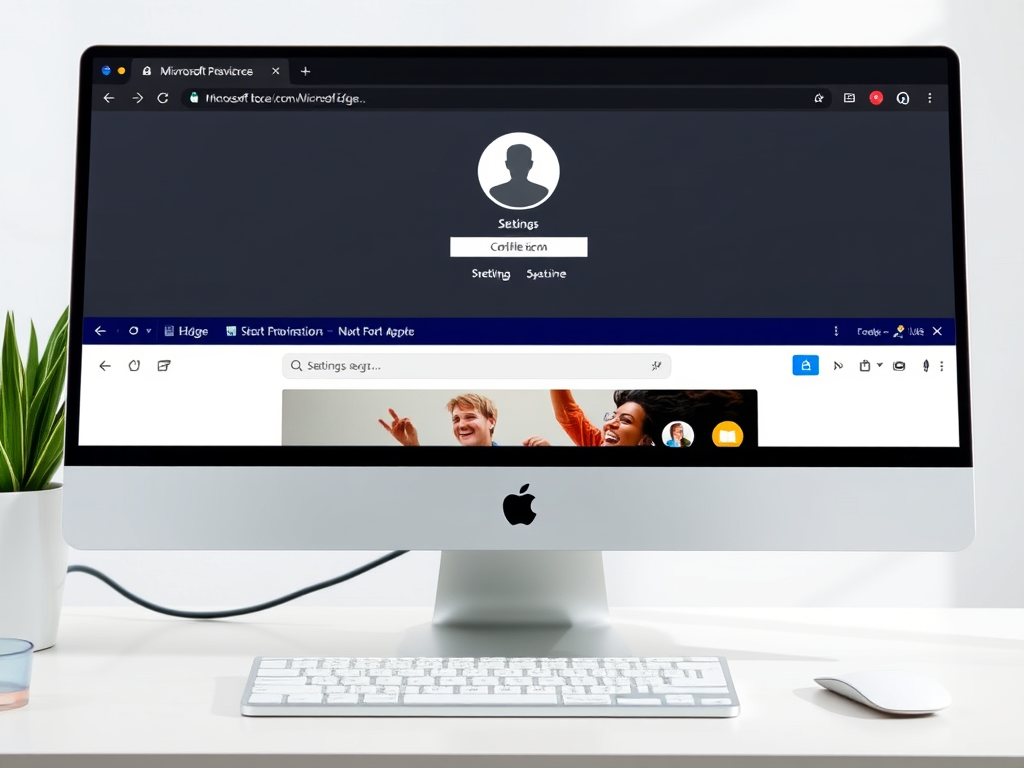
This article discusses displaying the user's profile icon on the title bar or toolbar in the Microsoft Edge browser. Users can choose their preference between the two locations. The tutorial guides users through changing the display location in the browser settings. Ultimately, it's a matter of user convenience and preference.

January 1, 2024 Read more →
Browsers 3 min read
How to Enable Copilot in Microsoft Edge Sidebar

This article explains how to enable or disable "Automatically open Copilot in the sidebar" in Microsoft Edge. Copilot in Edge provides relevant web experiences alongside web content, improving browsing efficiency. Users can turn this feature on or off based on personal preference. To toggle this setting, users can access the Sidebar menu in Microsoft Edge settings and toggle the "Automatically open Copilot in the sidebar" switch.

December 31, 2023 Read more →
Browsers 2 min read
How to Auto Clear Edge Browsing Data in Windows 11

This article explains how to automatically clear browsing data when closing Microsoft Edge, protecting privacy and improving browser performance. Users can configure this feature in the browser settings or through the Windows Registry Editor. Clearing browsing data can prevent unauthorized access to personal information and enhance security. Following these steps can help ensure a clean browsing experience.

Browsers 4 min read
Enable Copilot Data Access in Microsoft Edge

This article guides users on enabling or disabling the "Allow Microsoft to access page content" feature for Copilot in Microsoft Edge. Copilot uses browsing data to provide AI-generated suggestions and answers, and users have the option to control this access. The post provides step-by-step instructions for toggling this feature on or off. Whether to allow Microsoft access to browsing data ultimately depends on the user's preference for personalized suggestions and privacy.

December 30, 2023 Read more →
Windows 4 min read
How to Delete Files in Windows 11

This article provides a comprehensive guide on deleting files in Windows 11. It covers various methods, including using keyboard shortcuts, the File Explorer command bar, context menu, PowerShell, and Command Prompt. It emphasizes the importance of knowing how to delete files for space management, organization, and privacy. The post encourages reader feedback for any errors or additional insights.

December 28, 2023 Read more →
Windows 4 min read
How to Rename Files in Windows 11

This article explains various methods to rename files in Windows 11, highlighting reasons for renaming files and step-by-step instructions for using keyboard shortcuts, File Explorer, PowerShell, and Command Prompt. It emphasizes the importance of descriptive file titles and file organization. Different methods allow users flexibility in file management.

December 26, 2023 Read more →
Exit mobile version