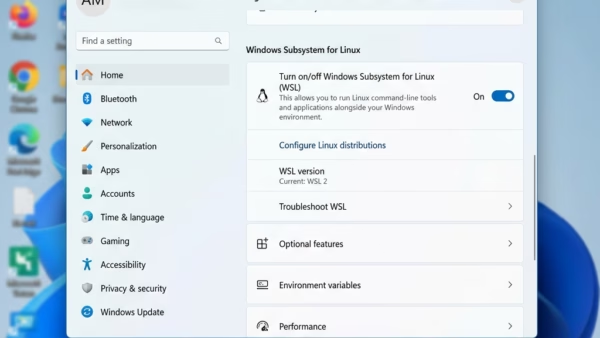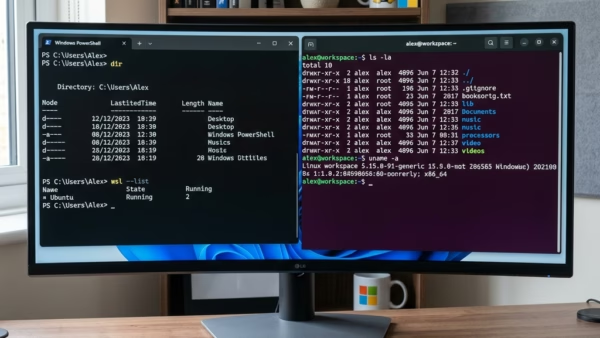
This guide explains how to set up WSL on your Windows 11 computer. Why use WSL? WSL lets you run Linux tools and apps right on your Windows computer. You…
Articles based on Ubuntu Linux, including installing packages, managing user accounts, sharing files with Windows machines and more.
This guide explains how to set up WSL on your Windows 11 computer. Why use WSL? WSL lets you run Linux tools and apps right on your Windows computer. You…
This guide explains how to remove the Windows Subsystem for Linux (WSL) from your computer. Why remove WSL? You may want to remove WSL if you no longer need to…
By default, MySQL only accepts connections from your own computer. But sometimes you need to connect to MySQL from a different computer. This guide shows you how to set it…
What is sudo? The sudo command lets trusted users run special commands with administrator (root) rights. This is helpful when you need to make system changes. There are two easy…
This article outlines the installation of KDE Desktop on Ubuntu 24.04. KDE Plasma offers customizable widgets and activities for efficient task management. Users can install it using a simple command and reboot to access the new GUI. The process transforms an Ubuntu system without a GUI into a fully functional desktop environment.
This article outlines the installation process for GNOME Desktop on Ubuntu 24.04, highlighting its user-friendly interface, essential applications, and customizability through themes and extensions. The straightforward installation involves a few terminal commands followed by a reboot, after which users can enjoy a modern desktop environment that enhances their Ubuntu experience.
This article details the steps to install and configure Syncthing, an open-source tool for file synchronization on Ubuntu 24.04. It emphasizes direct device connections for enhanced privacy and control, customizable syncing options, strong security through password protection, and real-time updates, ensuring that all files are current across devices.
This article details the installation of the Prospect mail client on Ubuntu 24.04, emphasizing its user-friendly design and productivity features like scheduling and reminders. Users can install it via a Debian package or Snap, ensuring easy access post-installation. Regular updates are encouraged for optimal functionality and enhancements.
This article provides a comprehensive guide to installing WebStorm on Ubuntu 24.04, detailing methods via the JetBrains PPA, Snap, and Flatpak package managers. WebStorm is a feature-rich IDE for JavaScript, enhancing coding efficiency. The installation process includes system preparations, repository setup, and commands for installation and removal.
This article outlines the installation process for RubyMine on Ubuntu 24.04, an IDE developed by JetBrains for Ruby and Ruby on Rails. It covers prerequisite package installations, adding the JetBrains PPA repository, and alternative installation methods using Snap and Flatpak. Users can start with a 30-day trial before requiring a license.
This article outlines the installation of PhpStorm on Ubuntu 24.04, showcasing multiple methods: APT, Snap, and Flatpak. PhpStorm, developed by JetBrains, is a powerful IDE for PHP development featuring debugging tools and support for various frameworks and front-end technologies. A free 30-day trial is available before requiring a license.
This article guides Ubuntu 24.04 users on setting their system locale, which affects language and regional settings. It explains how to list, install, and change language packs via the terminal, ensuring correct date, time, and number formats. Users are advised to restart their system to apply changes effectively.
This article outlines the installation process of Emby media server on Ubuntu 24.04. It emphasizes prerequisite package installation, downloading Emby, and enabling the server. Users can configure a reverse proxy for easier access and set up SSL certificates for security. Emby helps organize and stream digital media across multiple devices effectively.
The article details the installation of the Actual Budget app on Ubuntu 24.04, an open-source financial management tool. It outlines steps for installing Node.js, npm, and Yarn, configuring the app, and creating a systemd service for easy management. The app allows users to securely manage personal finances locally.
The article outlines the process of migrating from MySQL to MariaDB on Ubuntu 24.04. It emphasizes the importance of backing up databases, checking compatibility, uninstalling MySQL, installing MariaDB, and restoring backups. Following these steps ensures a smooth transition, allowing users to benefit from MariaDB’s additional features and optimizations.