How to Manage @Mentions Notifications in Microsoft Teams


You can manage @mention notifications in Microsoft Teams to control how you’re alerted when someone tags you in a chat or channel. This control helps you minimize distractions or ensure you never miss a critical message.
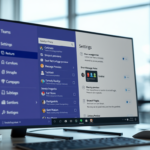
Go to Settings and more (…) > Settings > Notifications and activity. In the Chat section, find the @mentions tile and use the drop-down menu to select “Show in Activity and banner” or “Show in Activity.
These notifications appear as a banner in the corner of your screen when someone uses your @mention. You can choose to receive these alerts or disable them entirely.
Microsoft Teams, a collaboration platform, provides extensive notification settings. For instance, you can adjust sound alerts for incoming calls and meetings, and control message preview pop-ups from the General settings menu.
Tailoring these @mention alerts is straightforward within the Teams app’s notification preferences. This ensures your collaboration experience remains focused and efficient.
Was this guide helpful?

About the Author
Richard
Tech Writer, IT Professional
Richard, a writer for Geek Rewind, is a tech enthusiast who loves breaking down complex IT topics into simple, easy-to-understand ideas. With years of hands-on experience in system administration and enterprise IT operations, he’s developed a knack for offering practical tips and solutions. Richard aims to make technology more accessible and actionable. He's deeply committed to the Geek Rewind community, always ready to answer questions and engage in discussions.

No comments yet — be the first to share your thoughts!