How to Use Dark Theme in Google Chrome


Dark theme in Google Chrome replaces bright white menus and tabs with dark gray or black backgrounds to reduce eye strain. This visual setting changes the look of the browser interface itself, including the tab strip, the bookmarks bar, menus and settings pages. It does not change how websites look. A site with a white background stays white unless the site offers its own dark mode.
Chrome version 120 or newer lets you turn on this dark mode through the appearance settings menu. You can run a dark theme in Chrome all the time, even if your Windows computer stays set to light mode. To check your version, open the three-dot menu and go to Help About Google Chrome. Chrome updates itself on that page if a newer version is available, and you may need to relaunch it afterwards.
Google Chrome automatically uses your system’s theme. To enable a dark theme, go to Settings , then “You and Google,” and select a dark theme color under “Customize your Chrome profile.
Use the dark theme (mode) in Google Chrome
Chrome matches your computer’s system colors by default, but you can also force a dark look inside the browser using the built-in profile themes. There are two routes to a dark browser. The first is to change your Windows appearance settings so Chrome follows the system. The second is to install a dark theme from the Chrome Web Store, or pick a dark color in Chrome’s own profile settings, so menus and tabs switch to dark backgrounds no matter what Windows is doing.
The Windows route changes every app that respects the system setting. The Chrome route affects only the browser. Pick whichever fits how you work. If other apps on your PC are still bright and that bothers you, change Windows. If you only want Chrome dark, use the in-browser steps further down.
If your device’s color and theme are set to dark, Chrome mirrors that configuration automatically. This works when Chrome is using its default theme. A custom theme or a fixed color you picked in Chrome can override the system setting.
To switch Windows 11 to dark mode, go to Settings Personalization Colors and set Choose your mode to Dark. Windows changes right away, and Chrome should follow within a moment. If Chrome stays light, close it completely and reopen it.
The following steps apply a dark theme directly within the browser. They work whether Windows is set to light or dark, and they do not change any other app on your PC.
Open Google Chrome. Use a normal browser window. If you are in an Incognito window, Chrome already uses a dark look there, so you will not see the difference.
Click the three vertical dots in the top-right corner, then select Settings. The Settings page opens in a new tab, with a list of categories down the left side.

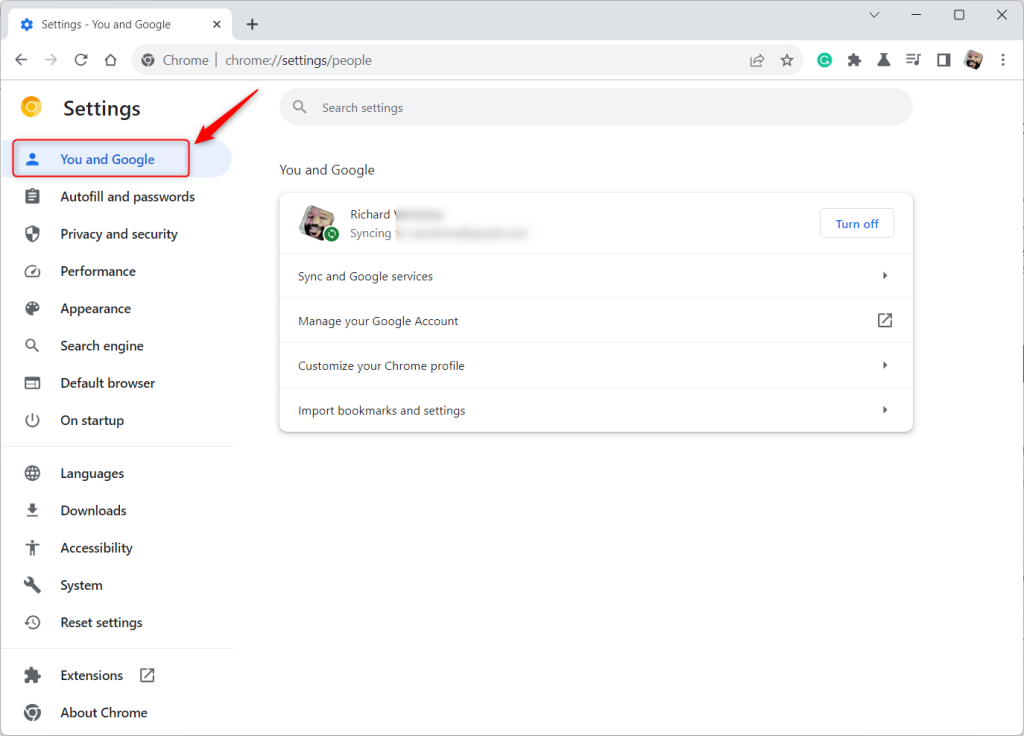
Locate the You and Google link inside the left-hand navigation panel on the Settings page. Click it. If the panel is hidden because the window is narrow, widen the window or click the menu icon at the top left of the Settings page to bring the list back.
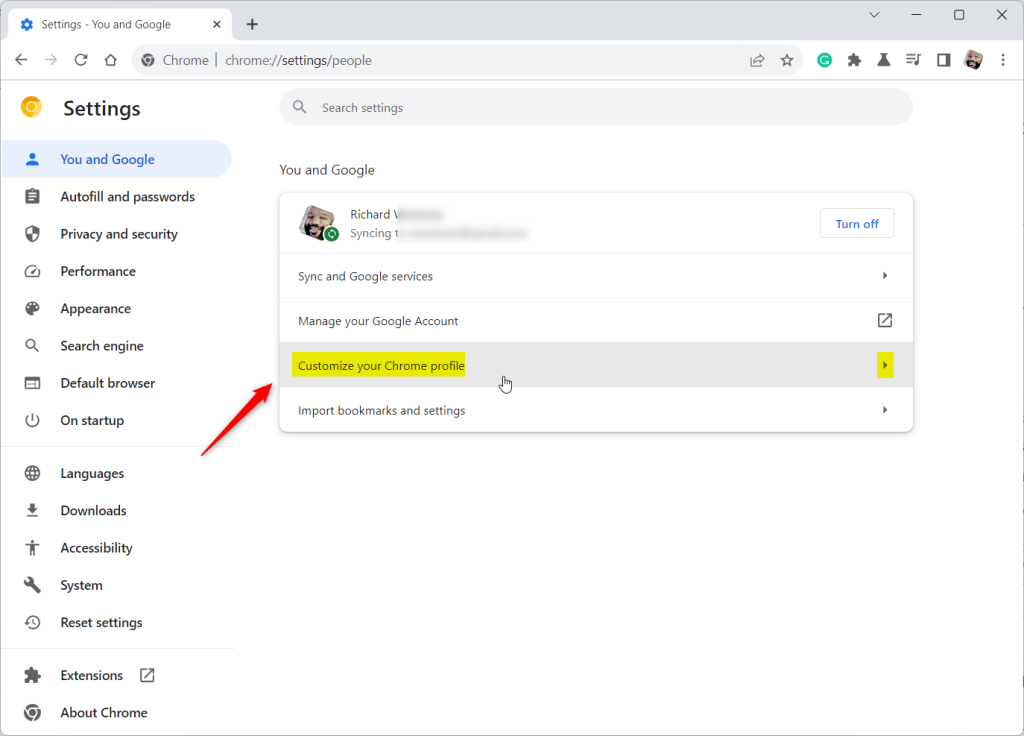
Click the "Customize your Chrome profile" tile to expand the appearance options. You should now see the theme and color choices for your current Chrome profile. Each profile has its own theme, so if you use more than one profile, repeat these steps in each.
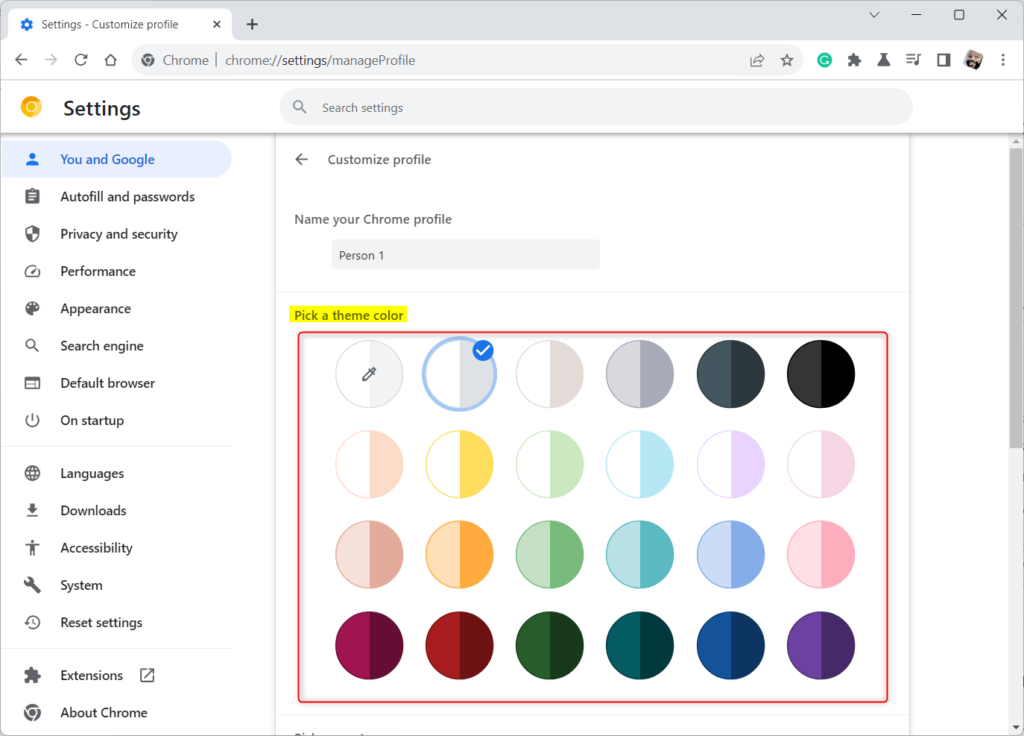
Scroll to the "Pick a theme color" section on the profile page and choose a darker accent. Choose a dark color from the swatches shown. The browser frame, tabs and toolbar shift to the shade you pick.
New theme selections apply instantly across the browser window. You do not need to save anything or restart Chrome. If you do not like the result, click a different swatch and the change applies again immediately.
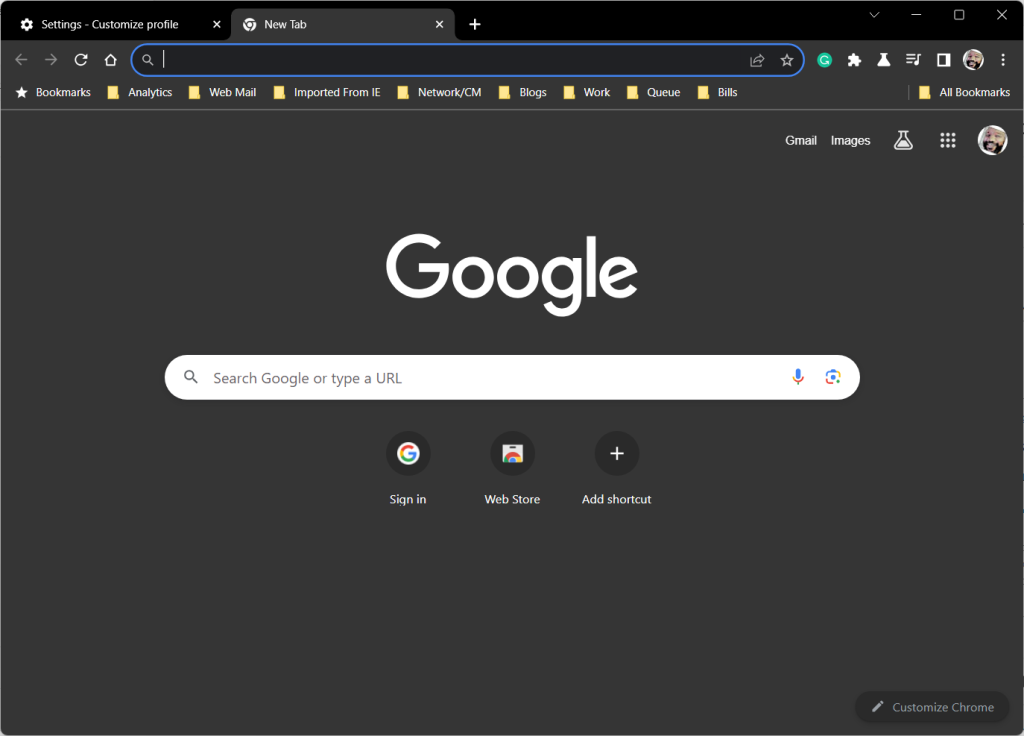
Your new dark theme applies instantly across the browser window. Open a new tab and check the menus and the bookmarks bar to confirm. If you installed a theme from the Chrome Web Store and want to go back, open Settings Appearance and use the Reset to default button there. Chrome then returns to its standard look.
Conclusion:
- Changing the theme color in Google Chrome is simple and can be done in just a few clicks.
- Users can customize their browsing experience using the dark theme, which is easier on the eyes in low-light environments. It changes the browser interface only, not the websites you visit.
- Personalizing the theme color can make the browser more visually appealing and align with individual preferences.
- Adapting the theme color to match the device's color preferences keeps Chrome consistent with the rest of your system, and you can override it in Chrome at any time.
- If you encounter any errors or have additional insights, please share them in the comments section below.
Have a question about this guide?
Answered by AI from this guide. Good questions may be added to this page — please don't include personal details.
Did this guide fix your problem?

About the Author
Richard
Tech Writer, IT Professional
Richard is a writer at Geek Rewind who turns complex IT tasks into clear, step-by-step guides. He draws on years of hands-on experience in system administration and enterprise IT operations, focusing on Windows, Linux and WordPress: the problems people actually run into, and the fixes that work. His server and WordPress guides come from systems he runs himself. Richard builds and maintains the platform behind Geek Rewind, from its Ubuntu servers and Nginx configuration to its custom WordPress plugins. Many new tutorials start with readers' questions, and he's always glad to answer them in the comments.
No comments yet — be the first to share your thoughts!