How to Stop Dropbox from Starting Automatically on Windows 11


Stopping Dropbox from launching with Windows 11 frees up system memory and helps your computer boot faster in under a minute. Dropbox is a cloud storage service (an online platform for saving files across devices) that syncs files in the background every time you turn on your PC.
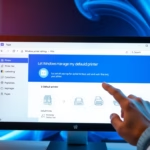
Disable Dropbox in Windows Task Manager ’s Startup tab, or uncheck “Start Dropbox on system startup” within the Dropbox Preferences. This prevents Dropbox from launching automatically when you log in, speeding up your computer’s startup.
Use Task Manager (a built-in tool for monitoring running apps and system performance) to turn off this auto-start feature. Disabling the startup item only stops Dropbox from opening at sign-in, so you can still open the app manually whenever you need your files.
Was this guide helpful?

About the Author
Richard
Tech Writer, IT Professional
Richard is a writer at Geek Rewind who turns complex IT tasks into clear, step-by-step guides. He draws on years of hands-on experience in system administration and enterprise IT operations, focusing on Windows, Linux and WordPress: the problems people actually run into, and the fixes that work. His server and WordPress guides come from systems he runs himself. Richard builds and maintains the platform behind Geek Rewind, from its Ubuntu servers and Nginx configuration to its custom WordPress plugins. Many new tutorials start with readers' questions, and he's always glad to answer them in the comments.


Unfortunately, the word ‘open’ and ‘startup’ have been interchanged in this article. The Application ‘starts’ and one ‘opens’ the DropBox folder. Why is this subtle inference important, because this article is about ‘starting’ Dropbox. Yet, the search engine leads us to believe that it is about ‘opening.’