How to Access Xbox Game Bar in Windows 11

You access the Xbox Game Bar in Windows 11 by pressing the Windows key + G simultaneously.
The Xbox Game Bar is a built-in overlay designed to streamline your gaming experience on Windows 11. It provides a central hub for all your gaming needs, letting you manage captures, monitor performance, and control audio without interrupting your gameplay.
This powerful tool, a staple since its introduction in Windows 10, offers quick access to recording gameplay, snapping screenshots, checking system performance metrics like CPU usage, and even managing music playback from apps like Spotify, all from a single, easy-to-use interface.
Press Windows key + G to open the Xbox Game Bar. This built-in overlay lets you record gameplay, monitor performance, and manage audio. You can also access it via the Start Menu or an Xbox controller.
How to open the Xbox Game Bar
Opening the Xbox Game Bar in Windows 11 is simple and can be done in a few ways. The quickest method is using the Windows key + G shortcut, but you can also find it through the Start Menu or even your game controller.
- Keyboard Shortcut: Press the Windows key + G at the same time. This works while you are in a game, an app, or on your desktop.
- Start Menu: Click the Start button, select All apps, and scroll down to find Xbox Game Bar.
Windows 11 Start menu All app button 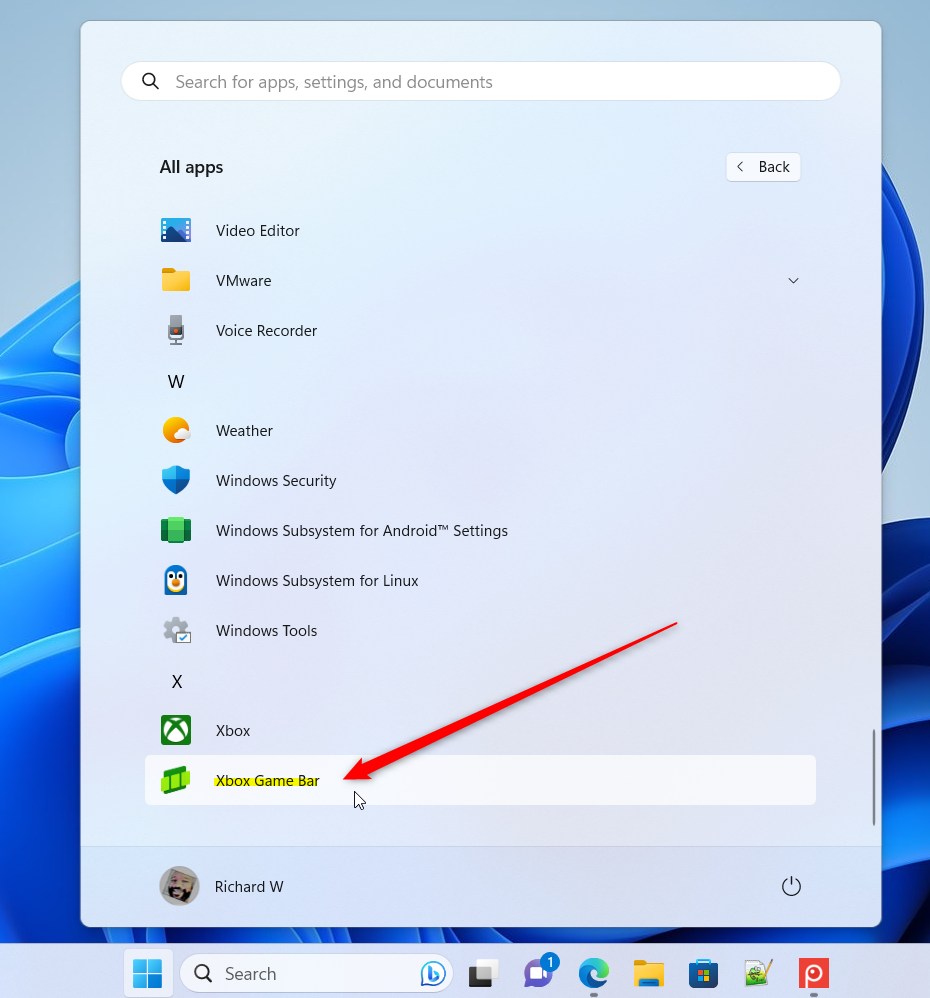
Xbox Game Bar menu item in Windows 11 - Game Controller: If you have an Xbox controller plugged in, simply press the Xbox button in the center.
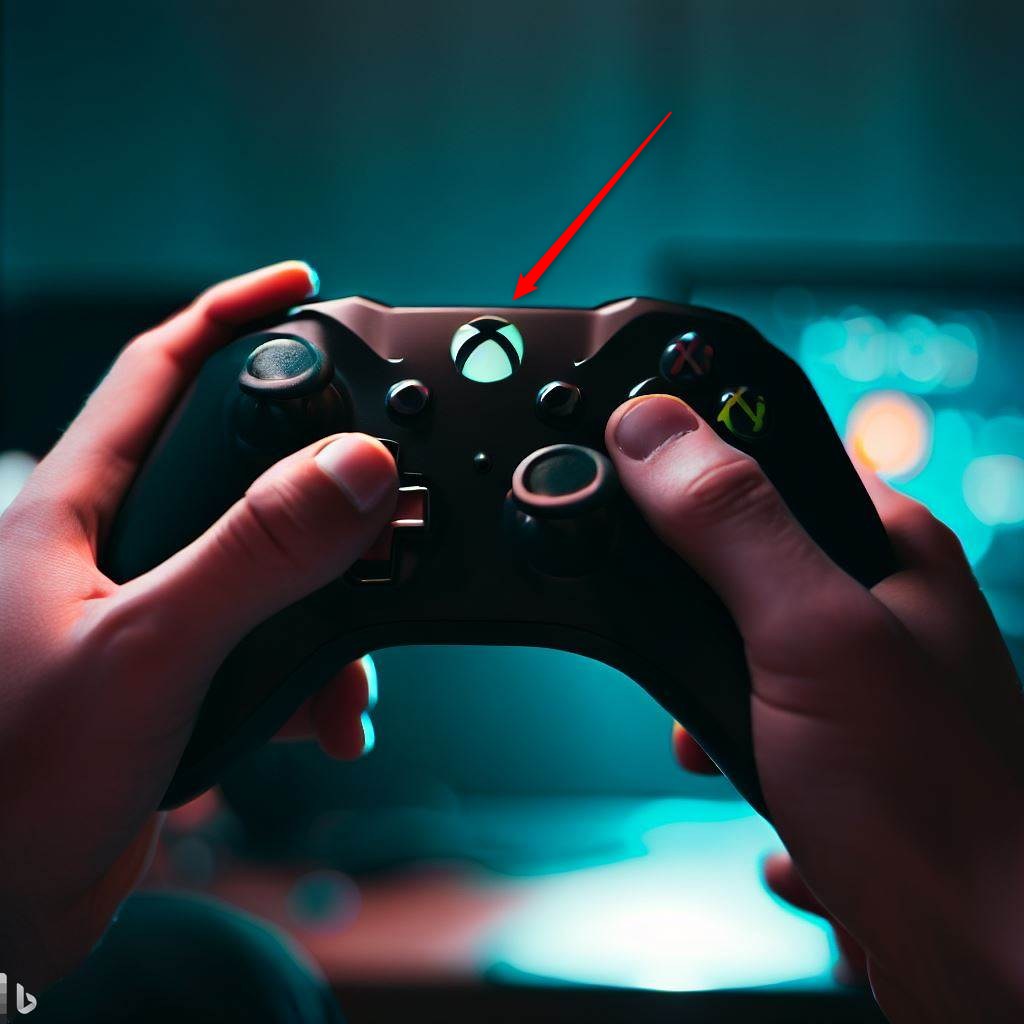
Xbox game controller in hand
Essential Keyboard Shortcuts
Mastering shortcuts saves time. Use these to control your gaming overlay quickly:
- ⊞ Win+G: Open the Game Bar.
- ⊞ Win+Alt+R: Start or stop screen recording.
- Win + Alt + Print Screen: Take a screenshot.
- ⊞ Win+Alt+M: Toggle your microphone on or off.
Performance Metrics and Resource Monitoring
The Xbox Game Bar’s Performance widget helps you keep an eye on your computer’s CPU, GPU, and RAM usage while you play games.
Configuration and Settings
You can change how the Xbox Game Bar works by opening its Settings menu, where you can adjust capture quality and choose where your recordings are saved.
Troubleshooting Xbox Game Bar
If your Xbox Game Bar isn’t working in Windows 11, you can usually fix it by checking if it’s turned on in settings or by resetting the app.
Does Xbox Game Bar affect gaming performance?
The Game Bar is designed to be lightweight. However, recording high-quality video can use system resources. If you have a lower-end computer, you might notice a small dip in performance while recording. To minimize this, lower your capture resolution in the settings menu.
Summary
The Xbox Game Bar is a handy tool for Windows 11 users, letting you easily record your screen, check performance, and mix audio using shortcuts like ⊞ Win+G.
How do I fix ‘ms-gamingoverlay’ errors in 🪟 Windows 11?
To fix ms-gamingoverlay errors, navigate to Windows Settings, then Apps. Locate the Xbox Game Bar, select Advanced options, and choose the Reset button. This clears corrupted cache files that often cause the overlay to crash or fail to launch during your gaming sessions.
Can I uninstall and reinstall Xbox Game Bar?
Yes, you can reinstall it using PowerShell. Run PowerShell as an administrator (Requires admin privileges). Use the command: Get-AppxPackage Microsoft.XboxGamingOverlay | Remove-AppxPackage. Afterward, visit the official Microsoft Store page to download and reinstall the latest version of the app.
Was this guide helpful?

About the Author
Richard
Tech Writer, IT Professional
Richard, a writer for Geek Rewind, is a tech enthusiast who loves breaking down complex IT topics into simple, easy-to-understand ideas. With years of hands-on experience in system administration and enterprise IT operations, he’s developed a knack for offering practical tips and solutions. Richard aims to make technology more accessible and actionable. He's deeply committed to the Geek Rewind community, always ready to answer questions and engage in discussions.



[…] Assist is accessed via Game Bar, a gaming overlay that lets you use in-game widgets, including Xbox Social for connecting with […]
[…] The Xbox Game Bar on Windows devices has a Controller Bar feature that allows you to quickly access games and apps using any Xbox controller, including standard controllers, the Elite Controller Series 2, and the Xbox Adaptive Controller. […]
[…] Xbox Game Bar on Windows devices is designed to make gaming easier. Usually, if you are playing a game and press […]
[…] Xbox Game Bar on your PC has a special feature called the Controller Bar. It lets you get to your games and apps […]
[…] Xbox Game Bar on Windows devices includes a Controller Bar. This handy tool lets you launch your favorite games […]