How to Enable Xbox Controller Bar in Windows 11

You enable the Xbox Controller Bar in Windows 11 by configuring a setting within the Xbox Game Bar itself.
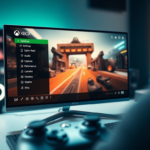
The Controller Bar is a dedicated overlay that appears when you press the Xbox button on your controller, offering quick access to recent games and apps without interrupting your gameplay. It enhances your PC gaming experience by providing console-like navigation.
To activate it, you’ll open the Xbox Game Bar (Windows key + G), navigate to Settings, select the Shortcuts tab, and check the specific option “Open Controller Bar using the Xbox button on a controller not over a game.”
Press Windows key + G to open the Xbox Game Bar, go to Settings, then Shortcuts, and check the box to open the Controller Bar using the Xbox button. This enables a console-like navigation experience on your PC.
Troubleshooting: Why the Controller Bar Won’t Open
If the bar does not appear, check your Xbox Accessories App. Download it from the Microsoft Store to update your controller’s firmware. Outdated firmware often causes button mapping issues.
Resetting Game Bar Data
If the app is buggy, reset it:
- Open Settings > Apps > Installed apps.
- Search for Xbox Game Bar.
- Click the three dots and select Advanced options.
- Click Reset.
Background Conflicts
Other apps can sometimes stop your Xbox button from working, so you might need to turn them off to enable Controller Bar Windows 11 properly.
Advanced Registry Fix
If the GameBarPresenceWriter.exe process is stuck, you may need to check your registry. Warning: This requires admin privileges. Open the Registry Editor (search for ‘regedit’) and navigate to HKEY_CURRENT_USER\SOFTWARE\Microsoft\Windows\CurrentVersion\GameDVR. Check that the value for ‘AppCaptureEnabled’ is set to 1.
Summary
The Controller Bar is a handy tool for navigating Windows 11 with your controller. Keeping your firmware updated, resetting the Game Bar app, and turning off conflicting overlays will help everything run smoothly. If the button stops responding, always double-check your shortcut settings.
Why does my Xbox button open Steam instead of Game Bar?
Steam often takes control of your controller inputs. To fix this, open Steam settings, go to Controller, and disable the option for Steam to guide button focus. This allows Windows to recognize the Xbox button for the Game Bar instead of triggering the Steam Big Picture mode overlay.
Does the Controller Bar work with third-party controllers?
The Controller Bar works best with official Xbox wireless controllers. Some third-party controllers might work, but they often don’t have the same firmware connection needed to bring up the Game Bar. If your controller isn’t recognized, make sure you have the latest drivers installed through the Windows Device Manager.
Was this guide helpful?

About the Author
Richard
Tech Writer, IT Professional
Richard, a writer for Geek Rewind, is a tech enthusiast who loves breaking down complex IT topics into simple, easy-to-understand ideas. With years of hands-on experience in system administration and enterprise IT operations, he’s developed a knack for offering practical tips and solutions. Richard aims to make technology more accessible and actionable. He's deeply committed to the Geek Rewind community, always ready to answer questions and engage in discussions.

No comments yet — be the first to share your thoughts!