How to Install PowerDNS on Ubuntu Linux


PowerDNS is a free DNS (Domain Name System, a service that matches website names to computer numbers) server that translates website names into IP addresses. Version 4.9 of the PowerDNS Authoritative Server runs on Ubuntu LTS (Long Term Support) systems to handle name lookup requests quickly and reliably.
Setting up this software gives you total control over your domain name records without paying a third party. You need a basic Ubuntu server and root access to get started. A regular account that can use sudo works too. This guide installs the database, the DNS server, the PowerDNS Admin web interface, and Nginx to serve it, in that order.
Install PowerDNS on Ubuntu by first installing MariaDB with sudo apt install mariadb-server, then creating a pdns database and user. Next, run sudo apt install pdns-server pdns-backend-mysql, then import the schema with sudo mysql -u pdnsadmin -p pdns < /usr/share/doc/pdns-backend-mysql/schema.mysql.sql. Run the steps in this order, because PowerDNS needs the database to exist before it can connect.
Why use PowerDNS?
PowerDNS gives administrators complete control over DNS infrastructure. This system offers a scalable solution for managing thousands of records, complete with a modern web interface. Finishing these steps leaves behind a professional DNS management system accessible right from a browser.
Follow the sections in order. Each one depends on the one before it, so the database must exist before PowerDNS can connect to it, and PowerDNS must be configured before the web interface can talk to it.
Install the MariaDB database server
MariaDB (a relational database management system) stores your DNS records and must be set up before you install PowerDNS Ubuntu. Install it first, then create a database and a user account for PowerDNS.
- Open a terminal on your server.
- Run sudo apt install mariadb-server to get the database software. Wait for the installation to finish and for the prompt to return.
- Run the command below to open the database prompt. Use sudo mysql as written, because the root database account on Ubuntu is tied to your system root access. You should now see a MariaDB prompt instead of your normal shell prompt.
sudo mysql
At the MariaDB prompt, run these commands in order to create the database and user. They create the database, create the user and set its password, give that user rights on the database, and then leave the prompt. Pick a strong password and write it down, because you need the same one later in the PowerDNS configuration file.
CREATE DATABASE pdns;
CREATE USER 'pdnsadmin'@'localhost' IDENTIFIED BY 'your_secure_password';
GRANT ALL PRIVILEGES ON pdns.* TO 'pdnsadmin'@'localhost';
FLUSH PRIVILEGES;
EXIT;
If a command returns an error, fix it before moving on. A mistyped database name or password here causes confusing connection errors later.
Install PowerDNS
PowerDNS handles all incoming DNS requests for your domains once you install PowerDNS Ubuntu on your server. Update your system package list and run the apt install command to download the main server software. After the download finishes, you must also update your system DNS resolver settings to point to a reliable public server.
- Run the three commands below in order. They refresh the package list and install the PowerDNS server with its database support.
sudo resolvectl dns eth0 8.8.8.8
sudo sed -i 's/#DNS=/DNS=8.8.8.8/' /etc/systemd/resolved.conf
sudo systemctl restart systemd-resolved
Configuring the system resolver starts the installation. This step ensures Ubuntu correctly identifies and uses PowerDNS for domain name resolution, preventing connectivity issues.
- Run the two commands below to adjust the resolver settings. Your server should still be able to look up outside names afterwards, which is why the resolver points to a reliable public server.
sudo apt update
sudo apt install pdns-server pdns-backend-mysql
If PowerDNS later refuses to start, check whether another service is already using port 53. That is the first thing to look for.
- Import the database structure with the command below. This creates the tables PowerDNS needs inside the database you made earlier. It should finish without printing an error.
sudo mysql -u pdnsadmin -p pdns < /usr/share/doc/pdns-backend-mysql/schema.mysql.sql
Configure PowerDNS
The PowerDNS configuration file requires database details for connection. Adding database credentials within this file ensures PowerDNS accesses its data storage properly.
- Open the configuration file for editing with the command below.
- Add the database settings from the next block. Use the same database name, user name and password you created in the MariaDB section.
- Save the file and close the editor.
sudo nano /etc/powerdns/pdns.d/pdns.local.gmysql.conf
launch+=gmysql
gmysql-host=127.0.0.1
gmysql-user=pdnsadmin
gmysql-password=your_secure_password
gmysql-dbname=pdns
Because the file now holds a password, keep it readable only by administrators. If you change it later, restart PowerDNS so the change takes effect.
Install the PowerDNS Admin web application
PowerDNS Admin gives you a web dashboard to manage your DNS settings without using the command line. To install PowerDNS Admin Ubuntu, you first need to install Python tools and the Nginx web server using your terminal. Next, create a dedicated folder for the application and set up a Python virtual environment. A virtual environment keeps the application's Python packages separate from the rest of the system, so they cannot clash with other software.
- Run the command below to install the Python tools and Nginx.
sudo apt install python3-venv python3-pip gunicorn nginx certbot python3-certbot-nginx
- Set up the application folder and virtual environment with the commands below. Run them in order, and do not skip any.
sudo git clone https://github.com/ngoduykhanh/PowerDNS-Admin.git /var/www/html/pdns
cd /var/www/html/pdns
python3 -m venv venv
source venv/bin/activate
pip install -r requirements.txt
- Run database migrations to prepare the app. Migrations create the tables the dashboard needs for its own data.
export FLASK_APP=powerdnsadmin/__init__.py
flask db upgrade
Configure PowerDNS and Nginx
PowerDNS Admin talks to PowerDNS through its API, so the API must be switched on. This is also where the API key comes from. You will need that key at the end of the setup.
- Open the PowerDNS configuration file,
/etc/powerdns/pdns.conf, in your editor. - Enable the API by adding the lines below. Pick a long, random API key and keep a copy of it.
- Save the file.
- Restart PowerDNS so it reads the new settings:
sudo systemctl restart pdns
api=yes
api-key=generate_a_very_long_random_string_here
- Configure Nginx to serve the site and secure it with HTTPS using the command below. HTTPS matters here because you log in to the dashboard and handle your API key through it.
sudo certbot --nginx -d yourdomain.com
Your domain name must already point to this server for the HTTPS step to work. If the certificate request fails, check your domain's DNS record first.
Start the Service
Systemd (a system and service manager) runs the PowerDNS Admin application smoothly in the background as a permanent service. You need to reload the system service manager and enable the application to start automatically when your server boots up. Run the systemctl commands in your terminal to get the web interface up and running.
- Run the two commands below in order.
- Check that the service is running. If it is, the logs should show the application's worker processes starting. If it is not, read the service logs for the error, which is usually a wrong path or a missing Python package.
sudo systemctl daemon-reload
sudo systemctl enable --now pdnsadmin
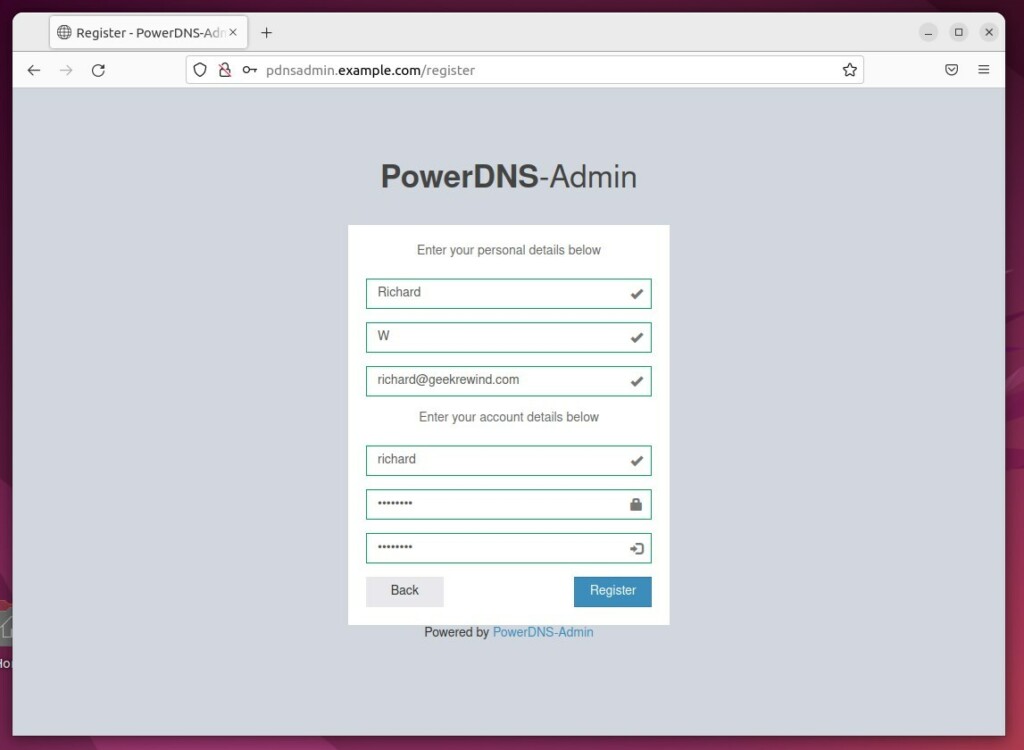
With everything running, finish the setup in your browser.
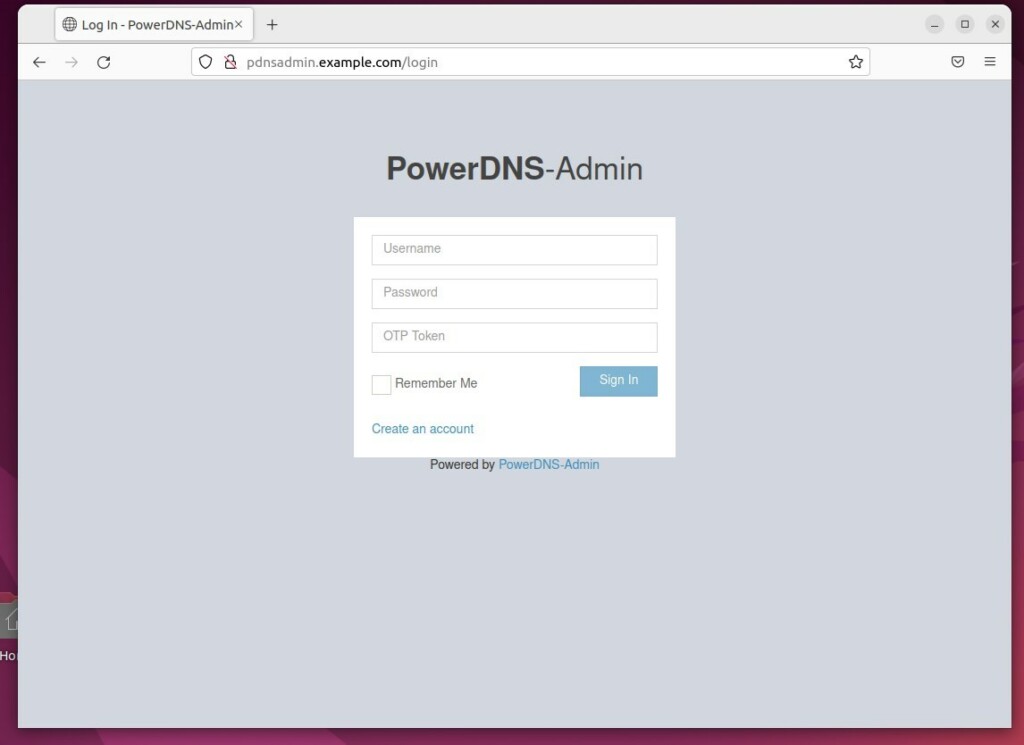
- Open a browser and go to your domain name. You should see the PowerDNS Admin login page over HTTPS.
- Log in.
- Enter the API key you generated earlier to finish the setup. It must match the key you added to the PowerDNS configuration file exactly.
If the dashboard loads but cannot reach PowerDNS, the usual causes are a wrong API key or PowerDNS not having been restarted after you enabled the API.
Have a question about this guide?
Answered by AI from this guide. Good questions may be added to this page — please don't include personal details.
Did this guide fix your problem?

About the Author
Richard
Tech Writer, IT Professional
Richard is a writer at Geek Rewind who turns complex IT tasks into clear, step-by-step guides. He draws on years of hands-on experience in system administration and enterprise IT operations, focusing on Windows, Linux and WordPress: the problems people actually run into, and the fixes that work. His server and WordPress guides come from systems he runs himself. Richard builds and maintains the platform behind Geek Rewind, from its Ubuntu servers and Nginx configuration to its custom WordPress plugins. Many new tutorials start with readers' questions, and he's always glad to answer them in the comments.
No comments yet — be the first to share your thoughts!