How to install Flarum with Nginx on Ubuntu 24.04


Flarum on Ubuntu 24.04 runs as a fast, lightweight discussion board powered by the Nginx web server. Flarum is free forum software that uses PHP and a database to give you a clean, modern place to host conversations.
Getting this setup working requires you to install PHP 8.3, configure a MariaDB database, and set up Nginx blocks to serve your forum files. You manage the whole installation through the terminal using command-line tools.
Install Nginx and MariaDB using `apt install nginx mariadb-server`. Create a Flarum database in MariaDB and then install PHP-FPM with `apt install php-fpm php-intl php-mysql php-curl php-cli php-zip php-xml php-gd php-common php-mbstring php-xmlrpc php-json php-sqli`.
Install Nginx HTTP server on Ubuntu
To install Nginx on Ubuntu, open your terminal and run the standard package manager commands. First, update your local software list by running sudo apt update, then run sudo apt install nginx to download and set up the web server. After the installation finishes, use systemctl commands to start Nginx and make sure it runs automatically whenever your server boots up.
To do that, open the Ubuntu terminal and run the commands below to install the Nginx web server.
sudo apt update
sudo apt install nginx
Once Nginx is installed, the commands below can start, stop, and enable the Nginx web server to start automatically when your server boots up.
sudo systemctl stop nginx
sudo systemctl start nginx
sudo systemctl enable nginx
You can test the Nginx web server by opening your web browser and browsing to the server’s local host or IP address.
http://localhost
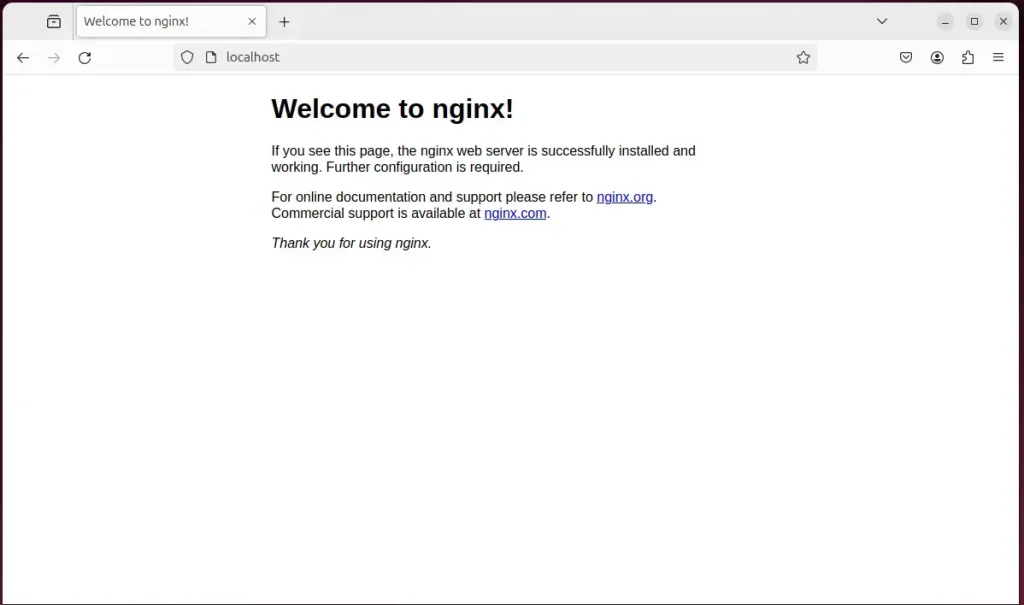
When you see "Welcome to nginx!" the Nginx HTTP server has been installed.
Additional help on installing Nginx on Ubuntu is in the link below.
Install MariaDB database server on Ubuntu Linux
To install MariaDB database server on Ubuntu Linux, open your terminal and update your package list. Run sudo apt update followed by sudo apt install mariadb-server to download and install the database software. Once the setup completes, start the database service and secure your installation so your Flarum forum has a working backend to store user accounts, posts, and settings.
To install and use the MariaDB database server, use the instructions below.
Open the Ubuntu terminal and run the commands below to install the MariaDB database server.
sudo apt update
sudo apt install mariadb-server
Once the MariaDB database server is installed, use the commands below to stop, start, and enable the MariaDB server to start automatically when the server boots.
sudo systemctl stop mariadb
sudo systemctl start mariadb
sudo systemctl enable mariadb
Run the following commands to validate and test if the MariaDB database server is installed successfully.
sudo mariadb
Once you run the commands above, it will log you onto the MariaDB console and display a message similar to the one below.
Welcome to the MariaDB monitor.  Commands end with ; or g.
Your MariaDB connection id is 32
Server version: 10.11.2-MariaDB-1 Ubuntu 23.04

Copyright (c) 2000, 2018, Oracle, MariaDB Corporation Ab and others.

Type 'help;' or 'h' for help. Type 'c' to clear the current input statement.

MariaDB [(none)]>
The message tells you that the server is installed successfully.
Additional help on installing MariaDB.
- How to install MariaDB on Ubuntu Linux
- MariaDB without password prompt
Create a Flarum database
To create a Flarum database, log into your MariaDB command line interface as the root user. Run the SQL commands to create a dedicated database named flarumdb, set up a new user called flarumdbuser with a secure password, and grant that user full permissions to manage the database so your forum can save data properly.
As part of the setup, we will create a database named 'flarumdb' and a corresponding user account called 'flarumdbuser.'
Finally, we'll grant the flarumdbuser full access to the flarumdb database.
All the database steps above can be done using the commands below:
But first, log on to the MariaDB database server:
sudo mariadb
Then run the commands below to complete the steps:
CREATE DATABASE flarumdb CHARACTER SET utf8mb4 COLLATE utf8mb4_general_ci;
CREATE USER flarumdbuser@localhost IDENTIFIED BY 'type_your_password_here';
GRANT ALL ON flarumdb.* TO flarumdbuser@localhost WITH GRANT OPTION;
FLUSH PRIVILEGES;
exit
Ensure to replace 'type_your_password_here 'with your password.
Install PHP-FPM on Ubuntu Linux
To install PHP-FPM on Ubuntu Linux for your forum, run the apt install command with all the required PHP extensions. Flarum requires specific modules like php-mysql, php-mbstring, and php-xml to function correctly. Paste the full installation command into your terminal to add PHP-FPM and every required extension to your server in one go.
Run the commands below to install PHP-FPM.
sudo apt install php-fpm php-intl php-mysql php-curl php-cli php-zip php-xml php-gd php-common php-mbstring php-xmlrpc php-json php-sqlite3 php-soap php-zip
Additional help on installing PHP
Download Flarum files
To download Flarum files onto your Ubuntu server, install Composer and Git as prerequisites using your terminal. Run the official curl installer script for Composer, then use Composer to fetch the latest Flarum release files into your web root directory so you can begin the browser-based setup wizard.
You may want to use the GitHub repository to get Flarum's latest release. Install Composer, Curl, and other dependencies to get started.
sudo apt install curl git
curl -sS https://getcomposer.org/installer | sudo php -- --install-dir=/usr/local/bin --filename=composer
Always replace the release number with the latest release.
sudo mkdir -p /var/www/{.cache,.config,flarum}
sudo chown -R www-data:www-data /var/www/{.cache,.config,flarum}
cd /var/www/flarum/
sudo -u www-data composer create-project flarum/flarum .
sudo chown -R www-data:www-data /var/www/flarum/
Once all the steps are done, configure the Nginx webserver to serve the Flarum content.
Run the commands below to create a Nginx virtual host file for Flarum.
sudo nano /etc/nginx/sites-available/flarum.conf
Then, copy and paste the content block below into the Nginx server block.
server {
        listen 80;
        listen [::]:80;
        server_name flarum.example.com;

        root /var/www/flarum/public;
        index index.php;

        error_log /var/log/nginx/flarum.error;
        access_log /var/log/nginx/flarum.access;

        include /var/www/flarum/.nginx.conf;

        location ~ .php$ {
            fastcgi_pass unix:/run/php/php8.3-fpm.sock;
            fastcgi_param SCRIPT_FILENAME $document_root$fastcgi_script_name;
            include fastcgi_params;
            include snippets/fastcgi-php.conf;
        }
}
Save the file.
You can enable the Flarum virtual host by running the command `sudo a2ensite flarum.conf` and then restart the Nginx server with `sudo systemctl restart nginx` to apply the changes.
sudo ln -s /etc/nginx/sites-available/flarum.conf /etc/nginx/sites-enabled/
sudo systemctl restart nginx.service
Setup Let's Encrypt SSL/TLS for Flarum
To set up Let's Encrypt SSL/TLS for Flarum, secure your website traffic by generating a free security certificate using Certbot. Install the Certbot tool for Nginx, request a certificate for your forum domain, and configure automatic certificate renewals so your visitors always connect over a secure HTTPS connection.
Please read the post below for additional resources on installing and creating Let's Encrypt SSL certificates for Nginx.
How to set up Let's Encrypt SSL certificate for Nginx on Ubuntu Linux
Once you have restarted the Nginx web server, open your browser and browse to the server hostname or IP address defined in the Nginx server block.
http://flarum.example.com
A Flarum installation wizard page should appear. Enter the forum name database connection info and create an administrator account. Then, click "Install Flarum."
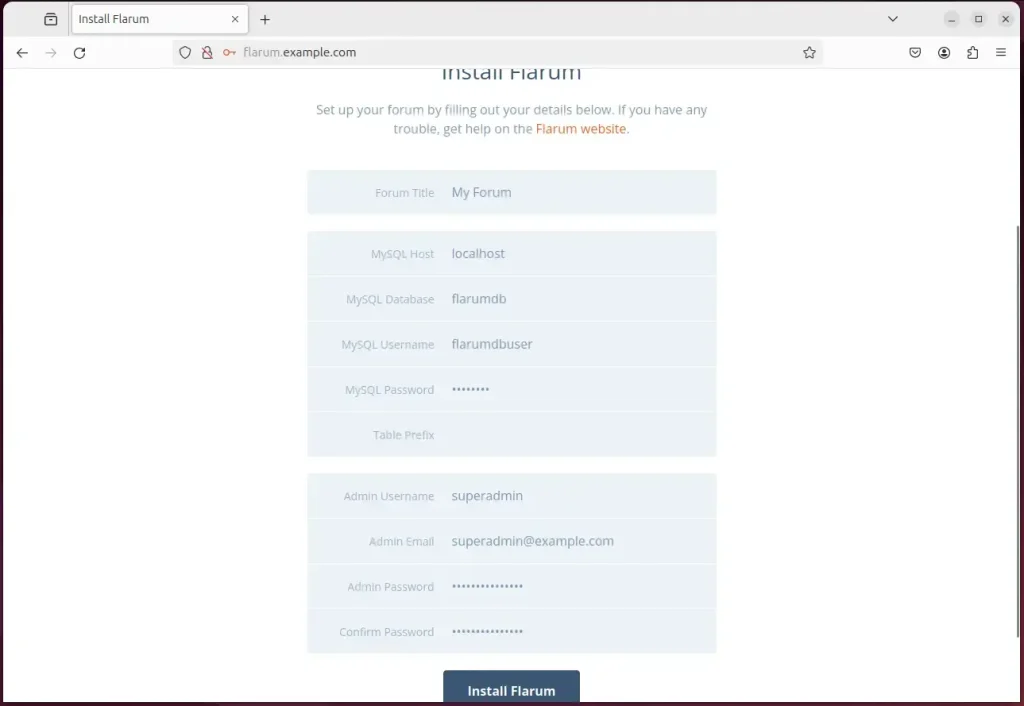
Your Flarum site should be ready to use.
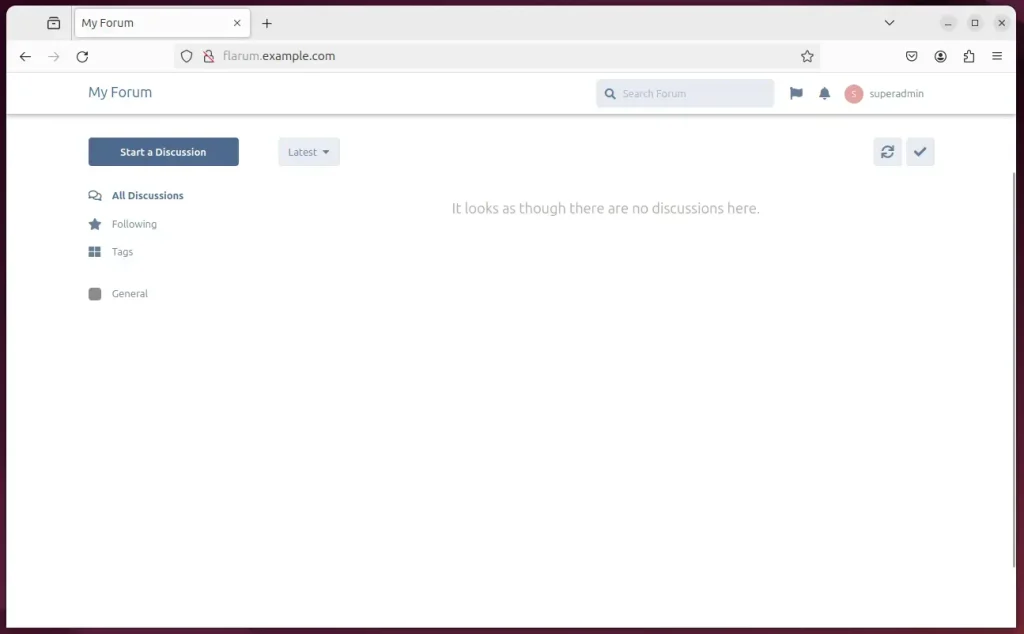
That should do it!
Conclusion:
- Setting up a Flarum site on Ubuntu with Nginx support offers numerous benefits, including enhanced performance and security.
- The comprehensive guide provided detailed steps for installing Nginx, MariaDB, PHP-FPM, and Let's Encrypt SSL/TLS for a seamless Flarum installation.
- Users were walked through essential tasks such as creating a Flarum database, downloading Flarum files, and setting up the Nginx virtual host.
- Additional resources and external links were included for further reference and troubleshooting.
- The post invites readers to provide feedback and report any errors for continuous improvement.
How to install nginx in linux terminal?
Step 1 – Installing Nginx Install it using the apt packaging system. First, update the local package index to access the most recent package listings, then install nginx : sudo apt update. sudo apt install nginx.
Was this guide helpful?

About the Author
Richard
Tech Writer, IT Professional
Richard, a writer for Geek Rewind, is a tech enthusiast who loves breaking down complex IT topics into simple, easy-to-understand ideas. With years of hands-on experience in system administration and enterprise IT operations, he’s developed a knack for offering practical tips and solutions. Richard aims to make technology more accessible and actionable. He's deeply committed to the Geek Rewind community, always ready to answer questions and engage in discussions.



No comments yet — be the first to share your thoughts!