Richard

Richard✓ Verified Author

Richard

Tech Writer, IT Professional

Richard, a writer for Geek Rewind, is a tech enthusiast who loves breaking down complex IT topics into simple, easy-to-understand ideas. With years of hands-on experience in system administration and enterprise IT operations, he’s developed a knack for offering practical tips and solutions. Richard aims to make technology more accessible and actionable. He's deeply committed to the Geek Rewind community, always ready to answer questions and engage in discussions.

2530 Articles4 Topics
Windows 11Ubuntu LinuxCMSApps and Browsers
Windows 2 min read
2 Easy Ways to Adjust Volume in Windows 11

The post provides a guide on adjusting sound volume on Windows 11, either via the Quick Settings menu or the Windows settings app. When using Quick Settings, activating it can be done by clicking a hidden button on top of the Wi-Fi, Speaker, and Battery icons, and adjusting with a slider. The Windows settings app allows for adjustment of individual sound devices.

October 5, 2021 Read more →
Windows 3 min read
How to Enable or Disable WiFi autoSwitch on Windows 11

The article provides instructions on how to enable or disable the WiFi autoSwitch feature on Windows 11. This feature, typically disabled by default, allows the system to automatically connect to a preferred network when it comes into range, which could be advantageous in multi-WiFi network environments. Alternatively, the automatic connection may increase scanning frequency, radio frequency pollution, and power consumption. The guide also explains how to adjust this setting via the System Settings pane or Command Prompt.

October 4, 2021 Read more →
Windows 4 min read
How to Backup and Restore Device Drivers on Windows 11

The content provides detailed instructions for exporting and importing device drivers on Windows 11. This process aids in the migration or replacement of old PCs with legacy devices. In situations where critical device support from manufactures is absent, users can export the working drivers and use them on a new PC. The post also emphasizes the practice of regularly backing up device drivers. Windows 11 allows this process through specific commands. The tutorial also offers advice on how to selectively import exported drivers.

October 3, 2021 Read more →
CMS 4 min read
How to Update WordPress Using SSH Terminal

The post provides step-by-step instructions for upgrading a WordPress website via SSH terminal console. It highlights the methods for backing up database and content, removing old directories, downloading the latest WordPress files, and copying these files into the root directory. Instructions also include the initiation of the upgrade process and ensuring updated changes post-process completion.

October 2, 2021 Read more →
Windows 3 min read
How to Enable Checkboxes in Windows 11 File Explorer

The post provides a guide on how to turn on or off checkboxes in File Explorer on Windows 11. This feature helps users select multiple files more easily, making it especially useful for touchscreen or tablet devices. The tutorial provides instructions on enabling the feature and also on how to disable it if no longer desired.

October 1, 2021 Read more →
Windows 2 min read
How to Connect to Wi-Fi on Windows 11

This text explains how to connect to a Wi-Fi network on Windows 11. Instead of a Taskbar icon as in previous versions, Windows 11 uses the Quick Settings feature on the Taskbar to access Wi-Fi. Users can also use the Windows Settings app. For both methods, users need to turn on Wi-Fi, select a network within range, input the password, and connect.

September 30, 2021 Read more →
Windows 3 min read
How to Mount and Unmount ISO Files in Windows 11

The post provides a comprehensive guide on how to mount or unmount ISO and IMG images on Windows 11. It explains that these images, popular for transferring large files, are mounted as CD/DVD drives in File Explorer and can be accessed for their contents. The process, depending on the system's speed and file size, involves using the 'Mount' or 'Eject' commands in the toolbar or context menu.

September 29, 2021 Read more →
Ubuntu Linux 6 min read
How to Install Ubuntu Linux

The post guides beginners, particularly students, on downloading and installing Ubuntu Linux, an open-source operating system that is suitable for desktops, laptops, and servers. It details how to download the Ubuntu ISO image, burn it onto physical media, boot from the media in a new computer, and continue with the installation process. The post also emphasizes updating Ubuntu after installation. Ubuntu offers Long Term Support for five years and Short Term Support for about nine months.

September 28, 2021 Read more →
CMS 9 min read
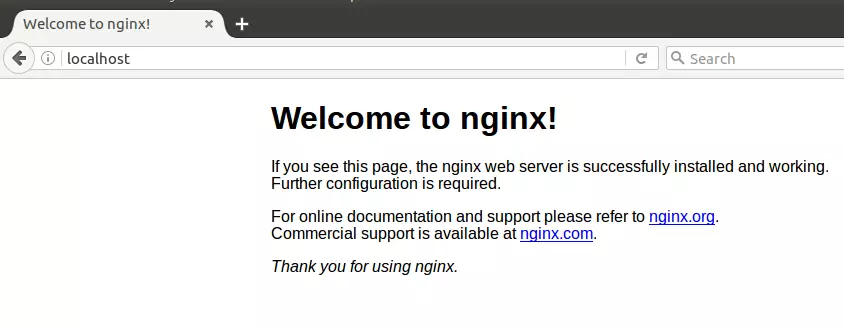
How to Install Ghost on Ubuntu Linux

The article guides through the process of installing Ghost CMS on Ubuntu Linux, using Nginx for support. Ghost, a Node.js-based open-source publishing platform, offers a simple, lightweight solution for bloggers. The steps detailed include Nginx installation, MariaDB installation and security setup, Node.js setup, and Ghost installation with its CLI utility. The blog ends with important security steps and the initial configuration of Ghost.

Windows 3 min read
How to Install Telnet on Windows 11

The post provides a guide on how to install and use the Telnet network protocol on Windows 11. Despite its insecurity and old age, Telnet is still useful in test situations. It offers different installation methods, including via the Control Panel, Command Prompt, or PowerShell. The post concludes by encouraging users to report any errors or offer feedback.

September 27, 2021 Read more →
Ubuntu Linux 5 min read
How to Upgrade Ubuntu Linux

The post outlines the procedure to upgrade Ubuntu Desktop or Server from a previous version, indicating that Ubuntu LTS versions are supported for five years and STS versions are supported for about 9 months. To begin, you must first update all installed packages to their latest versions, then remove any dependencies no longer needed. Then, use the 'do-release-upgrade' command to start the upgrade process, following on-screen instructions and restarting your computer when finished. The content assured that the steps are relatively painless and straightforward.

Ubuntu Linux 6 min read
Install Node.js and npm on Ubuntu: A Step-by-Step Guide

This article instructs on how to install Node.js and npm on Ubuntu Linux, two important packages for running Node.js-based applications. It provides three installation methods: through Ubuntu repositories, the Snap package management system, and NodeSource repository. Steps to install Node.js and npm versions of your preference, as well as creating and deploying a test server using Node.js, are also mentioned.

September 26, 2021 Read more →
Ubuntu Linux 4 min read
How to Install Python on Ubuntu Linux

The post provides a step-by-step demonstration on installing Python, a versatile programming language, on Ubuntu Linux. Two methods of installation are given: installing from Ubuntu repositories, which may not have the latest Python version, or manually building from the source code, which gives control over the Python version to install. Various features of the current Python versions are also highlighted, including assignment expression, position-only parameters, and f-strings support.

Windows 3 min read
How to Change Power Modes in Windows 11

The post explains how to select power modes on Windows 11. By default, Windows 11 uses a balanced power mode for optimized performance and reduced power consumption. This can be changed to suit individual needs, ensuring the best battery life, performance, or balance. Users can select different power modes for AC and battery (DC) power, with the device automatically choosing the mode when switching power sources. The process is explained step-by-step, starting from accessing the System Settings pane.

September 22, 2021 Read more →
Windows 3 min read
How to Enable or Disable Device Encryption in Windows 11

The post instructs users how to enable or disable device encryption on Windows 11 for enhanced data protection. Device encryption converts stored data into an unintelligible code, accessible only via password or recovery key. Windows 11's System Settings panel provides options for encryption controls. Encryption is on by default on compatible systems, or users can opt for BitLocker encryption on unsupported devices.

Exit mobile version