How to Set Max Recording Length in Windows 11 Gameplay Captures

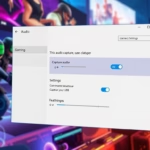
You set the maximum recording length for Windows 11 gameplay captures in the Xbox Game Bar settings.
Windows 11’s Xbox Game Bar allows you to quickly record your gaming sessions using the shortcut Windows key + Alt+G. This feature automatically saves these clips to your Videos folder.
Limiting your recording length prevents your hard drive from filling up too quickly and keeps your captured footage manageable. By default, Windows 11 doesn’t have a set maximum recording time, meaning clips could become very large.
Setting a maximum duration, such as 30 minutes or 2 hours, ensures your recordings are automatically stopped once that limit is hit. This keeps your storage usage predictable and saves you time searching through long, unedited gameplay files.
Was this guide helpful?

About the Author
Richard
Tech Writer, IT Professional
Richard, a writer for Geek Rewind, is a tech enthusiast who loves breaking down complex IT topics into simple, easy-to-understand ideas. With years of hands-on experience in system administration and enterprise IT operations, he’s developed a knack for offering practical tips and solutions. Richard aims to make technology more accessible and actionable. He's deeply committed to the Geek Rewind community, always ready to answer questions and engage in discussions.



No comments yet — be the first to share your thoughts!