How to Mute or Unmute Sound on Ubuntu Linux

You mute or unmute sound on Ubuntu Linux by using the system menu or the Settings app.
Muting your sound completely silences your computer’s audio output, while unmuting restores it. This is different from simply lowering the volume, which reduces it but doesn’t eliminate it entirely.
In Ubuntu 22.04 LTS, you’ll find the quickest mute/unmute controls in the top bar’s system menu. Click on the right side where icons like Wi-Fi and battery appear to access it.
Knowing how to toggle mute is essential when you need immediate silence, whether for a call or to avoid disturbing others.
Mute or unmute sound on Ubuntu by clicking the system menu in the top-right corner and using the volume slider. Slide it all the way left to mute, or move it right to unmute and adjust volume.
How to mute the sound volume in Ubuntu Linux
As mentioned above, Ubuntu Linux allows you to quickly mute the Sound volume from your computer from the system menu.
The system menu is on the right side of the top bar, where the Wi-Fi, Speaker, and/or Battery icons are.

Once you click on the system menu, the panel should open. You can use the slider to adjust the volume on your PC.
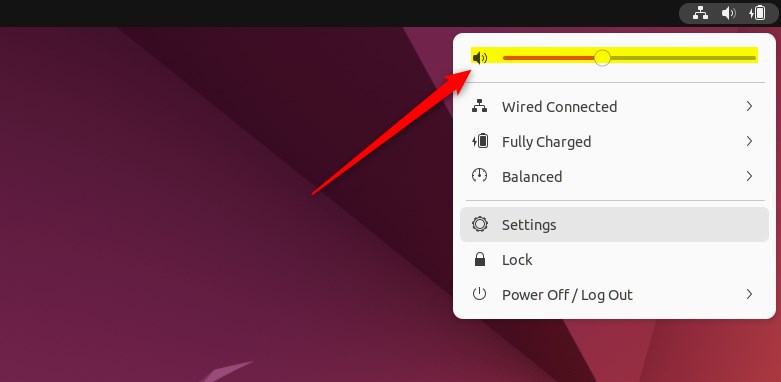
Bring the slider left to lower the volume and right to increase it.
You can also bring the slider to the far left to mute the sound from your computer. The speaker should have a little x in front of the icon when the speaker is muted or off.
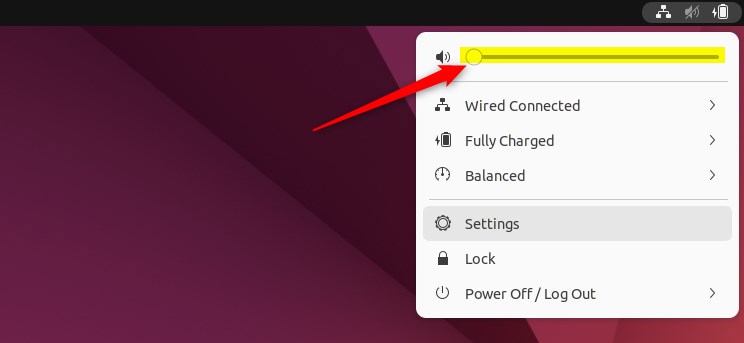
How to unmute Sound in Ubuntu Linux
If you wish to unmute, click the speaker icon again or move the slider to the right to unmute and increase the sound volume.
How to mute or unmute from the Ubuntu Linux settings app
One can also use the Ubuntu Linux settings app to adjust the volume. Below is how to access the Ubuntu Linux settings app.
Ubuntu Linux has a centralized location for the majority of its settings. From system configurations to creating new users and updating, all can be done from the System Settings panel.
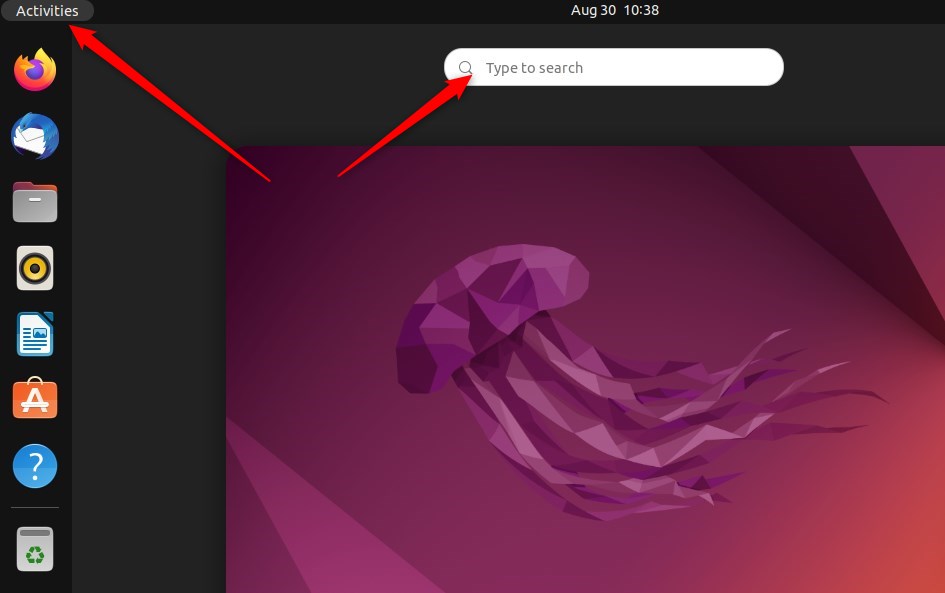
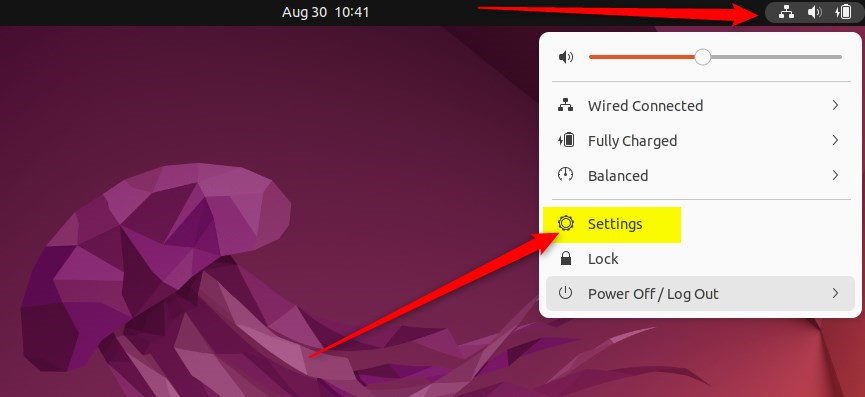
Alternatively, click on the System menu at the top-right corner of the top bar on your desktop.
On the System menu, select Settings, as highlighted below.
In the Settings app, click on a Sound tile to open the panel.
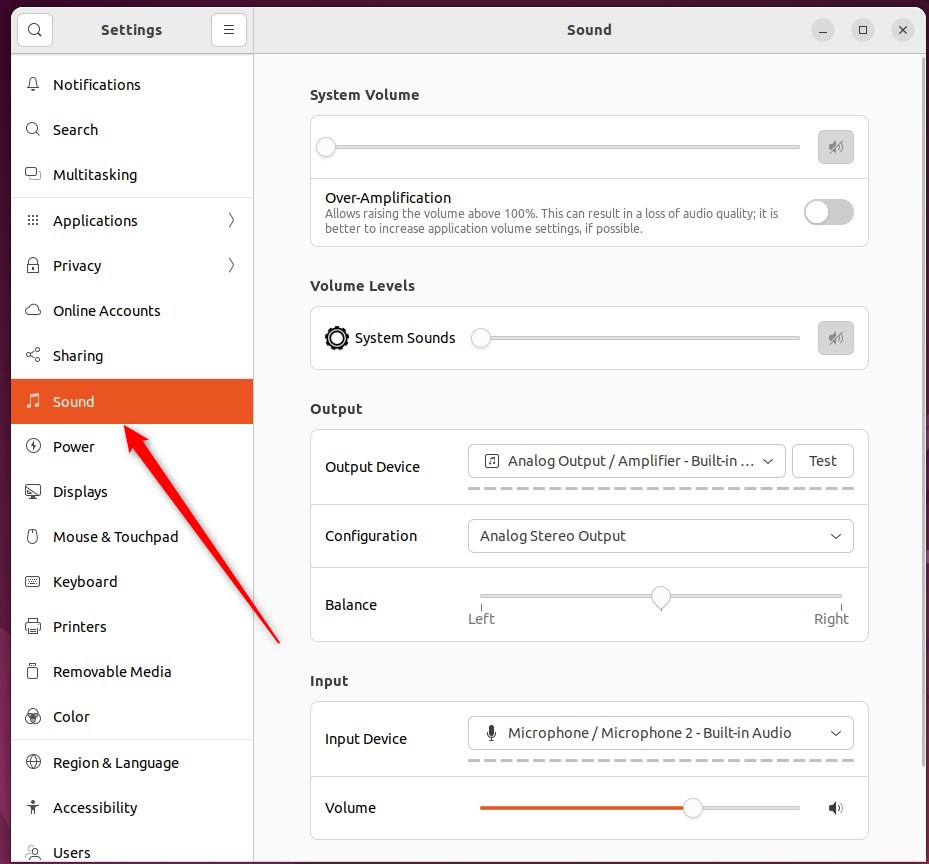
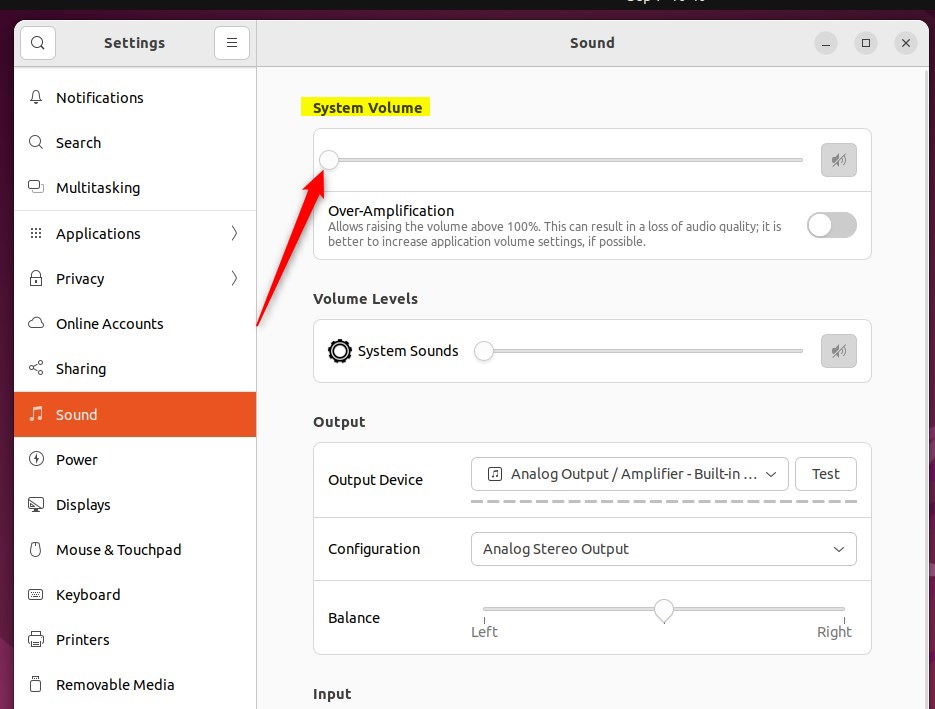
In the System Settings -> Sound panel, under System Volume, use the slider to change the volume on your computer.
Some keyboards have keys that let you control the volume. They are often near the “F” keys at the top. For example, laptop keyboards usually use the “F” keys. Hold down the Fn key on your keyboard to use them.
That should do it!
Conclusion:
- Muting or unmuting the sound volume in Ubuntu Linux can be easily done from the system menu on the top bar.
- Users can adjust the volume using the slider and quickly mute or unmute the sound by accessing the system menu.
- Alternatively, the Ubuntu Linux settings app provides another option to adjust the sound volume and control system settings.
- With the availability of keyboard shortcuts for volume control, users have convenient alternatives to manage sound output on their computers.
Was this guide helpful?

About the Author
Richard
Tech Writer, IT Professional
Richard, a writer for Geek Rewind, is a tech enthusiast who loves breaking down complex IT topics into simple, easy-to-understand ideas. With years of hands-on experience in system administration and enterprise IT operations, he’s developed a knack for offering practical tips and solutions. Richard aims to make technology more accessible and actionable. He's deeply committed to the Geek Rewind community, always ready to answer questions and engage in discussions.




[…] can adjust the volume, switch the microphone off, or mute it from this […]
[…] can adjust the volume, switch the microphone off, or mute it from this […]